Subscribe to OW blog for an instantly better inbox
Oops! Something went wrong while submitting the form.

Articles and Podcasts on Customer Service, AI and Automation, Product, and more
.webp)
Great research has never been about speed alone. It’s about asking the right questions, understanding the context behind them, and uncovering insights that help teams make better decisions.
Optimal's AI Interviewer is designed to support that process. It’s designed to work alongside researchers and teams, so you can move faster without losing the depth and human nuance that makes research valuable.
Before building AI Interviewer, we spoke with and surveyed researchers, designers, and product teams to how they approach interviews today and where AI could genuinely help.
What we heard was consistent:
AI isn’t useful if it ignores how your team works. So instead of building a generic interviewer, we focused on building an AI Interviewer that fits into your current workflows and keeps researchers and teams in the driver's seat.
Here’s what we learned and how we brought it to life with Optimal’s AI Interviewer.
The best interviews start with a clear understanding of what you’re trying to uncover. With the AI Interviewer, you can add your research goals, audience details, company and product context, and additional context you want the AI to consider. This means the AI doesn’t just ask questions; it understands what you’re trying to learn and helps guide conversations in the right direction.
The same context also powers AI insights, helping ensure summaries, key themes, and citations are relevant, accurate, and aligned with what you're trying to learn.
One of the concerns with AI-led interviews is not having enough control. We’ve designed the AI Interviewer with this in mind.
For each question, you can choose how deeply you would like the AI Interviewer to probe and follow-up. You decide when deeper exploration is valuable, how the conversation flows, and the AI can then carry this out on your behalf.
AI Interviewer helps remove some of the barriers that make qualitative research difficult to scale. Use it to:
This isn’t about replacing researchers. It’s about removing operational work so you can focus on higher-value work, like synthesis, storytelling, and decision-making.
Every session comes with recordings, key summaries, and AI-generated insights with clear detailed evidence. Instead of reviewing hours of footage, you can quickly find what matters and confidently back it up. Review insights across your full study, or dive deeper into individual sessions and specific questions.
On the roadmap: Once your interviews are complete, you can use AI Chat to go further with your data and explore patterns across sessions, ask follow-up questions, and validate assumptions with real evidence.
Let’s address the elephant in the room. AI-led interviews aren’t something everyone is immediately comfortable with, and that’s fair. There are real limitations.
Some research scenarios require human sensitivity and judgment. Nuance, emotion, and edge cases still benefit from a human touch. Vulnerable populations and complex topics should always be handled with care. Optimal values a human-in-the-loop approach and know an AI Interviewer isn’t always suitable. With that in mind, we made sure that:
The AI Interviewer supports your work. It doesn’t replace your expertise.
AI Interviewer is now available in early access, and we’re continuing to learn from the teams using it. If you’re looking to scale your research without scaling your workload, run interviews across time zones, and spend less time on logistics and more time on insights, we’d love for you to try it.
👉 Book a demo to see how it fits into your workflow.
Already with Optimal? Register your interest for early access.

AI is transforming how businesses approach product development. From AI-powered chatbots and recommendation engines to predictive analytics and generative models, AI-first products are reshaping user interactions with technology, which in turn impacts every phase of the product development lifecycle.
Whether you're skeptical about AI or enthusiastic about its potential, the fundamental truth about product development in an AI-driven future remains unchanged: a product is only as good as its user experience.
No matter how powerful the underlying AI, if users don't trust it, can't understand it, or struggle to use it, the product will fail. Good UX isn't simply an add-on for AI-first products, it's a fundamental requirement.
Unlike traditional software, where users typically follow structured, planned workflows, AI-first products introduce dynamic, unpredictable experiences. This creates several unique UX challenges:
AI only succeeds when it's intuitive, accessible, and easy-to-use: the fundamental components of good user experience. That's why product teams need to embed strong UX research and design into AI development, right from the start.
AI can feel like a black box, users often don't know how it works or why it's making certain decisions or recommendations. If people don't understand or trust your AI, they simply won't use it. The user experiences you need to build for an AI-first product must be grounded in transparency.
What does a transparent experience look like?
A strong example: Spotify's AI recommendations explain why a song was suggested, helping users understand the reasoning behind specific song recommendations.
AI often goes hand-in-hand with automation, but this approach ignores one of AI's biggest limitations: incorporating human nuance and intuition into recommendations or answers. While AI products strive to feel seamless and automated, users need clarity on what's happening when AI makes mistakes.
How can you address this? Design for AI-Human Collaboration:
Consider Google's Gemini AI, which lets users edit generated responses rather than forcing them to accept AI's output as final, a thoughtful approach to human-AI collaboration.
Because AI-first products offer dynamic experiences that can behave unpredictably, traditional usability testing isn't sufficient. Product teams need to test AI interactions across multiple real-world scenarios before launch to ensure their product functions properly.
Run UX Research to Validate AI Models Throughout Development:
One notable example: A leading tech company used Optimal to test their new AI product with 2,400 global participants, helping them refine navigation and conversion points, ultimately leading to improved engagement and retention.
The bottom line is that AI isn't replacing UX, it's making good UX even more essential. The more sophisticated the product, the more product teams need to invest in regular research, transparency, and usability testing to ensure they're building products people genuinely value and enjoy using.
Want to improve your AI product's UX? Start testing with Optimal today.

Be honest. Are you guilty of being a gatekeeper?
For years, UX teams have treated research as a specialized skill that requires extensive training, advanced degrees, and membership in the researcher club. We’re guilty of it too! We've insisted that only "real researchers" can talk to users, conduct studies, or generate insights.
But the problem with this is, this gatekeeping is holding back product development, limiting insights, and ironically, making research less effective. As a result, product and design teams are starting to do their own research, bypassing UX because they want to just get things done.
This shift is happening, and while we could view this as the downfall of traditional UX, we see it more as an evolution. And when done right, with support from UX, this democratization actually leads to better products, more research-informed organizations, and yes, more valuable research roles.
Product teams need insights constantly, making decisions daily about features, designs, and priorities. Yet dedicated researchers are outnumbered, often supporting 15-20 product team members each. The math just doesn't work. No matter how talented or efficient researchers are, they can't be everywhere at once, answering every question in real-time. This mismatch between insight demand and research capacity forces teams into an impossible choice: wait for formal research and miss critical decision windows or move forward without insights and risk building the wrong thing.
Since product teams often don’t have the time to wait, teams make decisions anyway, without research. A Forrester study found that 73% of product decisions happen without any user input, not because teams don't value research, but because they can't wait weeks for formal research cycles.
In organizations where this is already happening (it’s most of them!) teams have two choices, accept that their research to insight to development workflow is broken, or accept that things need to change and embrace the new era of research democratization.
The most research-informed organizations aren't those with the most researchers, they're those where research skills are distributed throughout the team. When Product Managers and Designers talk directly to users, with researchers providing frameworks and quality control they make more research-informed decisions which result in better product performance and lower business risk.
When PMs and designers conduct their own research, context doesn't get lost in translation. They hear the user's words, see their frustrations, and understand nuances that don't survive summarization. But there is a right way to democratize, which not all organizations are doing.
Democratization as a consequence instead of as an intentional strategy, is chaos. Without frameworks and support from experienced researchers, it just won’t work. The goal isn't to turn everyone into researchers, it's to empower more teams to do their own research, while maintaining quality and rigor. In this model, the researcher becomes an advisor instead of a gatekeeper and the researcher's role evolves from conducting all studies to enabling teams to conduct their own.
Not all questions need expert researchers. Intercom uses a three-tier model:
This model increased research output by 300% while improving quality scores by 25%.
In a model like this, the researcher becomes more important than ever because democratization needs quality assurance.
Democratization requires researchers to shift from "protectors of methodology" to "enablers of insight." It means:
By enabling teams to handle routine research, professional researchers focus on:
In truly research-informed organizations, everyone has user conversations. PMs do quick validation calls. Designers run lightweight usability tests. Engineers observe user sessions. Customer success shares user feedback.
And researchers? They design the systems, ensure quality, tackle complex questions, and turn this distributed insight into strategic direction.
Research democratization isn't about devaluing research expertise, it's about scaling research impact. It's recognizing that in today's product development pace, the choice isn't between formal research and democratized research. It's between democratized research and no research at all.
Done right, democratization isn't the end of UX research as a profession. It's the beginning of research as a competitive advantage.

The decision between interview-focused research tools and comprehensive user insight platforms fundamentally shapes how teams generate, analyze, and act on user feedback. This choice affects not only immediate research capabilities but also long-term strategic planning and organizational impact. While Great Question focuses primarily on customer interviews and basic panel management with streamlined functionality, Optimal provides more robust capabilities, global participant reach, and advanced analytics infrastructure that the world's biggest brands rely on to build products users genuinely love. Optimal's platform enables teams to conduct sophisticated research, integrate insights across departments, and deliver actionable recommendations that drive meaningful business outcomes.
Optimal's Research Leadership: Optimal delivers complete research capabilities spanning information architecture testing, prototype validation, card sorting, tree testing, first-click analysis, live site testing, and qualitative insights, all powered by AI-driven analysis and backed by 17 years of specialized research expertise that transforms user feedback into actionable business intelligence. Optimal's live site testing allows you to test actual websites and web apps without code, enabling continuous optimization and real-time insights post-launch.
Great Question's Limited Research Scope: In contrast, Great Question operates primarily as an interview scheduling and panel management tool with basic survey capabilities, lacking the comprehensive research methodologies and specialized testing tools that enterprise research programs require for strategic impact across the full product development lifecycle.
Enterprise-Ready Research Suite: Optimal serves Fortune 500 clients including Lego, Nike, and Netflix with SOC 2 compliance, enterprise security protocols, and a comprehensive research toolkit that scales with organizational growth and research sophistication.
Workflow Limitations: Great Question's interview-focused approach restricts teams to primarily qualitative methods, requiring additional tools for quantitative validation and specialized testing scenarios that modern product teams demand for comprehensive user understanding.
Global Research Network: Optimal's 10M+ verified participants across 150+ countries enable sophisticated audience targeting, international market research, and reliable recruitment for any demographic or geographic requirement, from enterprise software buyers in Germany to mobile gamers in Southeast Asia.
Limited Panel Access: Great Question provides access to 3M+ participants with basic recruitment capabilities focused primarily on existing customer panels, limiting research scope for complex audience requirements and international market validation.
Advanced Participant Targeting: Optimal includes sophisticated recruitment filters, managed recruitment services, and quality assurance protocols that ensure research validity and participant engagement across diverse study requirements.
Basic Recruitment Features: Great Question focuses on CRM integration and existing customer recruitment without advanced screening capabilities or specialized audience targeting that complex research studies require.
Complete Research Methodology Suite: Optimal provides full-spectrum research capabilities including advanced card sorting, tree testing, prototype validation, first-click testing, surveys, and qualitative insights with integrated AI analysis across all methodologies and specialized tools designed for specific research challenges.
Interview-Focused Limitations: Great Question offers elementary research capabilities centered on customer interviews and basic surveys, lacking the specialized testing tools enterprise teams need for information architecture, prototype validation, and quantitative user behavior analysis.
AI-Powered Research Operations: Optimal streamlines research workflows with automated analysis, AI-powered insights, advanced statistical reporting, and seamless collaboration tools that accelerate insight delivery while maintaining analytical rigor. Our new Interviews tool revolutionizes qualitative research, upload interview videos and let AI automatically surface key themes, generate smart highlight reels with timestamped evidence, and produce actionable insights in hours instead of weeks, eliminating the manual synthesis bottleneck.
Manual Analysis Dependencies: Great Question requires significant manual effort for insight synthesis beyond interview transcription, creating workflow inefficiencies that slow research velocity and limit the depth of analysis possible across large datasets.
Great Question may be a good choice for teams who are looking for:
Optimal becomes essential for:
Ready to see how leading brands including Lego, Netflix and Nike achieve better research outcomes? Experience how Optimal's platform delivers user insights that adapt to your team's growing needs and research sophistication.

When people come to us, we often hear the same story. The platforms they’ve used are clunky. Outdated. Confusing. Like navigating a maze of tabs, jargon, and complexity. Just to run a simple study.
That’s not what user testing should feel like.
At Optimal, we believe finding insights should feel energizing, not exhausting. So we’ve been working hard to make our platform easier than ever for anyone – no matter their experience level – to run meaningful research, fast.
We also know that the industry is changing. Teams want to do more with less, and platforms need to be able to empower more roles to run their own tests and find answers fast.
As pioneers in UX research, Optimal has always led the way. Today, Optimal is more powerful, intuitive, and impactful than ever, built to meet the needs of today’s teams and future-proofed for what’s next.
Access for All
We believe research should be accessible. Whether you’re a seasoned researcher or just getting started, you should be able to confidently run studies and uncover the “why” behind user behavior without facing a steep learning curve. All our latest plans include unlimited users, giving your whole team the ability to run research and find insights.
Speed to Insight
Time and budget shouldn't stand in your way. With smart automation and AI-powered insights, our tools help you go from question to clarity in days, not weeks.
Communicate with Impact
Great insights are only powerful if they’re shared. We help you translate data into clear, actionable stories that influence the right decisions across your team.
We’re entering a new era at Optimal, one that’s even faster, smoother, and more enjoyable to use.
Here’s what’s new:
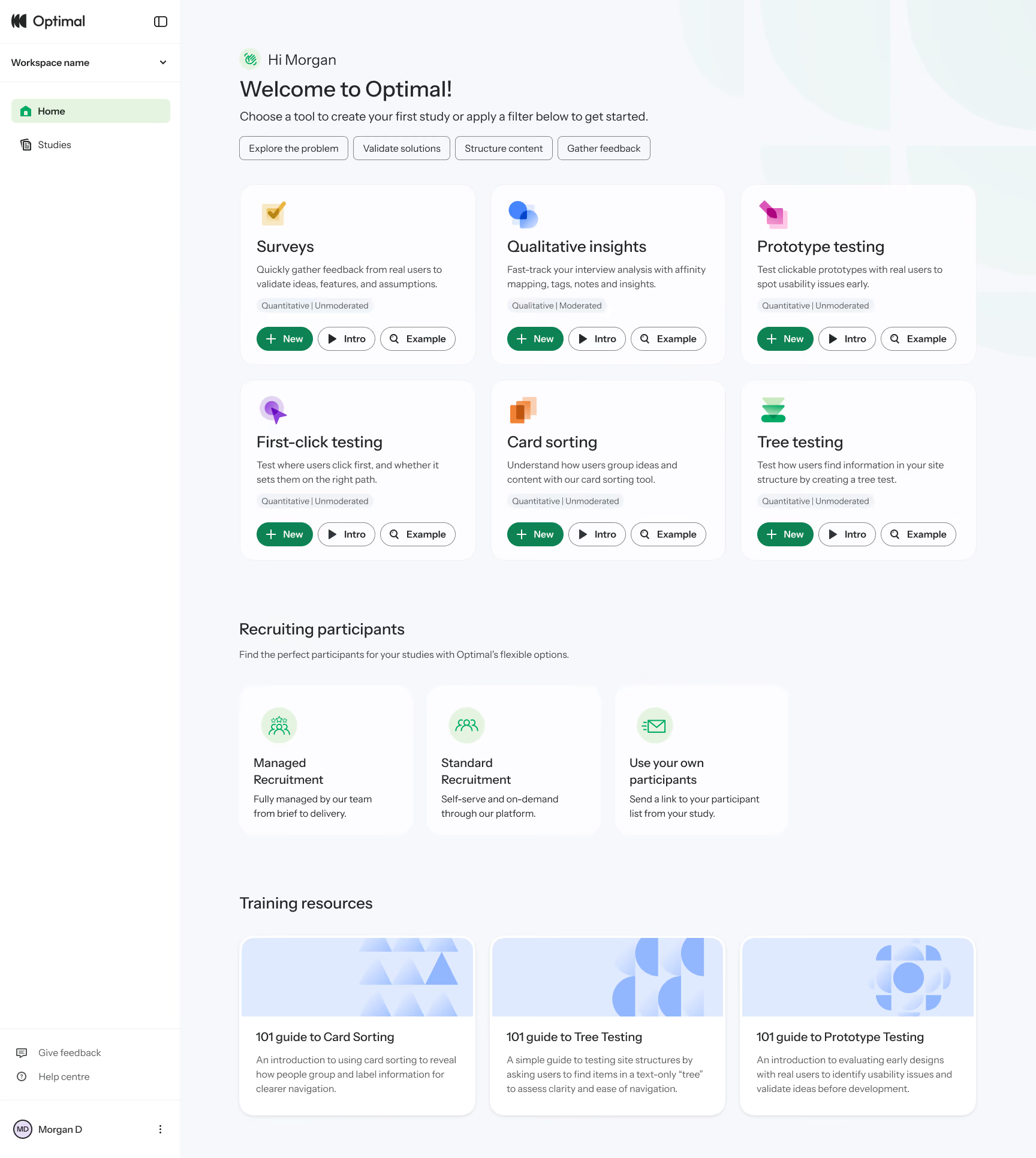
This year, we also launched our new study flow to reduce friction with study creation. It helps you easily visualize and understand the participant experience, from the welcome message to the final thank-you screen, every step of the way. Learn more about the Study Flow.
Our refreshed designs reduces mental load, minimizes unnecessary scrolling, and helps you move from setup to insight faster than ever before.
We’ve gone well beyond a new homepage and design refresh. Now’s the perfect time to take another look. We’ve made big changes to help you get up and running quickly and get more time uncovering the insights that matter.
Using Optimal already? Log in to see what’s new.
New to Optimal? Start a free trial and experience it for yourself.
This is just the beginning. We can’t wait to bring you even more. Welcome to a simpler, faster, more delightful way to find insights.


UX and product teams struggle with fragmented workflows when using traditional survey-only platforms like SurveyMonkey. Teams end up juggling multiple tools for surveys, usability testing, information architecture, and participant recruitment, creating data silos and ballooning costs.
Optimal unifies the entire UX research workflow in a single platform with unlimited seats, integrated recruitment, and purpose-built UX tools.
SurveyMonkey does one thing well: Surveys. It's built for market research, employee feedback and event registrations. But most UX teams need additional methods to complete their research including: card sorting, tree testing, prototype testing, and usability studies. SurveyMonkey offers none of these, forcing you to purchase additional platforms.
Optimal provides the complete UX toolkit. Surveys, card sorting, tree testing, first-click testing, prototype testing, and interviews, all in one platform with integrated analysis.
17 years of UX expertise. Optimal isn't a generic survey tool adapted for research. Every feature is purpose-built for understanding user behavior and optimizing digital experiences, proven by companies like Netflix and Uber.
SurveyMonkey's per-seat model creates scaling challenges. Every new team member who needs research access means another line item in your budget. As your research practice matures and more people across product, design, and marketing want to run studies, costs multiply.
Optimal's unlimited seat model changes the economics. Pay for usage, not headcount. Whether you have 5 researchers or 50 people conducting studies across product, design, and marketing teams, the cost stays the same. No budget negotiations when a new PM wants to run a study. No choosing between cost and collaboration.
Hidden costs multiply with seat-based pricing. Beyond per-user fees, SurveyMonkey charges for responses beyond plan limits. A growing team means higher seat costs AND higher overage fees as research scales.
Unlimited seats enable research democratization. When anyone can conduct research without impacting the budget, UX thinking spreads across your organization, without procurement approvals for each new seat.
SurveyMonkey requires DIY recruitment. You get distribution tools (email, links, QR codes) but no participants. You must build your own panel or purchase SurveyMonkey Audience separately, with additional per-response fees that vary by audience type.
Launch research in minutes with Optimal. Design your study, specify demographics, and recruit qualified participants immediately. No vendor coordination, no delays, no managing multiple relationships.
Quality and reach matter. Optimal's recruitment includes quality checks and access to niche audiences (healthcare professionals, developers, executives) that require expensive custom recruitment through SurveyMonkey.
Fully Managed or DIY Recruitment: Flexibility to Suit Your Needs. Optimal offers fully managed recruitment as well as DIY recruitment and an on-demand panel. Whether you prefer hands-on control or a completely managed process, we have you covered. With Managed Recruitment, our dedicated in-house team handles everything from briefing to delivery. The team sources from a global pool of vetted participants across multiple trusted providers and selects the panel to ensure that you can quickly connect with your target users. Need to refine targeting mid-project? No problem. We’ll refine your criteria seamlessly to keep your study on track, no matter the changes.With SurveyMonkey, you’re left to build your own panel or purchase SurveyMonkey Audience separately, with extra per-response fees based on audience type, which can quickly escalate costs.
Advanced Targeting: Precision Recruitment for Your Exact Needs. At Optimal, we empower you with the ability to recruit precisely the audience you need, even for niche or hard-to-reach groups. Unlike SurveyMonkey Audience, where targeting is limited to preset criteria, Optimal Managed Recruitment gives you the flexibility to create custom, free-form targeting criteria. Whether you're seeking healthcare professionals, developers, or executives, we’ll ensure you get the exact participants required to deliver actionable insights.
Transparent, All-Inclusive Pricing: No Hidden Fees, No Surprises. Optimal has no hidden recruitment fees or per-question charges. The cost of recruitment is all-inclusive, with no additional costs for screening questions or response limits. By contrast, pricing can quickly add up with SurveyMonkey’s additional costs for screening questions, question types, and length of surveys. As an example, for matrix/scale questions, each row of a question counts as a separate question, increasing the overall cost.
Optimize Your Screeners: Expert Support for Better Results. Optimal's Managed Recruitment helps you optimize your screeners for free. Our team ensures that your screeners filter participants effectively and can even help you write them if needed. We optimize for quality and feasibility, ensuring the best-fit participants.
SurveyMonkey excels as a general-purpose survey platform, but UX and product teams quickly hit its limits. Per-user pricing and panel recruitment costs scales expensively, there are no UX-specific research methods, and recruitment requires separate coordination.
Optimal delivers more value for less:
For teams serious about understanding users and building better products, Optimal eliminates workflow complexity while providing significantly more capability per dollar.
Ready to see the difference? Start your free trial.

In today's digital-first travel landscape, the one-size-fits-all approach to airline customer experience has become as outdated as paper tickets. Modern travelers expect experiences tailored to their unique preferences, past behaviors, and current context, from the moment they begin searching for flights through their return home.
The stakes for effective personalization in the airline industry have never been higher:
The personalization journey begins before the customer has even decided on a destination:
Key Opportunities:
Implementation Example: A major European carrier increased conversion rates by 26% by implementing a machine learning algorithm that prioritized search results based on individual customer preferences derived from past booking behavior, rather than simply showing the lowest fares first.
The booking flow represents your prime opportunity to enhance the trip with personalized ancillaries:
Key Opportunities:
Implementation Example: By analyzing past purchasing patterns and current trip context, one Asian carrier increased their ancillary revenue by 34% through highly targeted seat upgrade offers at specific, personalized moments in the booking flow.
Between booking and travel day, relevant, timely communication builds anticipation and reduces anxiety:
Key Opportunities:
Implementation Example: A North American airline reduced customer service calls by implementing smart pre-trip communications that anticipated and addressed common questions based on the specific traveler profile, destination, and time of year.
Recognition is the foundation of in-person personalization:
Key Opportunities:
Implementation Example: By empowering their mobile app with location awareness, one carrier now sends personalized notifications and offers as passengers move through the airport, resulting in both higher satisfaction and increased last-minute ancillary purchases.
The ultimate personalized experience remembers passenger preferences across journeys:
Key Opportunities:
Implementation Example: A Middle Eastern carrier equipped their cabin crew with tablets showing passenger preferences and history, enabling them to greet frequent flyers by name and proactively offer their usual preferences, significantly boosting NPS scores.
The industry's New Distribution Capability (NDC) standard represents a quantum leap forward for personalization capabilities. Unlike legacy distribution systems that primarily communicated price and schedule, NDC enables:
Implementing personalization isn't a one-time project but a capability that evolves in sophistication:
Level 1: Basic Segmentation
Level 2: Journey-Based Personalization
Level 3: Individual-Level Personalization
Level 4: Predictive Personalization
Despite its obvious benefits, implementing effective personalization presents challenges:
Data Fragmentation Challenge: Customer data exists in siloed systems across reservations, loyalty, service, and digital platforms. Solution: Invest in a customer data platform (CDP) that unifies passenger data across touchpoints.
Privacy Concerns Challenge: Increasing regulation around personal data usage. Solution: Build transparency into personalization efforts, allowing customers to understand and control how their data is used.
Legacy Technology Challenge: Aviation's complex technology ecosystem wasn't built for personalization. Solution: Implement middleware layers that can orchestrate personalization without requiring full system replacement.
Effective measurement of personalization efforts should include:
Implementing effective personalization requires deep insights into traveler preferences, behaviors, and pain points. Optimal's suite of UX research tools offers airlines powerful capabilities to develop and refine personalization strategies:
Optimal's card sorting tool allows airlines to understand how different customer segments categorize and prioritize service elements and amenities:
Application Example: One North American carrier used card sorting to discover that their business travelers categorized amenities differently than expected, leading to a reorganization of their premium offering structure and a 28% increase in premium ancillary attachment.
As personalized offerings grow more complex, ensuring customers can easily find what matters to them becomes crucial:
Application Example: A major European airline discovered through tree testing that their loyalty members struggled to find personalized offers within their app, leading to a navigation redesign that increased offer visibility by 45%.
Optimal's first-click testing helps airlines optimize the critical initial interactions that drive personalization adoption:
Application Example: Through first-click testing, an Asian carrier discovered that leisure travelers were overlooking personalized destination content, leading to a redesign that increased engagement with tailored destination information by 67%.
Optimal's research repository capabilities allow airlines to combine quantitative findings with qualitative insights:
By systematically applying Optimal's research tools to personalization challenges, airlines can move beyond intuition-based personalization to evidence-driven tailored experiences that genuinely resonate with travelers.
The airline that succeeds in personalization transforms from being perceived as a mass transportation provider to a curator of individual travel experiences. While the aircraft itself may carry hundreds, each passenger can feel that their journey was crafted specifically for them.
In an industry where operational parity is common, the emotional connection created through recognition and relevance becomes the defining factor in customer choice and loyalty. The airlines that master the art and science of personalization will not just survive but thrive in aviation's next era.
