Subscribe to OW blog for an instantly better inbox
Oops! Something went wrong while submitting the form.

Articles and Podcasts on Customer Service, AI and Automation, Product, and more
A year ago, we looked at the user research market and made a decision.
We saw product teams shipping faster than ever while research tools stayed stuck in time. We saw researchers drowning in manual work, waiting on vendor emails, stitching together fragmented tools. We heard "should we test this?" followed by "never mind, we already shipped."
The dominant platforms got comfortable. We didn't.
Today, we're excited to announce Optimal 3.0, the result of refusing to accept the status quo and building the fresh alternative teams have been asking for.
The gap between product velocity and research velocity has never been wider. The situation isn't sustainable. And it's not the researcher's fault. The tools are the problem. They’re:
These platforms haven't changed because they don't have to, so we set out to challenge them.
Optimal 3.0 isn't an incremental update to the old way of doing things. It's a fundamental rethinking of what a research platform should be.
Research For All, Not Just Researchers.
For 18 years, we've believed research should be accessible to everyone, not just specialists. Optimal 3.0 takes that principle further.
Unlimited seats. Zero gatekeeping.
Designers can validate concepts without waiting for research bandwidth. PMs can test assumptions without learning specialist tools. Marketers can gather feedback without procurement nightmares. Research shouldn't be rationed by licenses or complexity. It should be a shared capability across your entire team.
A Complete Ecosystem in One Place.
Stop stitching together point solutions.Optimal 3.0 gives you everything you need in one platform:
Recruitment Built In Access millions of verified participants worldwide without the vendor tag. Target by demographics, behaviors, and custom screeners. Launch studies in minutes, not days. No endless email chains. No procurement delays.
Testing That Adapts to You
Learn more about Live Site Testing
AI-Powered Analysis (With Control) Interview analysis used to take weeks. We've reduced it to minutes.
Our AI automatically identifies themes, surfaces key quotes, and generates summaries, while you maintain full control over the analysis.
As one researcher told us: "What took me 4 weeks to manually analyze now took me 5 minutes."
This isn't about replacing researcher judgment. It's about amplifying it. The AI handles the busywork, tagging, organizing, timestamping. You handle the strategic thinking and judgment calls. That's where your value actually lives.
Learn more about Optimal Interviews
Chat Across All Your Data Your research data is now conversational.
Ask questions and get answers instantly, backed by actual video evidence from your studies. Query across multiple Interview studies at once. Share findings with stakeholders complete with supporting clips.
Every insight comes with the receipts. Because stakeholders don't just need insights, they need proof.
A Dashboard Built for Velocity See all your studies, all your data, in one place. Track progress across your entire team. Jump from question to insight in seconds. Research velocity starts with knowing what you have.
Integration Layer
Optimal 3.0 fits your workflow. It doesn't dominate it. We integrate with the tools you already use, Figma, Slack, your existing tech stack, because research shouldn't force you to abandon how you work.
What Didn't Change: Methodological Rigor
Here's what we didn't do: abandon the foundations that made teams trust us.
Card sorting, tree testing, first-click tests, surveys, the methodologically sound tools that Amazon, Google, Netflix, and HSBC have relied on for years are all still here. Better than ever.
We didn't replace our roots. We built on them.
18 years of research methodology, amplified by modern AI and unified in a complete ecosystem.
Product development isn't slowing down. AI is accelerating everything. Competitors are moving faster. Customer expectations are higher than ever.
Research can either be a bottleneck or an accelerator.
The difference is having a platform that:
Optimal 3.0 is built for research that arrives before the decision is made. Research that shapes products, not just documents them. Research that helps teams ship confidently because they asked users first.
A Fresh Alternative
We're not trying to be the biggest platform in the market.
We're trying to be the best alternative to the clunky tools that have dominated for years.
Amazon, Google, Netflix, Uber, Apple, Workday, they didn't choose us because we're the incumbent. They chose us because we make research accessible, fast, and actionable.
"Overall, each release feels like the platform is getting better." — Lead Product Designer at Flo
"The one research platform I keep coming back to." — G2 Review
This launch represents our biggest transformation, but it's not the end. It's a new beginning.
We're continuing to invest in:
Our goal is simple: make user research so fast and accessible that it becomes impossible not to include users in every decision.
See What We've Built
If you're evaluating research platforms and tired of the same old clunky tools, we'd love to show you the alternative.
Book a demo or start a free trial
The platform that turns "should we?" into "we did."
Welcome to Optimal 3.0.

Are your users engaged in your website? The success of your website will largely depend on your answer. After all, engaged users are valuable users; they keep coming back and will recommend your site to colleagues, friends, and family. So, if you’re not sure if your users are engaged or not, consider looking into your user engagement metrics.
User engagement can be measured using a number of key metrics provided by website analytics platforms. Metrics such as bounce rate, time on page, and click-through rate all provide clues to user engagement and therefore overall website user experience.
This article will help you understand user engagement and why it’s important to measure. We’ll also discuss how to apply user engagement insights to improve website success. Combining a little bit of data with some user research is a powerful thing, so let’s get into it.
User engagement metrics provide valuable insight for both new and existing websites. They should be checked regularly as a sort of ‘pulse check’ for website user experience and performance. So, what metrics should you be looking at? Website metrics can be overwhelming; there are hundreds if not thousands to analyze, so let’s focus on three:
Measures the percentage of users that visit just one page on your site before leaving. If your bounce rate is high it suggests that users aren’t finding the content relevant, engaging, or useful. It points to a poor initial reaction to your site and means that users are arriving, making a judgment about your design or content, and then leaving.
Calculated by the time difference between the point when a person lands on the page and when they move on to the next one. It indicates how engaging or relevant individual pages on your website are. Low time on page figures suggest that users aren’t getting what they need from a certain page, either in terms of the content, the aesthetics, or both.
Click-through rate compares the number of times someone clicks on your content, to the number of impressions you get (how many times an internal link or ad was viewed). The higher the rate, the better the engagement and performance of that element. User experience design can influence click-through rates through copywriting, button contrasts, heading structure, navigation, etc.
Conversion rates are perhaps the pinnacle of user engagement metrics. Conversion rate is the percentage of users that perform specific tasks you define. They are therefore dictated by your goals, which could include form submissions, transactions, etc. If your website has high conversion rates, you can be fairly confident that your website is matching your users’ needs, requirements, and expectations.
But how do these metrics help? Well, they don’t give you an answer directly. The metrics point to potential issues with website user experience. They guide further research and subsequent updates that lead to website improvement. In the next section, we’ll discuss how these and others can support better website user experiences.
So, you’ve looked at your website’s user engagement metrics and discovered some good, and some bad. The good news is, there’s value in discovering both! The catch? You just need to find it. Remember, the metrics on their own don’t give you answers; they provide you direction.
The ‘clues’ that user engagement metrics provide are the starting point for further research. Remember, we want to make data-driven decisions. We want to avoid making assumptions and jumping to conclusions about why our website is reporting certain metrics. Fortunately, there are a bunch of different ways to do this.
User research data can be gathered by using both qualitative and quantitative research techniques. Insights into user behavior and needs can reveal why your website might be performing in certain ways. Research can include both qualitative and quantitative techniques.
The type of research depends on what question you want to answer. Being specific about your question will help you identify what research technique(s) to deploy and ultimately the quality of your answer. If you’re serious about website improvement; identify problem areas with user engagement metrics, and investigate how to fix them with user research.
If you have conducted user research and found weak areas on your website, there are many things to consider. Three good places to start are navigation, content, and website layout. Combined, these have a huge impact on user experience and can be leveraged to address disappointing engagement metrics.
Navigation is a crucial aspect of creating a good user experience since it fundamentally connects pages and content which allows users to find what they need. Navigation should be simple and easy to follow, with important information/actions at the top of menus. Observing the results of card sorting, tree testing, and user testing can be particularly useful in website optimization efforts. You may find that search bars, breadcrumb trails, and internal links can also help overcome navigation issues.
Are users seeing compelling or relevant content when they arrive on your site? Is your content organized in a way that encourages further exploration? Card sorting and content audits are useful in answering these questions and can help provide you with the insights required to optimize your content. You should identify what content might be redundant, out of date, or repetitive, as well as any gaps that may need filling.
A well-designed layout can improve the overall usability of a website, making it easier for users to find what they're looking for, understand the content, and engage with it. Consider how consistent your heading structures are and be sure to use consistent styling throughout the site, such as similar font sizes and colors. Don’t be afraid to use white space; it’s great at breaking up sections and making content more readable.
An additional factor related to layout is mobile optimization. Mobile-first design is necessary for apps, but it should also factor into your website design. How responsive is your website? How easy is it to navigate on mobile? Is your font size appropriate? You might find that poor mobile experience is negatively impacting user engagement metrics.
User experience design is an iterative, ongoing process, so it’s important to keep a record of your website’s user experience metrics at various points of development. Fortunately, website analytics platforms will provide you with historic user data and key metrics; but be sure to keep a separate record of what improvements you make along the way. This will help you pinpoint what changes impacted different metrics.
Define your goals and create a website optimization checklist that monitors key metrics on your site. For example, whenever you make an update, ensure bounce rates don’t exceed a certain number during the days following; check that your conversion rates are performing as they should be; check your time on sites hasn’t dropped. Be sure to compare metrics between desktop and mobile too.
User’s needs and expectations change over time, so keep an eye on how new content is performing. For example, which new blog posts have attracted the most attention? What pages or topics have had the most page views compared to the previous period? Tracking such changes can help to inform what your users are currently engaged in, and will help guide your user experience improvements.
User engagement metrics allow you to put clear parameters around user experience. They allow you to measure where your website is performing well, and where your website might need improving. Their main strength is in how accessible they are; you can access key metrics on website analytics platforms in moments. However, user engagement metrics on their own may not reveal how and why certain website improvements should be made. In order to understand what’s going on, you often need to dig a little deeper.
Time on page, bounce rate, click-through rate, and conversion rates are all great starting points to understand your next steps toward website improvement. Use them to define where further research may be needed. Not sure why your average pages per session is two? Try conducting first-click testing; where are they heading that seems to be a dead end? Is your bounce rate too high? Conduct a content audit to find out if your information is still relevant, or look into navigation roadblocks. Whatever the question; keep searching for the answer.
User engagement metrics will keep you on your toes, but that’s a good thing. They empower you to make ongoing website improvements and ensure that users are at the heart of your website design.
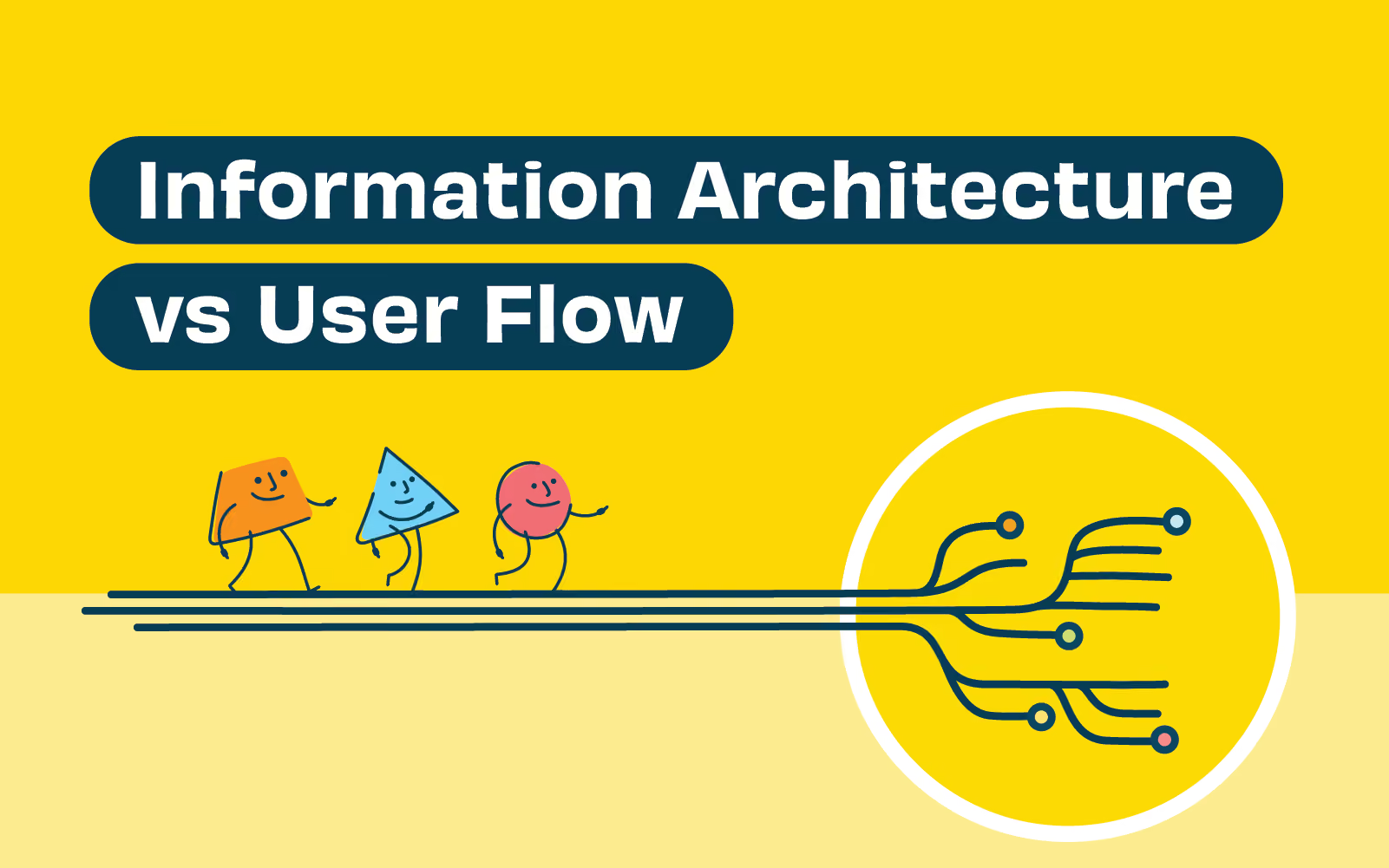
Click, click, click, BOOM! There it is. That thing you were looking for. You couldn’t find it on other websites, but you found it here, and it was easy. You feel like a hero. You thank the website and you leave with a sense of achievement.
What if you could replicate that feeling on your website? What if you could make every user journey so satisfying? By combining information architecture and user flow, you can.
But what are they and how are they different? In this article, we’ll explain how they influence website design and how you can (and should) use them together in your project. We’ll also discuss different user flow research techniques, how they inform great information architecture, and how it doesn’t have to be difficult or time consuming.
Information architecture is the system and structure you use to organize and label content on your website, app or product. It relates closely to user experience design, but it’s slightly different. Think of it as the structure or framework upon which user-facing assets are built.
That being the case, if your information architecture has flaws, your website design will have flaws. It determines how information will be accessible, usable and relevant on your website and should be treated as a critical element of your project. How can we ensure that we have our content organized efficiently to promote seamless interactions?
The answer is research. Without research you’re just guessing. The problem with guessing is that, well, you’re guessing. You tend to organize, categorize and label things the way that you (and maybe your team) would organize things. It’s biassed and subjective. In reality, people process information in all sorts of different ways and good information architecture should reflect that. You’ll often hear us say ‘test early and test often’. This mantra helps to avoid any little niggles during the user experience design process. Card sorting and tree testing are a couple of techniques that you can use to test early.
Card sorting is a research technique that asks users to categorize different pieces of information or content. It’s best used when you have specific, information-related questions. For example, you may want to categorize products in an online store in the most logical way. Or you may have a mountain of blog post categories that need refining. Whatever it is, the benefit of a card sort is that you end up with consensus of how your users expect to see information. Card sorts can even be performed remotely using tools such as OptimalSort.
Tree testing examines how easy it is for your users to find information using a stripped back, text-only representation of your website - almost like a sitemap. Rather than asking users to sort information, they are asked to perform a navigation task, for example, “where would you find today’s best deals?”. Depending on how easy or difficult users find these tasks gives you a great indication of the strengths and weaknesses of your underlying site structure.
As the base structure of your website or app, information architecture has a fundamental influence on how well users access and use your content. It makes sense then that when designing it, you should receive real-world user feedback early on in the piece. Fortunately, there are great online tools like Treejack to quickly and easily test your site structures, categorization and labels.
User flow describes the steps involved for a user to complete a certain task. It lays out what needs to happen for a user to get from starting point to a defined finish line. Why is it important? Because we want that journey to be as efficient as it can possibly be. If it’s not, the user will be left frustrated and dissatisfied, no matter how beautiful the website design is.
At the heart of user flow is, you guessed it, the user. A path that seems obvious to designers might be confusing to an end-user. It’s important to distance yourself from the project and put yourself in the user's shoes. Even better - watch the user. How do they react to a fork in the road? How do they get back on track? Where are they stumbling?
User testing is a great way to observe user flow. But what are you testing? Normally you test based on a user flow diagram. A user flow diagram is generated based on insights from your research from card sorting, tree testing, and questionnaires, for example. It visually outlines the possible paths a user can take to achieve a certain task. The basic structure of a user flow diagram considers the following:
Once you have created a user flow diagram you can test it with your users. User testing can be remote or in person and uses a variety of techniques depending on the constraints of your projects. You may consider testing something rough and conceptual like a paper prototype before producing more detailed prototypes.
By doing the work upfront to create great information architecture you put yourself in a great position to create great user flow. After all, information architecture is designed based on user research. Performing content audits and creating content inventories help to inform early content decisions, followed by user research techniques such as card sorting and tree testing. This research has a direct influence on user flow, since information and content has been given meaning and structure.
The foundational work in designing information architecture leads to user flow diagrams which, as we discussed, are helpful tools in creating seamless user flow. They bridge the gap between information architecture and final user experience by visualizing pathways of specific tasks. By performing user tests on prototypes, the researcher will inevitably find speed bumps, which may highlight flaws in information architecture.
Information architecture and user flow are integrated. This means there should be a constant feedback loop. Early research and categorisation when building information architecture may not translate to seamless user flow in practice. This could be due to integration factors outside of the digital ecosystem you’re designing.
User flow and information architecture are complementary components of creating exceptional website design. Designers should make a conscious decision to apply both in synchrony.
Understanding the relationship between information architecture and user flow is important for any website design. Information architecture provides the organization and structure of content, where user flow applies that structure to how users execute certain tasks in the simplest possible way. The two are intertwined and, when used effectively, provide a framework to ensure seamless, user-friendly website design.
User research and user testing heavily influence the design of both information architecture and user flow. We want users to feel a sense of accomplishment rather than frustration when using a website. Achieving this requires an investment in understanding user needs and goals, and how they consume and categorize information. This is where research techniques such as content audits, tree testing, card sorting and user testing become invaluable.
We’ve always placed high value on solid research, but don’t be put off by it. The research techniques we’ve discussed are highly scalable, and you can be as involved as you want or need to be. Sometimes you don’t even have to be in the same room! The most important thing is to get outside of your team’s bubble and gain real user insight. Check out our information architecture services to ensure you’re on the right path towards powerful, user-centric website design.
User experience (UX) is the pointy end of website design. Great UX validates a lot of hard work behind the scenes, but poor UX will quickly render it useless. Why? Users are becoming more and more impatient. If they can’t find what they’re looking for, or interactions aren’t intuitive, they’ll simply leave as quickly as they arrive. What’s worse? They probably won’t come back! Thankfully, many businesses are recognizing the importance of great user experience and its influence on website performance.
In this article, we’ll cover 4 key UX metrics to measure the success of your website performance: bounce rate, time on site, pages per session, and conversion rate. Captured by website analytics platforms, these metrics provide you with a high-level understanding of how well users are engaging with your website, and where you might be able to improve user experience. We’ll also look at the roles of navigation, content, and the customer journey, and how they impact overall website performance.
If a user bounces on a trampoline, they’re probably having fun. If they’re bouncing on your website, they’re probably having the opposite of fun. Let’s discuss bounce rate, and why it’s such a good indicator of why your users aren’t having much fun.
Bounce rate is a UX metric that measures the percentage of users that visit just one page on your site before leaving. Essentially they arrive and they might scroll, but they don’t click anywhere; they simply leave. A high bounce rate means that a lot of people are doing this. Why is this (usually) a bad thing? Generally speaking, you want users to be so engaged in the page they landed on that they stay and have a look around. You want them to explore your other content, maybe fill in a form, watch a video, etc.
There are a bunch of ways to improve your bounce rate, but there are two key things you should consider if you’re experiencing a high bounce rate:
Bounce rates give you a strong indication of what your users' first impressions are of your website. You’ll need to dig deeper to find out the cause of high bounce rates, but it’s certainly worthwhile. Use the 3 elements mentioned above as your starting point.
As a final note on bounce rates, we want to point out that there are exceptions where high bounce rates might not directly relate to poor user engagement. For example, users may arrive at a blog post that contains everything they wanted to know. This usually happens if you're generating traffic to a specific page from social media or search engines. However, if your home page has a high bounce rate, for example, you’ll want to investigate. So, be sure to keep bounce rate metrics in context.
In addition to bounce rate, you should find out how long users are sticking around in general. Time on site is the next logical UX metric to analyze. The longer users spend on your site, the more confident you can be that you’re providing exceptional user engagement and experience.
Keep an eye on the following metrics to gauge time on site and website performance:
So, armed with these metrics, what should we look for to improve website performance? Well, firstly you should look for some benchmarks. How are you performing compared to other sites in your industry? How do time on page figures compare with each other? For example, if some of your pages are getting over 5 minutes of time-on-page and others are getting 20 seconds, there’s a disparity between how useful, engaging, or relevant the content is.
Even if your website is performing well, we recommend analyzing your time on site metrics to understand where improvements could be made. A great place to start is a content audit. This pulls together data from all of your content into one place where you can analyze what is redundant, obsolete, and trivial (ROT analysis). What’s driving engagement? What information isn’t adding value? Overlapping this audit with time on page figures can reveal extremely useful insights into how you can improve user experience by providing the most useful content.
You should also shine a light on your navigation. If users can’t find their way through your content, they’re not going to stick around. Can you streamline your navigation? Can you order your content from most to least relevant to better meet user needs? Are some menus confusingly labeled? Improve your website performance by taking a critical look at the factors that influence time on page.
Pages per session calculate the average number of pages on your website that users access per session. It is calculated by taking the total page views and dividing it by the total number of sessions that have taken place across the same period.
Pages per session is an important UX metric to track because it reveals how relevant and ‘explorable’ your website is. The higher the figure, the more pages your users are visiting during their stay, and the more engaged they’re likely to be. As we highlighted earlier with bounce rate, users will quickly leave if they’re not finding what they want. Therefore, in general, if users are sticking around, it’s a good indication you’re providing a good user experience.
How can you increase pages per session? Firstly, provide useful, relevant content at every turn. No matter where your users may land on your website, they should be satisfied and gratified. All going well, this initial content will leave them thirsty for more. This is another great reason to perform regular content audits - to critically analyze the type of content that makes up your site.
But great content doesn’t automatically mean great user experiences. User engagement might be high, but how are they getting between pages? How easily are they getting from one part of your site to the next? This is where navigation comes to the fore. And whilst menus and sub-menus are obviously important, we want to highlight call-to-actions and internal links.
Cleverly placed call-to-actions and internal links pull users along. They sit there within the content (or below the content) urging them to learn more and search more. A good example of this is ‘related articles’ at the end of a blog. Of course, the key is that they should be relevant. Disrupting the user’s journey with something unrelated could put them off, rather than retain them. This is particularly true for call-to-action buttons - they should be visible and attractive, but not so much as to obstruct the user.
It’s important to remember the goal of your website. Good UX is great, but there’s no point aiming for the highest page per session figures unless you’re getting conversions. Which, incidentally, is our next subject.
Tracking conversion rate is the ultimate test of user experience design. Of course, there are a lot of factors involved in conversion rate, so we’ll focus on which elements of UX design can have the most impact.
Conversion rate is the percentage of users that perform specific tasks you define. Conversion rates are therefore dictated by your goals, and in most cases, will include things like transactions, newsletter sign-ups, phone calls, completing contact forms, or downloading a white paper. Why are conversion rates important to track? Well, your website is a machine for [insert your purpose here]! In many cases, we simply want to increase sales or leads.
There are a few ways to increase conversion rates. Firstly, if you haven’t already, review or build your customer journey map. Customer journey mapping is a technique used to help you visualize your customer’s key touchpoints, sentiments, pain points, and actions. It helps you understand how your user gets from awareness of your product/brand/website, right through to conversion. Every customer journey is slightly different, which is why it’s so important to understand. Fail to understand your customer and it will be glaringly obvious in your user experience design.
Customer journey mapping leads nicely to your value proposition. Do you have it clearly defined? What is your point of difference? How is it being communicated? Whilst encouraging a user to explore and engage in your website is great, some users may be time-poor. Could you speed up the consumption of your information? Trial a short video on your home page or landing page, for example. You may find that it increases engagement and conversion rates.
Increasing conversion rates can also be achieved by reducing navigation friction. Make call-to-action buttons obvious and easy to find. Ensure the readability of buttons and text. Perhaps your forms could be optimized, for example, you may want to reduce the number of fields required, or you could embed forms at the bottom of key pages, reducing the chance of clicking away. Form optimization can be a simple yet effective way of improving conversion rates.
Tracking UX metrics is an ongoing task that ensures you’re meeting the needs of your users. As your users’ needs, demands, and expectations change, so should your website design. One of the easiest ways to do this is to keep track of your UX metrics for website performance.
Bounce rate, time on site, pages per session, and conversion rates are some of the most revealing metrics. Collectively, they highlight user engagement levels on your website and give strong indications of where your UX design is meeting expectations, or where it’s falling short.
The key strength of these metrics depends on how you interpret them. You may need to dig deeper into why certain aspects of your site aren’t performing well. Implement some of the research techniques mentioned in this article, like content audits or customer journey mapping, to find clues to the answer. The answers could very well lead to a significant boost in website performance!
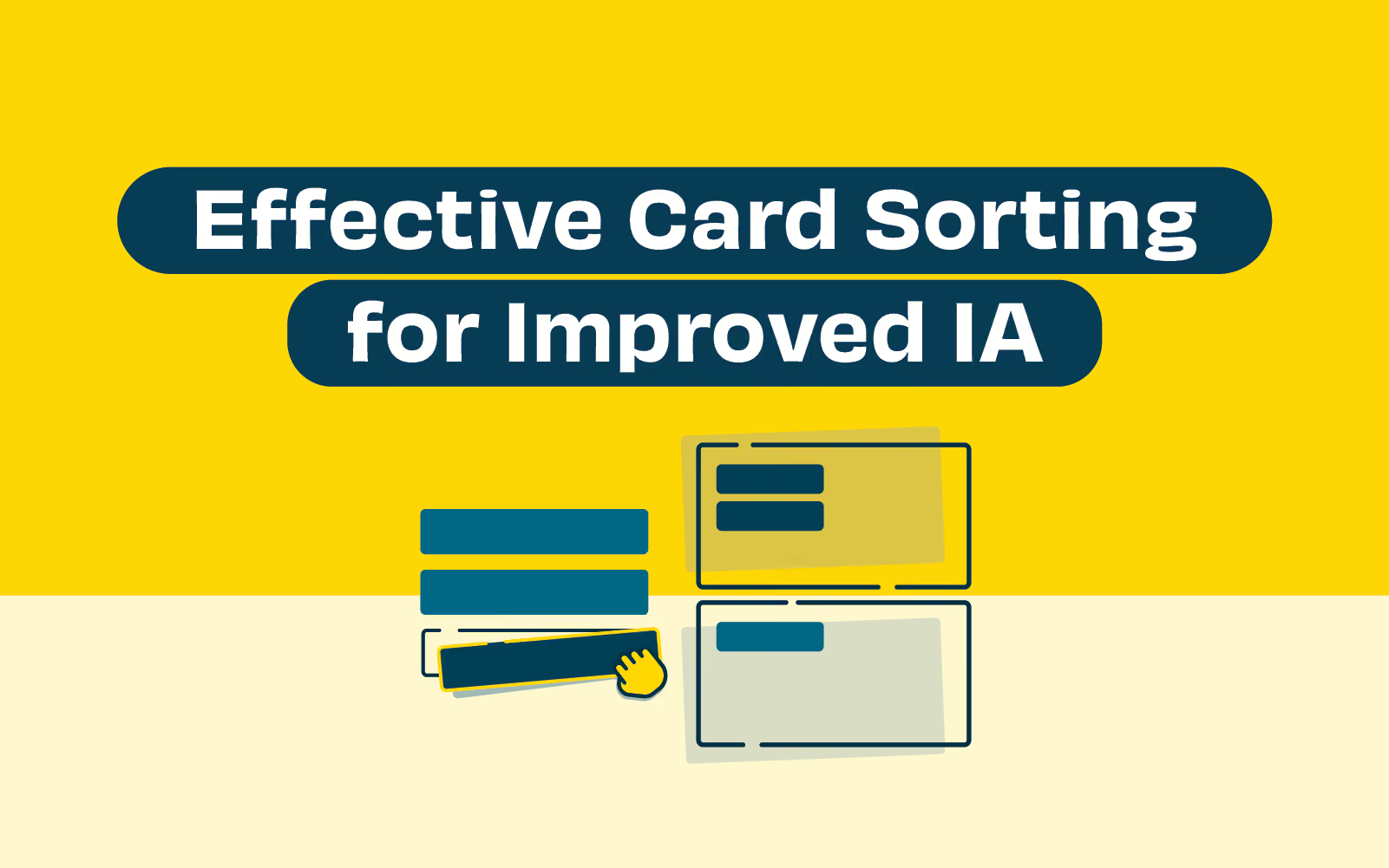
Whether you’re designing a new website or redesigning an existing one, card sorting is a quick, reliable and inexpensive research tool that can significantly improve your information architecture. By improving your information architecture, you’re giving yourself the best chance at delivering a product that is accessible, usable and relevant.
So, what exactly is card sorting? In short, card sorting is a user research technique that helps you discover how people understand and categorize information. Since great information architecture is built on the premise of organizing and categorizing information, card sorting is a secret weapon for website and digital product designers around the world. Actually, the tool is super common, and for good reason.
In this article we’ll help you prepare and conduct card sorting research. We’ll also help you make sense of the data you find and how to apply it to design great information architecture.
Card sorting delivers the best results when you clearly define your goals. The narrower your scope, the more insightful and practical your results will be. It’s important to focus on one goal at a time when planning a card sorting study. What part of your information structure do you need clarification on? Organizing FAQ’s, product categories in an online store, or submenus, are common examples of card sorting projects.
Next, how best can you feasibly recruit participants? Depending on your situation, you may prefer conducting remote card sorts or in-person. Card sorts in person allow you to read body language and you may be more comfortable asking qualitative “why” questions of your participants. Whereas the benefits of remote card sorts, like OptimalSort, is that you aren’t constrained by location or time - just set it up, share the link with participants, then quickly analyze the results. In either case, be sure to recruit participants that represent the demographics of your intended users.
The next step is to prepare the cards themselves. The cards will represent the elements/topics that you wish to organize. Typically, you should aim for between 30 and 50 cards in order to get enough useful data. It also forces you to include only the most relevant cards. Additionally, they should also be on the same conceptual level to avoid confusion and ambiguity.
Finally, decide if you’re asking participants to group the cards based on categories that you decide (closed card sorting), or if participants will be able to create their own groups for cards (open card sorting). You can also facilitate hybrid card sorting which starts off as a closed card sort, but gives participants the option to create additional categories themselves. When you’re deciding, think about your task list (how you’re asking using to sort the cards) and how open-ended you’re prepared for the answers to be. Closed card sorting will narrow your results, whereas open will broaden your results.
Now that you’ve done the preparation, it’s time for the fun part! How involved you’ll be depends on whether you’re conducting remote or in-person sessions. We’ll discuss in-person card sorting first, then we’ll point out how remote card sorting differs.
An overview of conducting in-person card sorts:
Remote card sorts differ from remote sessions in that once you’ve set up the cards in a tool like OptimalSort, you’re good to go. No printing, no shuffling, no resetting. You simply send a link to your participants and ask them to complete the task within a defined timeframe. Online card sorts are generally quicker and less time consuming in this respect, and they may allow you to find more participants and therefore more data.
There are two key things to highlight when running a remote card sort session. Firstly, ensure your instructions are clear and concise. Unlike an in-person session you won’t get the opportunity to clarify any misunderstandings. Secondly, you may consider a follow up questionnaire to gather additional qualitative insights. Check out this facilitation guide for more pointers on remote card sorting.
Now that you’ve got all of your juicy data, it’s time to analyze it! If you ran a remote card sort, there will be some manual processing of your results (usually translating data to excel) which can be time consuming, whereas online tools will generally have analysis tools built right in. This is great for getting quick insights and quick development of information architecture.
When analyzing results, you’re really looking for patterns by identifying similar groups and labels. Using a tool like OptimalSort, for example, you’ll be provided with a few reports that will help you identify patterns and themes:
Strong patterns or themes that emerge from the data tell us that participants understood categories in a similar way. On the flipside, different or disperse patterns tell us that there was no clear consensus on how information should be categorized. Both insights support effective design of information architecture. The goal is to find common ground in order to create seamless user experiences.
So far we’ve discussed statistical analysis which is all about the hard numbers. But it’s important to infuse some of the qualitative data into your reporting too. If you find that there is confusion within your results or no clear themes, you need to understand why. This is where the interpretation of questionnaire feedback or notes from in-person sessions become so valuable.
Using a combination of your data and your insights, it’s helpful to pull a summary together of your findings in a report. This can be shared with the wider team who have influence on the design of information architecture. Check out this analysis guide for more information on interpreting your results.
Card sorting is a fairly quick and straightforward way to inform information architecture design. It allows us to put the user at the center of our decisions surrounding the categorisation and grouping of information. Why is this important? Because as designers we can often assume how things should be organized. It’s too easy to be influenced by internal factors, like organization structures and the status quo. Don’t fall into this trap - use card sorting to gather clear, unbiased feedback on your information architecture.
Effective card sorting has clear objectives and is best suited to answering specific, information-related questions. We recommend using it when you need clarification around specific information structure, such navigation, menus and product categorisation.
As we’ve discussed, there are a few different approaches to card sorting research. They all have their place, so hoose which one best suits your needs. There’s a lot of resources available if you want to learn more. A good place to start is our card sorting 101 article. Good luck and happy researching!
Thanks to an ever-growing digital world, businesses are spoiled for information and data. The more complex the business, the more information there is and the more complicated the business requirements are. But where there are challenges, there is opportunity. That’s where information architecture and data architecture come in.
Information and data architecture both seek to make sense of the plethora of information a business handles. However, the two have different roles to play in the way businesses use, move, maintain, and present data - both to internal and external stakeholders. So what are they and why should businesses take note?
Information architecture is the structure used to organize and label content on websites, mobile applications and other digital environments. Its primary purpose is to enhance user experience by ensuring information is structured in an accessible, usable and relevant way.
Information architecture seeks to understand user needs and goals by analyzing both existing and required information, then building an information framework in a logical and user-friendly way. It deals with three main components:
Whilst this information sits in the background, it’s the layer upon which you build the design of your digital products.
Information architects bring data from file systems and databases to life by building meaningful narratives and stories. Outputs can include site-mapping, information architecture diagrams and content inventories. These outputs are supported by user research techniques such as card sorting, tree testing, user surveys and first-click testing.
Data architecture bridges the gap between business needs, goals, and system requirements related to data handling. It sets out a framework for managing data assets, the flow of data and the maintenance of data systems. As such, it has a slightly more macro view than information architecture and concerns itself with emerging technologies such as artificial intelligence, machine learning, and blockchain.
Where information architecture centers around the end-user interaction, data architecture centers around practical handling and operation of data processes i.e. collection through to transformation, distribution, and consumption. Because of this, data architecture must take into account the businesses ability to scale operations, integrate with third party systems, support real-time data processes and the reduction of operating costs. Modern data architecture may point to artificial intelligence to tackle some of these challenges.
Enterprise architects are big-picture people. Data architecture and information architecture both fall within their remit, and they often oversee other data management job specialities within an IT department.
As a leader (and often, visionary) within a business, enterprise architects shoulder the responsibility of ‘mission critical’ projects. As a result, they tend to have several years experience with IT systems, backed by a bachelor’s degree in computer science, IT management, data science or similar. Many will hold a master’s degree and specialty certifications.
The role involves collaborating with senior business leaders, solution-delivery teams and external stakeholders, and requires creative problem solving and excellent communication skills. Therefore, enterprise architects very much steer the ship when it comes to information and data architecture. Combining high-level business strategy with knowledge of ‘the nuts and bolts’ of IT data systems and processes, they command an annual salary in New Zealand between $150,000 and $200,000 per annum..
Continuous improvement within any business that has substantial IT infrastructure calls for serious investment in enterprise architecture.
Once overarching business goals are aligned with the scope of data and system requirements, information and data architecture design (or redesign) can begin.
Crucial to the design and implementation process is developing an architecture framework. This is a set of guidelines that lays out principles, practices, tools and approaches required to complete the design. It supports system design decisions, assigns key tasks and provides project guidance throughout the design process. The framework essentially aims to unite disparate teams and maintain business and IT alignment.
The choice of architecture design is also critical. It should consider scalability, performance, maintainability and adaptability to emerging technology. Which is why cloud platforms feature so heavily in modern data architecture. Cloud architects will navigate the architecture design and technical requirements of cloud-based delivery models, which offer the solution to those scalability and adaptability challenges. They are responsible for bridging the gaps between complex business problems and solutions in the cloud. Modern data architecture tends to involve some form of cloud delivery component.
Throughout implementation, data and information architects will work closely with designers and engineers until testable architecture is ready. User research and testing will be carried out, and a feedback loop will commence until requirements are met. Users, as always, should be at the center of your digital product.
Whilst the difference between information and data architecture can appear nuanced on the surface, they hold unique roles when delivering a cohesive, user-friendly digital product.
Think of a sliding scale where business operations sit at one end, and users sit at the other. Data architecture addresses challenges closer to the business: aligning business requirements and goals with how data flows through the system. On the other hand, information architecture addresses the challenges related to how this data is organized and interpreted for the end user.
At the end of the day, both information and data architecture need to work in harmony to satisfy the user and the business.
The term ‘usability’ captures sentiments of how usable, useful, enjoyable, and intuitive a website or app is perceived by users. By its very nature, usability is somewhat subjective. But what we’re really looking for when we talk about usability is how well a website can be used to achieve a specific task or goal. Using this definition we can analyze usability metrics (standard units of measurement) to understand how well user experience design is performing.
Usability metrics provide helpful insights before and after any digital product is launched. They help us form a deeper understanding of how we can design with the user front of mind. This user-centered design approach is considered the best-practice in building effective information architecture and user experiences that help websites, apps, and software meet and exceed users' needs.
In this article, we’ll highlight key usability metrics, how to measure and understand them, and how you can apply them to improve user experience.
Usability metrics aim to understand three core elements of usability, namely: effectiveness, efficiency, and satisfaction. A variety of research techniques offer designers an avenue for quantifying usability. Quantifying usability is key because we want to measure and understand it objectively, rather than making assumptions.
There are a few key metrics that we can measure directly if we’re looking to quantify effectiveness, efficiency, and satisfaction. Here are four common examples:
Usability metrics are outputs from research techniques deployed when conducting usability testing. Usability testing in web design, for example, involves assessing how a user interacts with the website by observing (and listening to) users completing defined tasks, such as purchasing a product or signing up for newsletters.
Conducting usability testing and collecting usability metrics usually involves:
Tools such Reframer are helpful in conducting usability tests remotely, and they enable live collaboration of multiple team members. It is extremely handy when trying to record and organize those insightful observations! Using paper prototypes is an inexpensive way to test usability early in the design process.
User-centered design challenges designers to put user needs first. This means in order to deploy user-centered design, you need to understand your user. This is where usability testing and metrics add value to website and app performance; they provide direct, objective insight into user behavior, needs, and frustrations. If your user isn’t getting what they want or expect, they’ll simply leave and look elsewhere.
Usability metrics identify which parts of your design aren’t hitting the mark. Recognizing where users might be having trouble completing certain actions, or where users are regularly making errors, are vital insights when implementing user-centered design. In short, user-centered design relies on data-driven user insight.
But why hark on about usability metrics and user-centered design? Because at the heart of most successful businesses is a well-solved user problem. Take Spotify, for example, which solved the problem of dodgy, pirated digital files being so unreliable. People liked access to free digital music, but they had to battle viruses and fake files to get it. With Spotify, for a small monthly fee, or the cost of listening to a few ads, users have the best of both worlds. The same principle applies to user experience - identify recurring problems, then solve them.
Usability metrics should be analyzed by design teams of every size. However, there are some things to bear in mind when using usability metrics to inform design decisions:
Remember, data analysis is only as good as the data itself. Give yourself the best chance of designing exceptional user experiences by collecting, researching, and analyzing meaningful and accurate usability metrics.
Usability metrics are a guiding light when it comes to user experience. As the old saying goes, “you can’t manage what you can’t measure”. By including usability metrics in your design process, you invite direct user feedback into your product. This is ideal because we want to leave any assumptions or guesswork about user experience at the door.
User-centered design inherently relies on constant user research. Usability metrics such as success rate, time-based efficiency, number of errors, and post-task satisfaction will highlight potential shortcomings in your design. Subsequently, they identify where improvements can be made, AND they lay down a benchmark to check whether any resulting updates addressed the issues.
Ready to start collecting and analyzing usability metrics? Check out our guide to planning and running effective usability tests to get a head start!
