Subscribe to OW blog for an instantly better inbox
Oops! Something went wrong while submitting the form.

Articles and Podcasts on Customer Service, AI and Automation, Product, and more
A year ago, we looked at the user research market and made a decision.
We saw product teams shipping faster than ever while research tools stayed stuck in time. We saw researchers drowning in manual work, waiting on vendor emails, stitching together fragmented tools. We heard "should we test this?" followed by "never mind, we already shipped."
The dominant platforms got comfortable. We didn't.
Today, we're excited to announce Optimal 3.0, the result of refusing to accept the status quo and building the fresh alternative teams have been asking for.
The gap between product velocity and research velocity has never been wider. The situation isn't sustainable. And it's not the researcher's fault. The tools are the problem. They’re:
These platforms haven't changed because they don't have to, so we set out to challenge them.
Optimal 3.0 isn't an incremental update to the old way of doing things. It's a fundamental rethinking of what a research platform should be.
Research For All, Not Just Researchers.
For 18 years, we've believed research should be accessible to everyone, not just specialists. Optimal 3.0 takes that principle further.
Unlimited seats. Zero gatekeeping.
Designers can validate concepts without waiting for research bandwidth. PMs can test assumptions without learning specialist tools. Marketers can gather feedback without procurement nightmares. Research shouldn't be rationed by licenses or complexity. It should be a shared capability across your entire team.
A Complete Ecosystem in One Place.
Stop stitching together point solutions.Optimal 3.0 gives you everything you need in one platform:
Recruitment Built In Access millions of verified participants worldwide without the vendor tag. Target by demographics, behaviors, and custom screeners. Launch studies in minutes, not days. No endless email chains. No procurement delays.
Testing That Adapts to You
Learn more about Live Site Testing
AI-Powered Analysis (With Control) Interview analysis used to take weeks. We've reduced it to minutes.
Our AI automatically identifies themes, surfaces key quotes, and generates summaries, while you maintain full control over the analysis.
As one researcher told us: "What took me 4 weeks to manually analyze now took me 5 minutes."
This isn't about replacing researcher judgment. It's about amplifying it. The AI handles the busywork, tagging, organizing, timestamping. You handle the strategic thinking and judgment calls. That's where your value actually lives.
Learn more about Optimal Interviews
Chat Across All Your Data Your research data is now conversational.
Ask questions and get answers instantly, backed by actual video evidence from your studies. Query across multiple Interview studies at once. Share findings with stakeholders complete with supporting clips.
Every insight comes with the receipts. Because stakeholders don't just need insights, they need proof.
A Dashboard Built for Velocity See all your studies, all your data, in one place. Track progress across your entire team. Jump from question to insight in seconds. Research velocity starts with knowing what you have.
Integration Layer
Optimal 3.0 fits your workflow. It doesn't dominate it. We integrate with the tools you already use, Figma, Slack, your existing tech stack, because research shouldn't force you to abandon how you work.
What Didn't Change: Methodological Rigor
Here's what we didn't do: abandon the foundations that made teams trust us.
Card sorting, tree testing, first-click tests, surveys, the methodologically sound tools that Amazon, Google, Netflix, and HSBC have relied on for years are all still here. Better than ever.
We didn't replace our roots. We built on them.
18 years of research methodology, amplified by modern AI and unified in a complete ecosystem.
Product development isn't slowing down. AI is accelerating everything. Competitors are moving faster. Customer expectations are higher than ever.
Research can either be a bottleneck or an accelerator.
The difference is having a platform that:
Optimal 3.0 is built for research that arrives before the decision is made. Research that shapes products, not just documents them. Research that helps teams ship confidently because they asked users first.
A Fresh Alternative
We're not trying to be the biggest platform in the market.
We're trying to be the best alternative to the clunky tools that have dominated for years.
Amazon, Google, Netflix, Uber, Apple, Workday, they didn't choose us because we're the incumbent. They chose us because we make research accessible, fast, and actionable.
"Overall, each release feels like the platform is getting better." — Lead Product Designer at Flo
"The one research platform I keep coming back to." — G2 Review
This launch represents our biggest transformation, but it's not the end. It's a new beginning.
We're continuing to invest in:
Our goal is simple: make user research so fast and accessible that it becomes impossible not to include users in every decision.
See What We've Built
If you're evaluating research platforms and tired of the same old clunky tools, we'd love to show you the alternative.
Book a demo or start a free trial
The platform that turns "should we?" into "we did."
Welcome to Optimal 3.0.

Take a look at the navigation menu at the top of our blog. Mouse over the ‘Explore by topic’ menu and browse through the different elements.
If you’re new to the world of website architecture and UX, developing something like this may seem quite trivial – surely it’s just a matter of picking 'popular' areas of your website and dropping them in, right?
Not exactly.

When it comes to website design, navigation should sit at the top of the priority list. After all, it’s what sits between your user and their goal. It’s the critical link that’s usually the deciding factor in whether or not they’ll continue to use your website.
In this article, we’re going to cover off some of the key things that make for a good website navigation experience. But first, it’s important to dispel some confusion.
According to Wikipedia, “web navigation refers to the process of navigating a network of information resources [like content]”. This is key. Website navigation isn’t the design of a website, it’s the bones of a website – the core structure that sits beneath the design. It can be helpful to think of it like a freeway system linking drivers (users) to destinations (content). Without a navigation, or, as is more often the case, with a poor navigation, the experience of using a website falls over. And in real terms, this is going to impact whatever it is that your organization does.
There’s no shortage of elements that play into the user experience of a website. Everything from font, color, imagery, headlines, call to actions, page load time and form design have a bearing on the end user experience. But navigation is really the most important consideration of all. If people can’t find what they’re looking for within the structure of your website, they’ll likely leave and look for that same content elsewhere.
If you run an ecommerce website selling cosmetics, a frustrating navigation experience could mean your customers simply get fed up and try one of your competitors instead.
When looking at what separates merely functional website navigation experiences from great ones, there are a number of key considerations:
Website navigation bars have a habit of either including far too many links or not enough – it’s important to strike the right balance. You may find it helpful to consider the following 2 factors when designing your own navigation:
The difference in a user’s goals and your own is important. While your users may want to find information about your company history, you’ll have your own goals of getting users to product pages or perhaps signing up for accounts.

We’re not going to get into the specifics of structuring a brand tone and style here, but we’ll just note the following: Clear is kind. Unclear is unkind. This is an important rule to keep in mind when designing the labels/UX copy for your navigation items. You want people to immediately understand what they’re reading or about to click on – there should never be any confusion. When your confusing labels send users on a mission to find something that should be easily discoverable, there’s a good chance they won’t return to your website.
So what does this look like? Here are a couple of examples:
Web conventions exist for a reason – they’re based on ideas that work and are understood by the majority of web users. In many cases, these conventions work so well that most people will be able to navigate websites in entirely different languages simply because the functions are located in places that make sense.
When we redeveloped the Optimal Workshop blog at the beginning of 2019, we ran a series of usability tests on our website to work out how our users navigated their way through different types of content. The results were pretty interesting. When we asked people to find a link to our blog, many didn’t go for the ‘Learn’ menu in our navigation bar but instead went straight down to the footer at the bottom of the page.
Often overlooked, the footer forms a key function in your website’s navigation experience, for a few key reasons:
Building a navigation system that’s intuitive and understandable by the majority of your users isn't easy – but it’s not impossible. The first step on the path to creating such a navigation begins with an understanding of how your users think. Or, more specifically, how your users think the information on your website should be arranged.
One of the methods that we use to figure this out is called card sorting. With card sorting, you can work out how people understand and categorize information. In a typical card sort, you task participants with sorting cards containing different items into groups. You can then use the results to figure out how to group and label the information on your website in a way that makes the most sense to the people using.
The other technique that proves invaluable during the website design process is called tree testing. It’s best-suited to help you assess the findability of topics on a website. You run a tree test on a text-based frame of your website – there are no navigation aids or design elements to give any hints. By removing everything but the labels and how they’re, you can work out how effective your navigation is at getting people to the content they’re looking for. If you find that test participants consistently struggle to locate specific items, you’ll know there are issues with your structure.
These are 2 methods that can help you with website navigation design, but they make great starting points. You can use card sorting to get an idea of how people think information should be grouped, turn this into a rough structure of your website, test it, and then iterate. If you’d like to give card sorting and tree testing a try, give our UX platform a go.

The footer of a website sits at the very bottom of every single web page and contains links to various types of content on your website. It’s an often overlooked component of a website, but it plays several important roles in your information architecture (IA) – it’s not just some extra thing that gets plonked at the bottom of every page.
Getting your website footer right matters!
The footer communicates to your website visitors that they’ve reached the bottom of the page and it’s also a great place to position important content links that don’t belong anywhere else – within reason. A website footer is not a dumping ground for random content links that you couldn’t find a home for, however there are some content types that are conventionally accessed via the footer e.g., privacy policies and copyright information just to name a few.
Lastly, from a usability and navigation perspective, website footers can serve as a bit of a safety net for lost website visitors. Users might be scrolling and scrolling trying to find something and the footer might be what catches them and guides them back to safety before they give up on your website and go elsewhere. Footers are a functional and important part of your overall IA, but also have their own architecture too.
Read on to learn about the types of content links that might be found in a footer, see some real life examples and discuss some approaches that you might take when testing your footer to ensure that your website is supporting your visitors from top to bottom.
Deciding which content links belong in your footer depends entirely on your website. The type of footer, its intent and content depends on its audience of your customers, potential customers and more — ie your website visitors. Every website is different, but here’s a list of links to content types that might typically be found in a footer.
Let’s take a look at three diverse real life examples of website footers.
IKEA’s US website has an interesting double barrelled footer that is also large and complex – a ‘fat footer’ as it’s often called – and its structure changes as you travel deeper into the IA. The below image taken from the IKEA US home page shows two clear blocks of text separated by a blue horizontal line. Above the line we have the heading of ‘All Departments’ with four columns showing product categories and below the line there are seven clear groups of content links covering a broad range of topics including customer service information, links that appear in the top navigation menu and careers. At the very bottom of the footer there are social media links and the copyright information for the website.

As expected, IKEA’s overall website IA is quite large, and as a website visitor clicks deeper into the IA, the footer starts to change. On the product category landing pages, the footer is mostly the same but with a new addition of some handy breadcrumbs to aid navigation (see below image).

When a website visitor travels all the way down to the individual product page level, the footer changes again. In the below image found on the product page for a bath mat, while the blue line and everything below it is still there, the ‘All Departments’ section of the footer has been removed and replaced with non-clickable text on the left hand side that reads as ‘More Bath mats’ and a link on the right hand side that says ‘Go to Bath mats’. Clicking on that link takes the website visitor back to the page above.

Overall, evolving the footer content as the website visitor progresses deeper into the IA is an interesting approach - as the main page content becomes more focussed as does the footer while still maintaining multiple supportive safety net features.
The footer for the US website of this well known cosmetics brand has a four part footer. At first it appears to just have three parts as shown in the image below: a wide section with seven content link categories covering a broad range of content types as the main part with a narrow black strip on either end of it making up the second and third parts. The strip above has loyalty program and live chat links and the strip below contains mostly links to legal content.

When a website visitor hovers over the ‘Join our loyalty program’ call to action (CTA) in that top narrow strip, the hidden fourth part of the footer which is slightly translucent pulls up like a drawer and sits directly above the strip capping off the top of the main section (as shown in the below image). This section contains more information about the loyalty program and contains further CTAs to join or sign in. It disappears when the cursor is moved away from the hover CTA or it can be collapsed manually via the arrow in the top right hand corner of this fourth part. It’s an interesting and unexpected interaction to have with a footer, but it adds to the overall consistent and cohesive experience of this website because it feels like the footer is an active participant in that experience.

Domino’s Pizza’s US website has a reasonably flat footer in terms of architecture but it occupies as much space as a more complex or deeper footer. As shown in the image below, its content links are presented horizontally over three rows on the left hand side of the footer and these links are visually separated by forward slashes. It also displays social media links and some advertising content on the right hand side. The most interesting feature of this footer is the large paragraph of text titled ‘Legal Stuff’ below the links. Delightfully it uses direct, clear and plain language and even includes a note about delivery charges not including tips and to ‘Please reward your driver for awesomeness’.

Like every other part of your website, the only way you’re going to know if your footer is supporting your website visitors is if you test it with them. When testing a website’s IA overall, the footer is often excluded. This might be because we want to focus on other areas first or maybe it’s because testing everything at once has the potential to be overwhelming for our research participants.
Testing a footer is fairly easy thing to do and there’s no right or wrong approach – it really does depend on where you are up to in your project, the resources you have available to you and the size and complexity of the footer itself!
If you’re designing a footer for a new website there’s a few ways you might approach ensuring your footer is best supporting your website visitors. If you’re planning to include a large and complex footer, it’s a good idea to start by running an open card sort just on those footer links. An open card sort will help you understand how your website visitors expect those content links in your footer to be grouped and what they think those groups should be called.
If you’re redesigning an existing website, you might first run a tree test on the existing footer to benchmark test it and to pinpoint the exact issues. You might tree test just the footer in the study or you might test the whole website including the footer. Optimal's tree testing is really flexible and you can tree test just a small section of an IA or you can do the whole thing in one go to find out where people are getting lost in the structure. Your approach will depend on your project and what you already know so far. If you suspect there may be issues with the website’s footer, for example, if no one is visiting it and/or you’ve been receiving customer service requests from visitors to help them find content that only lives in the footer, it would be a good idea to consider isolating it for testing. This will help you avoid any competition between the footer and the rest of your IA as well as any potential confusion that may arise from duplicated tree branches (i.e. when your footer contains duplicate labels).
If you’re short on time and there aren’t any known issues with the footer prior to a redesign, you might tree test the entire IA in your benchmark study, iterate your design and then along with everything else, include testing activities for your footer in your moderated usability testing plan. You might include a usability testing scenario or question that requires your participants to complete a task that involves finding content that can only be found in the footer (e.g., shipping information if it’s an ecommerce website). Also keep a close eye on how your participants are moving around the page in general and see if/when the footer comes into play – is it helping people when they’re lost and scrolling? Or is it going unnoticed? If so, why and so on. Talk to your research participants like you would about any other aspect of your website to find out what’s going on there. When resources are tight, use your best judgement and choose the research approach that’s best for your situation, we’ve all had moments where we’ve had to be pragmatic and do our best with what we have.
When you’re at a stage in your design process where you have a visual design or concept for your footer, you could also run a first-click test. First-click tests are quick and easy and will help you determine how your website visitors are faring once they reach your footer and if they can identify the correct content link to complete their task. Studies can be run remotely or in person and just like the rest of the tools in Optimal's user research platform, are super quick to run and great for reaching website visitors all over the world simply by sharing a link to the study.

Co-design is a powerful way to improve design processes in two ways: speed and quality. When your work environment allows and encourages people to work remotely in a temporary or permanent way – as we do at Optimal Workshop – we need to get creative if we want to find ways to include everyone.
After a research project, my marketing team was looking at redesigning our Enterprise landing page. We wanted to speed up our experimentation and determined that collaboration was the best approach. Ideation exercises require more than just a team of designers – we needed to involve the right people with the right knowledge. To generate more diverse, creative and insightful outputs, we invited different personalities as well as different roles. Our team was comprised of a mix of sales, customer success, marketing, developers and designers. All located in different locations around the world, including the United States, New Zealand, France and Ireland.
To make this global session happen, we used Mural, a digital workspace for visual collaboration. It’s a great way to explore ideas in a collaborative space from anywhere with an internet connection and a laptop.
A co-design is a fast-paced workshop that generates abundant and diverse ideas beyond what just one individual can produce.
Define the problem you want to solve, articulate user needs and any pain points you’ve identified. It’s also important to explain why this problem is something worth investigating. This preparation work will help to cut back on inefficient conversations and ensure your team and stakeholders are aligned on goals, opportunities and problem statements.
HMW questions are a way to frame the challenge you are trying to solve using short, compelling questions to spark creative thinking and discover solutions.
Diverging is a quantitative process where you create as many ideas as possible by answering the HMW questions. Each member then presents their ideas while the rest of the team writes their feedback on Post Its in two ways: ‘I like’ – what you like about the solutions and ‘I wonder’ – how you might improve the solutions.
Converging is a qualitative process. Once everyone has presented their ideas and looked over the feedback, it’s time to consolidate the best designs into one solution. After presenting their solutions, team members vote on their favorite ideas or the most compelling features by placing stickers on the ones they like. Commonly, each person should have 3 stickers.
Once you’ve passed through the divergent and convergent stages for your HMW questions, you’ll hopefully have some key areas of impact to focus on that are worth prototyping in the form of a wireframe or a higher fidelity design. Using this process, you should be able to develop a design that incorporates input from all disciplines and departments.
The classic paper/post-it system isn’t suitable for remote workers. Despite video conferencing, it is still hard to hear everyone or read a whiteboard. I wanted a tool that would allow me to include everyone the same way, and allow easy follow up on the achievements. This system needed to work even for people who couldn’t attend or had to leave halfway through the meeting.
Feedback received:
Avoid questions like “please vote if you are okay to come in early” which makes remote workers feel bad.
Feedback received:
Handling time and people is tricky, you can easily run out of time and be forced to rush through the last steps of your meeting. Don’t hesitate to ask for help facilitating the co-design.
Feedback received:
Find a way to be as inclusive as possible, like finding a remote solution for snacks and drinks.
Feedback received:
Involving people from multiple countries or time zones requires preparation and consideration. Don't be afraid to ask people to arrive earlier than their standard working hours.
Depending on the number of participants, background music can prevent remote workers from hearing and understanding conversations.
Make sure everyone feels like they’re part of a team rather than a burden for being remote. Allow time for questions, repetition and clarification.
Note: This is part 2 of our series on great website navigation. You can read part 1 here.
Early on in my career, a wonderful mentor of mine shared what I consider to be my all time favourite analogy for describing the difference and relationship between information architecture (IA) and navigation. She called it the warehouse and the department store.
A department store is a beautiful space with many different product category based departments joined by clear, wide and well lit pathways. These pathways are lined with featured products highlighting the best each department has to offer and the order and placement of each department makes perfect sense to customers.
Women’s clothing is the largest department and adjacent to it, you will find the women’s shoe department and a little bit further down, women’s handbags and accessories. It flows intuitively allowing customers to find everything they need without having to hunt for it.
As for the warehouse, it’s out the back of the store but it’s also hidden in pockets throughout it supporting the department store experience every step of the way by making it easy for staff to access extra stock or store special orders for customers. It’s not that nice to look at it, but without it there wouldn’t be a beautiful department store to shop in. The warehouse is the IA and the department store is the navigation.
I’ve written about and have worked with IAs a lot throughout my career and today I am especially excited to step out into the department store and share some examples of great website navigation. I’ve trawled the internet and have pulled together (in no particular order) what I think are some great website navigation examples, so let’s take a look at them and why they’re awesome.
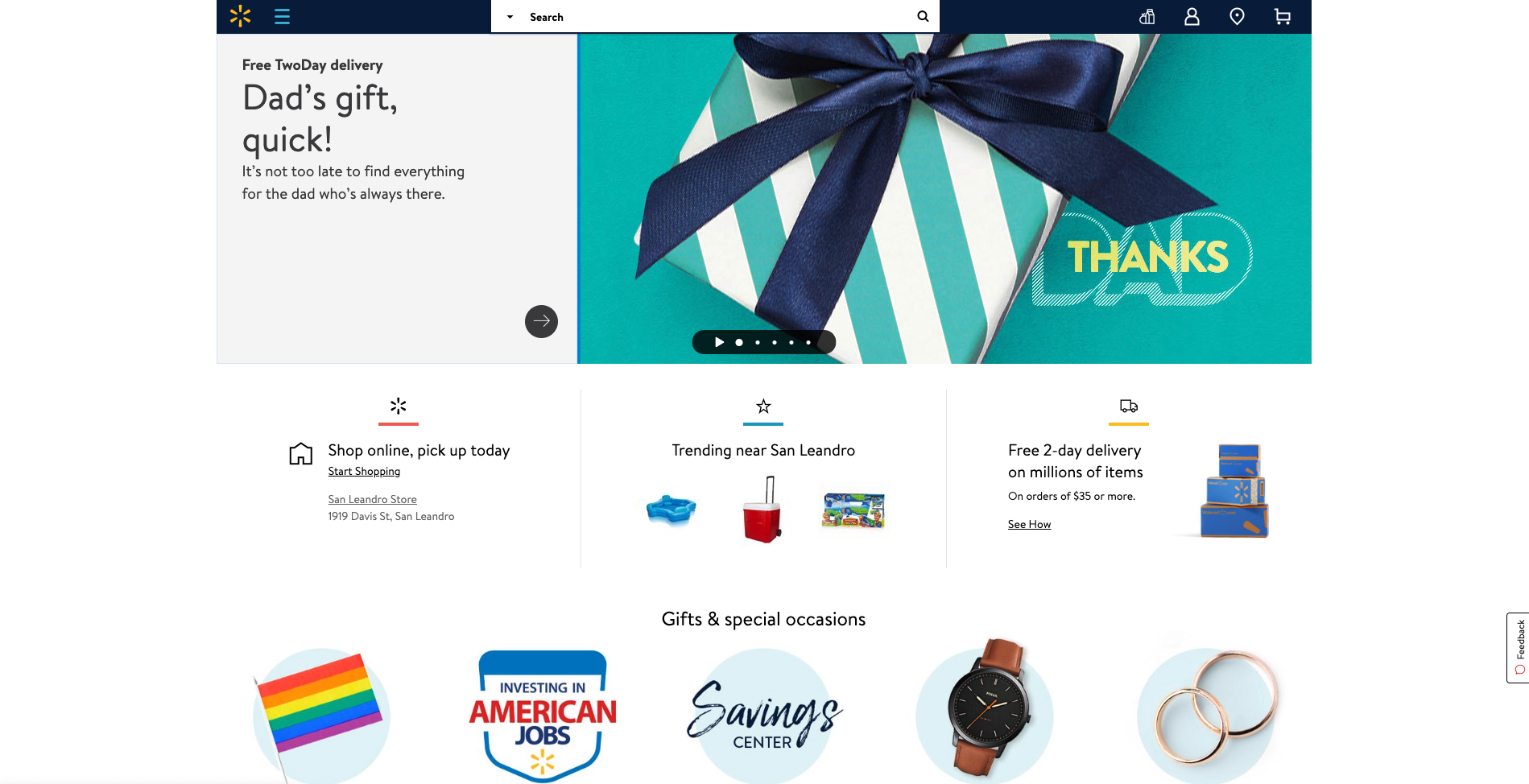
Speaking of mega menus, Walmart’s approach to guiding website visitors through its gigantic IA is quite clever. Hidden neatly away under a hamburger menu, Walmart’s mega menu uses vertical navigation instead of a horizontal dropdown that many websites with large IAs use (see below image).
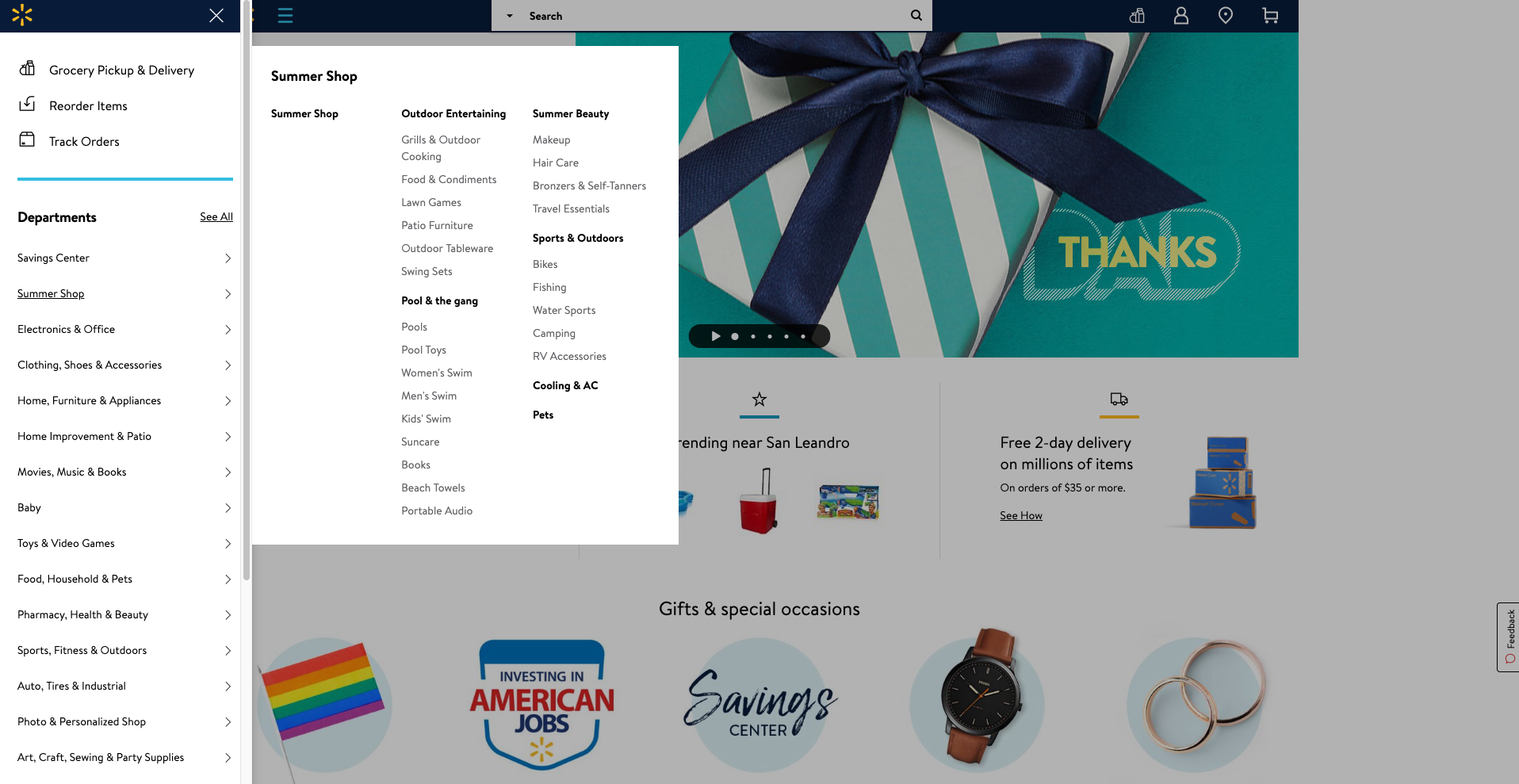
A website visitor can easily see all the categories and all the content labels below either by hovering over the level 1 labels or by clicking on them — clicking results in a pink line appearing under the label (see below image) making it easy to see where you are in the menu.
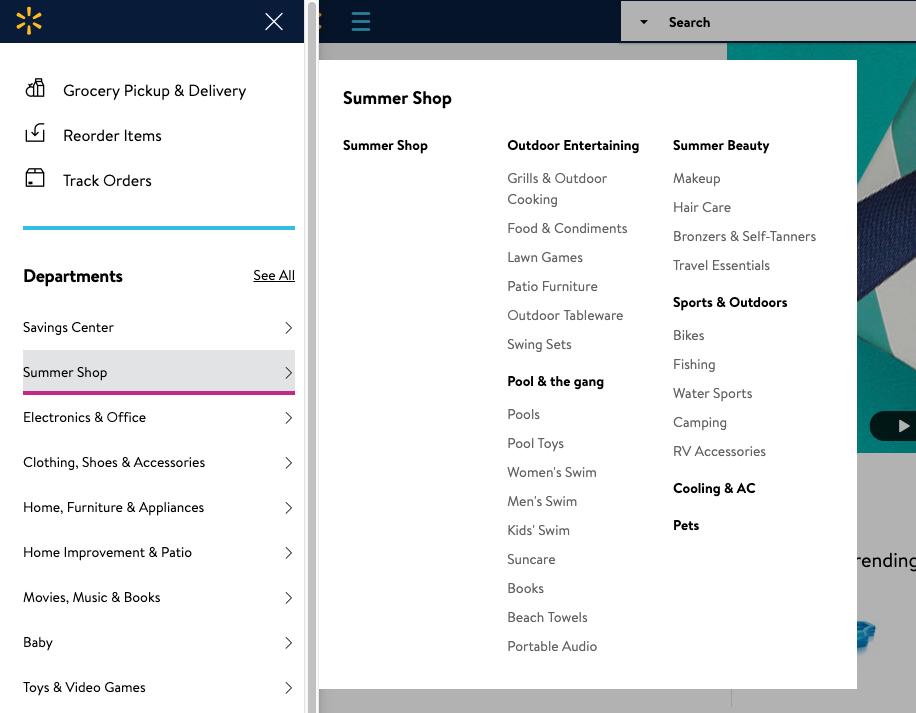
Selecting ‘See All’ next to ‘Departments’ takes the website visitor to a clear and simple site map-like page allowing them to see the whole IA on one page with no visual distractions at all (see below image).
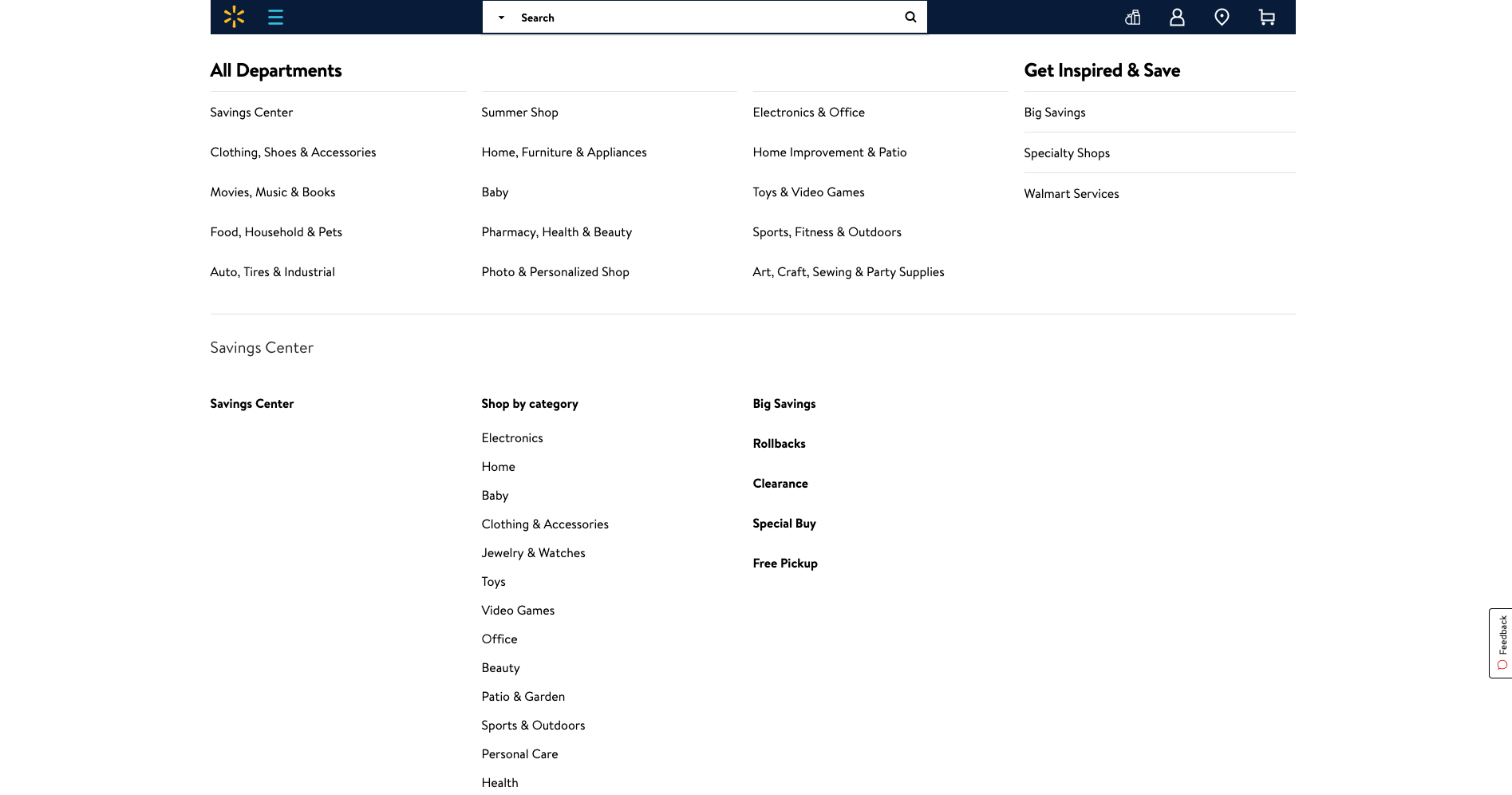
Overall, Walmart’s simple and structured approach to surfacing a mega menu through vertical navigation is pretty awesome.
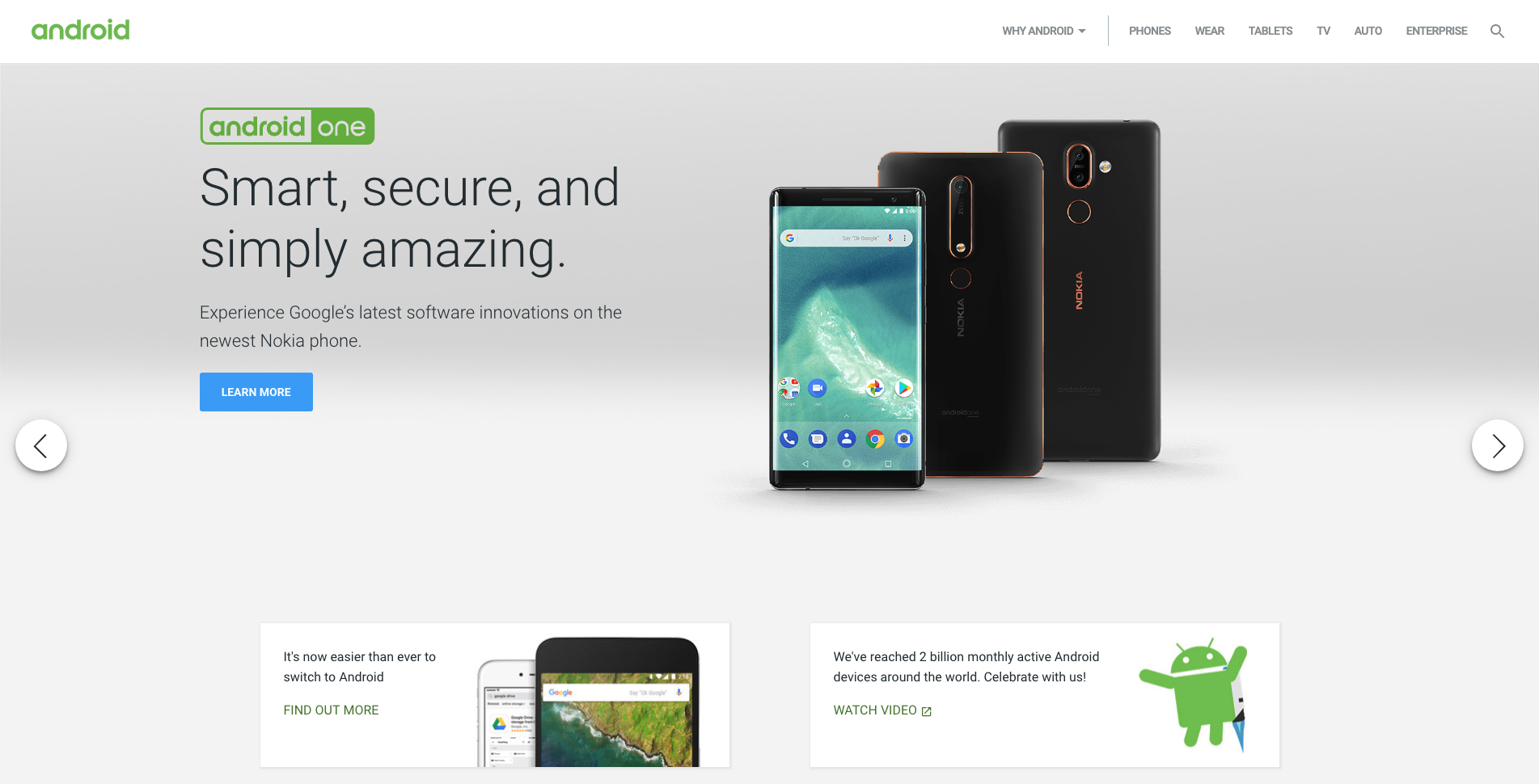
Android’s website has quite a few great navigational elements. Like a lot of technology websites, the home page is clean and simple and has a top navigation bar that hides when a website visitor scrolls down and reappears when they scroll up. The content carousel that sits at the top of the home page on opening is manually driven by the website visitor and doesn’t autoplay which is an awesome thing to see from an experience and accessibility perspective for all users. The rest of the content on the home page is sectioned off into clear horizontal groups and each one features its own manually driven carousel and filtered navigation by device type which is consistent, easy to understand and visually engaging (see below image).
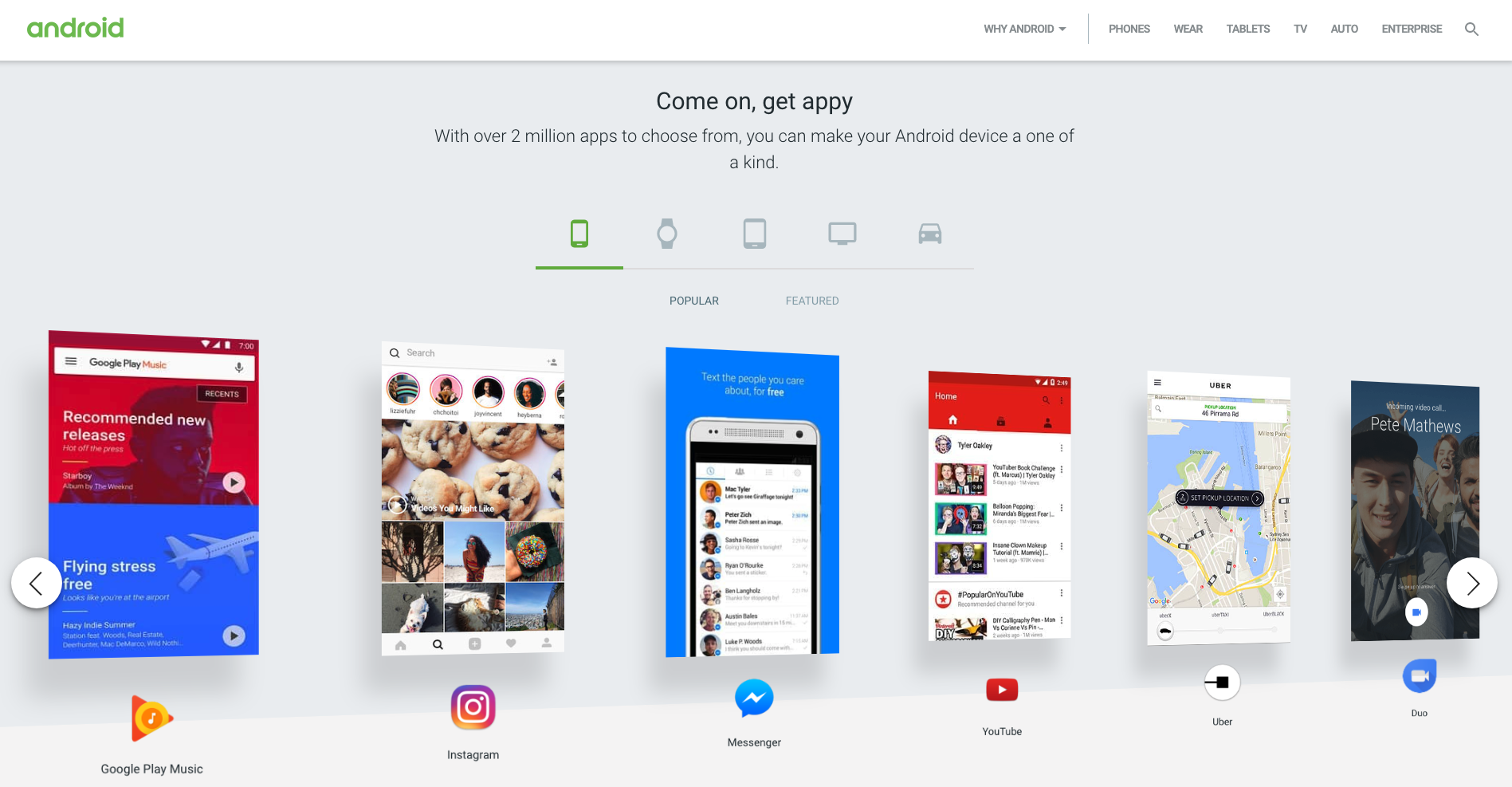
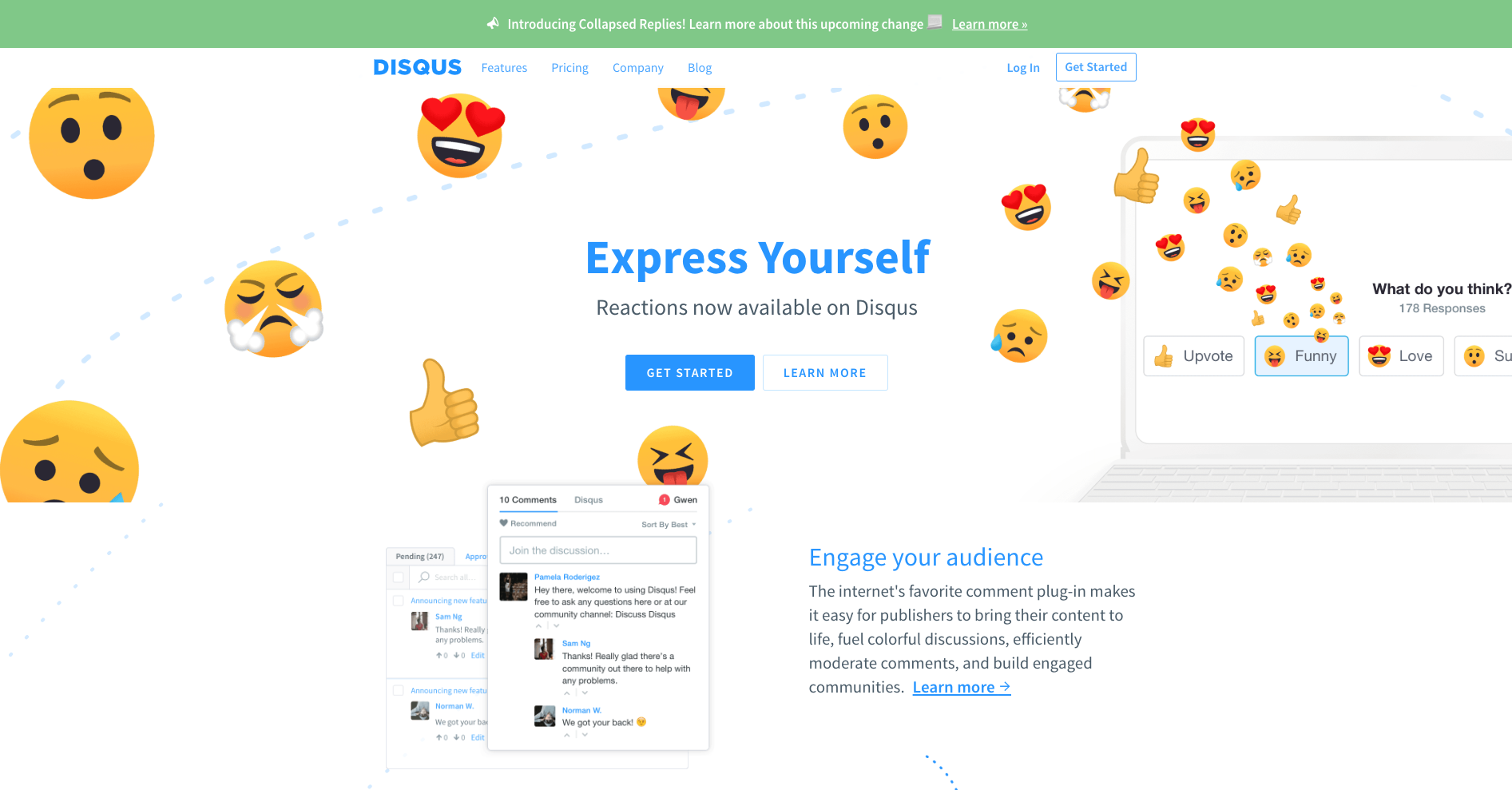
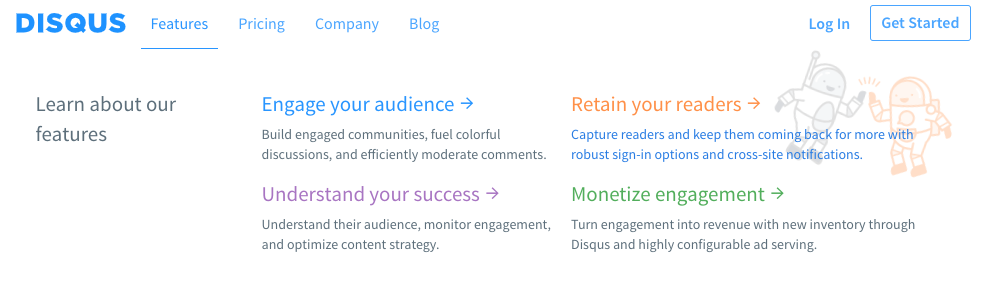
Disqus’s navigation menu is simple and flat. It has a universal top navigation bar with just four labels and only one of them (‘Features’) has suboptions to choose from. It works well because there’s nothing that doesn’t belong there and the labels clearly indicate what lies beneath. The dropdown menu that appears on ‘Features’ is quite interesting. If a website visitor hovers over it, the menu showing four suboptions appears and stays in place until the cursor is moved away from that space and then it hides. If ‘Features’ is clicked, the menu stays dropped down in place regardless of where a website visitor moves their cursor to until another link (that could be anywhere on the page) is clicked on. This is great because it responds to two different types of visitor behaviors where hovering might temporary and clicking might be ‘I want to take a closer look’ — it doesn’t matter what the visitor does, the menu is presented in a natural and intuitive way. And it’s worth taking a closer look because regardless of whether ‘Features’ has been hovered over or clicked on, when a website visitor hovers over those four options underneath, cute and friendly colour coded illustrations appear providing a nice human touch to the navigation experience (see below images).
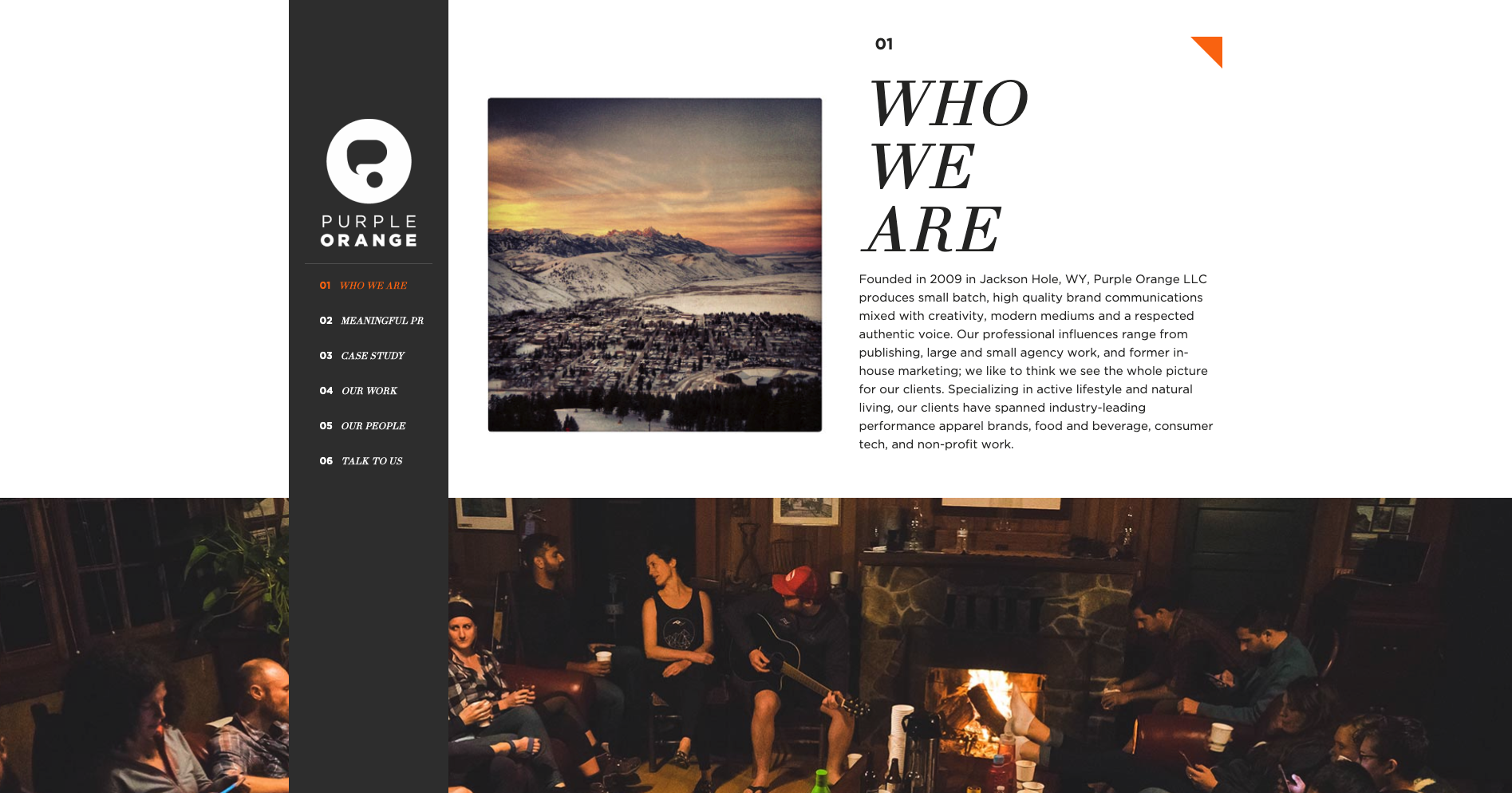
Purple Orange is a creative agency with a single page website that has a fixed vertical navigation menu that works really well. When a website visitor scrolls down the page, the text labels in that menu which is designed like a table of contents are highlighted in orange to show them where they are on the page (see below image). Website visitors can also navigate the content by clicking on the menu labels.
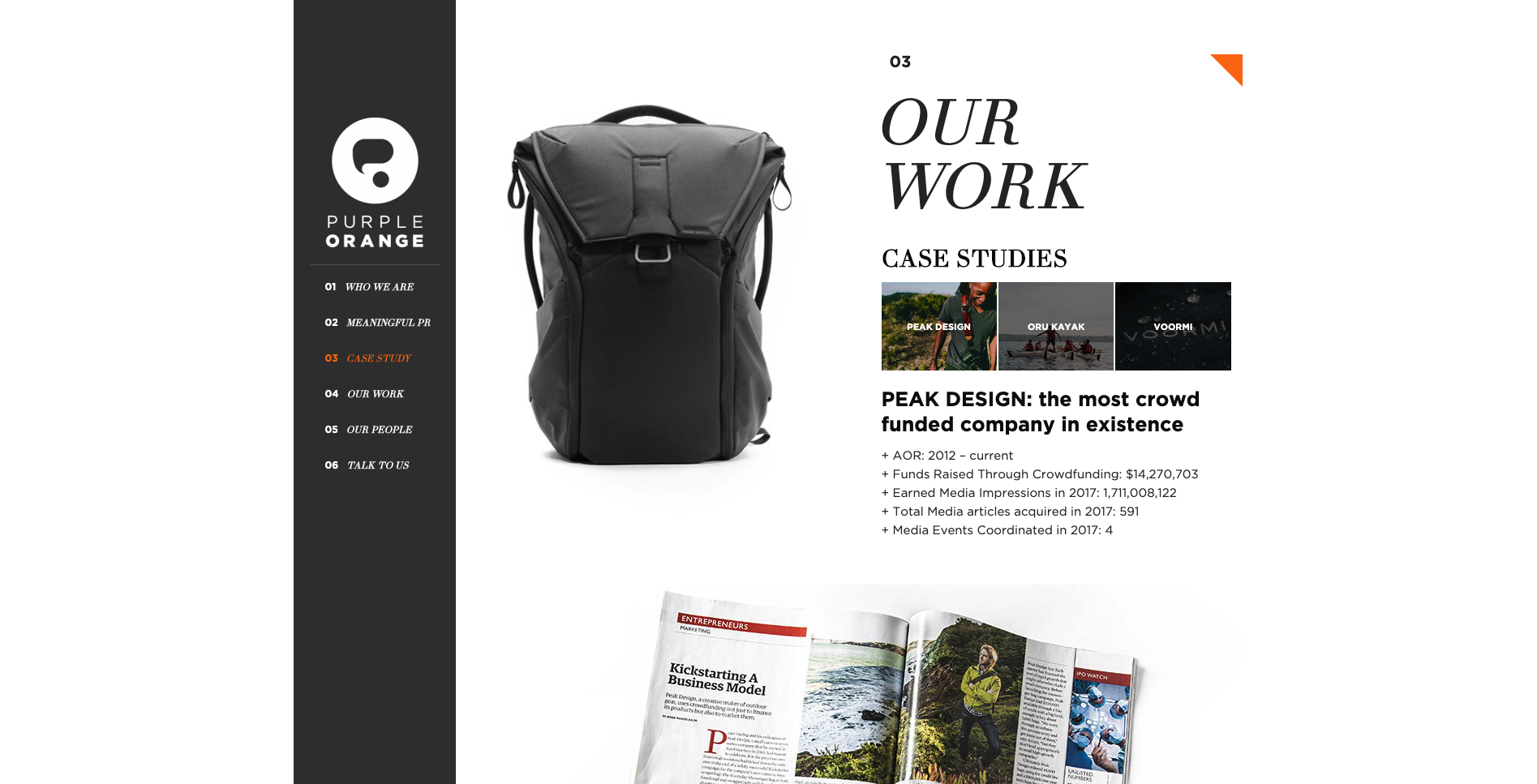
The thing I really love about this navigation experience is the layered approach to the visual design of the page. The content sections are visually divided by full width image banners and the fixed vertical navigation bar sits at the very foreground of the page. As a website visitor scrolls, all the content just passes behind it. It’s really beautiful. Navigation on single page websites can be tricky and many often end up just being a long scrolling page. This example highlights a great way to maintain that nice flat and uncomplicated one page feeling and add in an intuitive handrail to guide visitors.

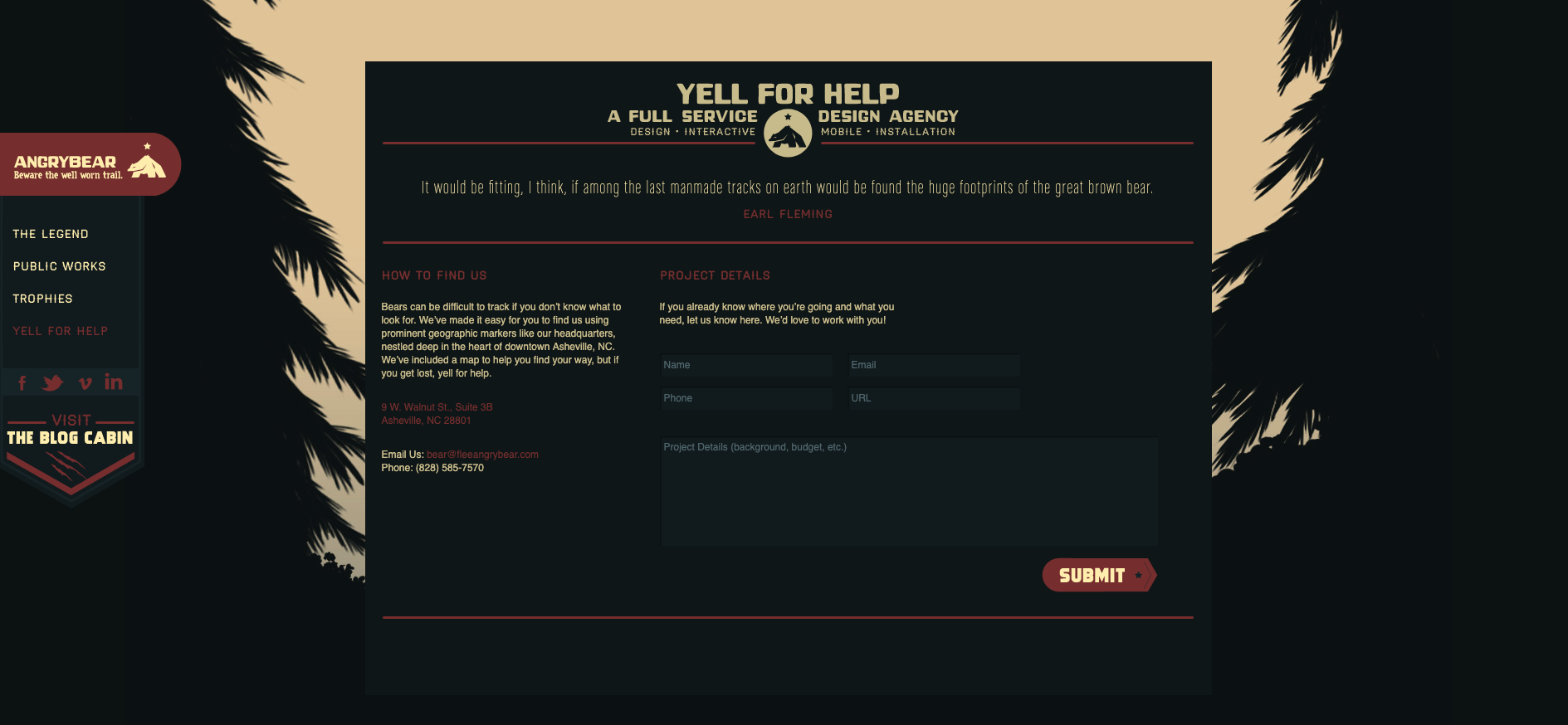
For our tenth and final example this time around, another single page agency website, Angry Bear, caught my interest due to its wonderful use of visual storytelling in its navigation experience. Upon arrival at the website, the visitor is presented with the image above. They land on the page standing at the top of a waterfall with a sign warning them to ‘beware of cliff falls’ as a howling bear shaped rock looms in the distance. The visual illustrations that form the backbone of this website make for an intriguing experience that transports the visitor to a far away forest - it doesn’t feel like a website and it’s awesome! The navigation menu is hidden under a dark red pull out tab with the logo on it on the left hand side of the screen and can be opened either by clicking on it or by scrolling down the waterfall (AKA the page). Once opened (see below image) the visitor is delighted with cleverly worded labels that clearly indicate the type and intent of the content but keep the story and the bear theme going. Instead of ‘Contact us’ it says ‘Yell for help’ and ‘Awards’ are ‘Trophies’.

The further the visitor scrolls down the page, the deeper they descend down the waterfall and into the darkness of the forest below. Angry Bear’s portfolio of work with the label name of ‘Public Works’ has a really interesting filtered tile navigation system (see below image).
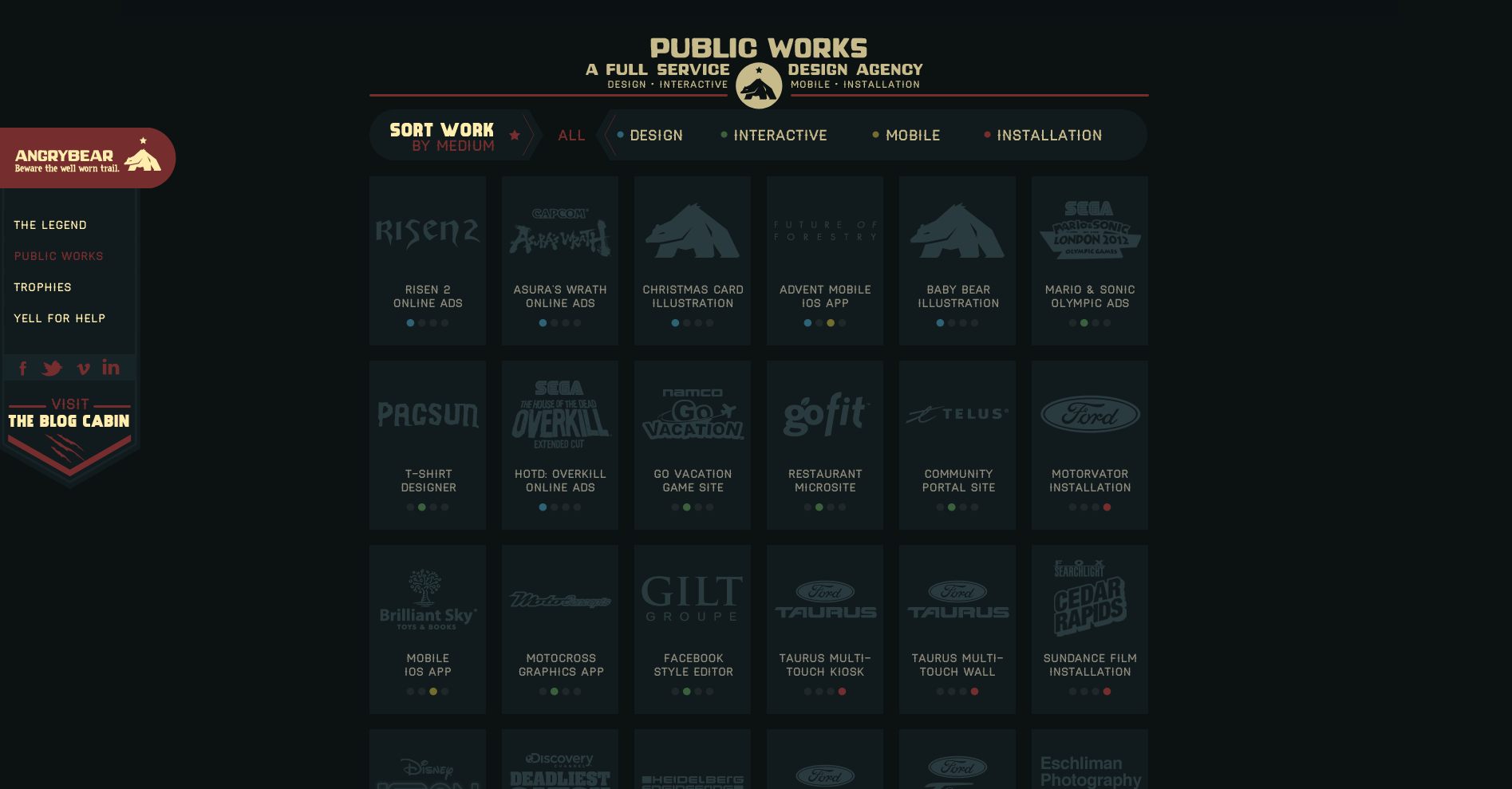
A website visitor can view all or can filter by type which eliminates all the tiles that don’t match the selection and clearly shows what has been selected by the animated filter which removes the background behind the label and has two arrow shapes pointing at it from either side (see below image showing the ‘Design’ filter in action).

Finally, as the website visitor scrolls all the way down to the bottom of this one page website, the waterfall has become a tree lined stream trickling across the forest floor and the ‘Yell for help’ contact form does not disappoint with its note about how ‘bears can be difficult to track’ (see below image).
There’s just ten examples of great website navigation — what are your favourite examples?
At Optimal Workshop, we're always looking to further the practice of user research. That's why we developed a powerful set of user research tools focused on quantitative and qualitative user testing.
This past year was a big one for us. We attended UX conferences all over the globe and met with researchers and designers in all sorts of organizations. We also continued to build up a solid list of best-practice tips from our community.
That’s what this article is all about – sharing our top user research tips. Some of these are as time-tested and true as the practice of user research itself, and others are starting to take off. Let’s dive right in, but if you’ve got any of your own, feel free to let us know!
In an ideal world, user research would sit at the heart of every organization. It’s a practice that benefits other teams and specializations and improves itself thanks to outside input. But, building those bridges isn’t always easy – especially if the practice of user research is still quite new within a company.
So what’s the best approach? It’s as simple as extending an olive branch to relevant areas of the organization. Typically, this means product, marketing, sales and data science teams. At Optimal Workshop, we’ve found that a great way to break these inter-team barriers down is simply by going out for a coffee and talking about the ways in which your two disciplines can collaborate.
If you’re interested in learning how to explain the value of user research, check out this article we wrote here.
Research and data science are often siloed within organizations, but this is a missed opportunity. Data allows you to identify problems and dismiss assumptions, helping you to figure out what to do next. Sound familiar? User research and data science use different methodologies to answer the same questions, and when combined together the outputs can be much more fruitful. As speaker Mila Dymnikova said at UX New Zealand this year: “Data science can add a competitive edge to your UX team”.
We don’t have an actionable point for this research tip, other than to head over to your colleagues in data science and start up a conversation. If you don’t have any data scientists, think about the areas of your organization where people are utilizing data on a regular basis and start there.
Before you even think about running a usability test, it’s important to establish your research questions. Creating these at the beginning of your project will help you identify which methods to use, what you’ll discuss with stakeholders and where you’ll be able to uncover existing data.
As for example research questions, here are 2 to get you thinking. Remember: research questions should be both actionable and specific.

Whether you’re having a discussion with a stakeholder, a designer or a user, it’s all too easy to interpret opinion as fact. Steve Krug, in a 2005 interview with BoxesAndArrows, explained this quite well: “One of the problems web teams face is that we all have a lot of personal experience as web users, so we all think we know what makes a site good”.
“As a result, most design discussions are full of strong personal opinions, usually disguised as facts… it’s very appealing to have someone you can turn to for definitive answers”.
Being able to discern between a fact and an opinion isn’t always easy, and it's something that takes time to master. Before you head into your next stakeholder consultation, try to recognize when someone may be voicing a personal opinion instead of an impartial statement.
Before you start an in-person user test, one of the best things you can do for your participants is to make sure they’re comfortable. You can do this by explaining what’s expected of them, that you’re not testing them (you’re testing the design/product) and to ask questions if they need to. After all, the user testing process is a two-way street.
This is partly why we recommend all user researchers take a turn in the
participant seat and go along to a user testing session.
This is a great video from Google Ventures on the user interview process.
Before you book a meeting room for your next usability test, consider the importance of location. You may not want to book a quiet meeting room if the thing you’re testing is often used in a loud or otherwise distracting environment. Take an app for construction workers as an example. You may find that you get much more useful data by carrying out your usability test on a loud construction site, so you can see what your users will typically have to deal with when using your app.
There’s no overstating the importance of card sorting when building an IA or testing first impressions when reviewing designs. That's why OptimalSort and Chalkmark are so useful. But, did you know you can use these tools together too?
Here are 3 of the ways you can combine OptimalSort and Chalkmark:
Check out the expanded article here where we explain each of the above approaches.
Most qualitative research is, by its very nature, messy. Unlike the relatively clean, number-focused world of quantitative research, the world of qualitative research is all about the ‘why’. It’s exploratory, focused on reasons, opinions, behaviors and motivations. So how do you make sense of all this ‘messy’ data? Our qualitative research tool Reframer is one of the easiest ways.
Here’s how it works: When running a user test, store your observations in Reframer. Then, add tags to classify each observation. Tags might be things like sentiment (happy, sad, frustrated, etc) or based on actions or progress (succeeded or failed).
Forget about lengthy presentations to your organization. Bringing people into your user testing sessions as observers (or notetakers) is one of the best ways to show the value of user research to others. Think about it. You’re able to:
Getting these people into your research sessions is as easy as asking. The next time you come across someone from sales, marketing or your product teams, ask if they’d like to come along to your next user test.
Research for research’s sake is only viable in certain organizations – typically institutions like universities and colleges. In most other instances, research should be socialized with the wider organization.
Of course, it’s also worth noting that research should be carried out with the support of other teams from the outset. That is to say, you don’t want to turn up to a meeting and drop 3 months’ worth of research on your marketing team. Ideally, you’d work with those other teams to figure out their needs, carry out the research, then communicate it back to them.

A user interview is an opportunity to hear real peoples' thoughts on your product or service or a particular problem you’re studying. To that end, listen! Of course you’ll need to ask your questions, but remember to sit back and let them speak as much as they need to. Jumping in whenever there’s a lull in the conversation will only mean you’re potentially cutting them off when they may have more to say.
It’s always a good idea to recruit a diverse range of participants when you’re running your user tests. Try and get a good spread of jobs or roles, experience with what you’re testing, ethnicity and gender. You may also want to consider recruiting people whose native language is not what you’re using in your product or service. Using recruitment services is a good way to capture a spread of people if you’re struggling within your traditional circles.
Once you’ve wrapped up a testing session, take the data back to your team and unpack it as a group. Analyzing the results of your test in a roundtable format will mean you’re more likely to pick up on more themes and patterns than you would alone. Of course, this can be a hard thing to do, especially if you’re used to working through your results alone.
We find it’s helpful to ask a range of different people within your organization, such as data scientists, sales staff and designers, in addition to user researchers.
User research is often about turning outwards to gather opinions from the people using your product – but it’s also a useful internal tool. Use the same methods and processes you practice on your users to gather internal data. For example, run a survey about the way research functions within your organization, with a focus on how other people think research should operate.
It’s all too easy to get caught up in the moment during a research session and forget to take notes. But don’t rely on your memory for anything! Whenever you hear an interesting point or think of a good next step, note it down. This is partly why we recommend bringing along a guest notetaker to take over this job for you.
Instead of asking your users direct questions, get them to tell you a story. This is a great way to learn about how they think about something from start to finish. It’s quite a simple concept. For example, imagine you want to better understand how your users buy projects from your online store. Instead of asking them a direct question about the checkout process, ask to explain how they go about purchasing a product online. Besides learning more about the area you’re interested in, you’ll find that they give you useful background information on the process that you can use as part of your research.
This isn’t a user research-specific tip, but it’s one that’s worth mentioning all the same. Getting a mentor is one of the best ways to progress your career, as they’ll be able to help you figure out where you want to go and how to get there. A good mentor will also be able to point out development opportunities and even keep an ear to the ground for potential new jobs that might suit you. In a nutshell, a mentor will help you to improve.
On the flip side, it’s also a good idea to consider taking a mentee under your wing. This type of relationship can be fruitful for both parties, with mentees able to gain much of what we discussed above, and mentors able to reinforce their own learnings by teaching them to someone else.
Back in 2010, in the early growth days of social media, Google launched a new product called Google Buzz. Everything seemed set for a great launch. The product had gone through internal testing 20,000 Google employees and it had significant buy-in. Unfortunately, Google Buzz launched with a feature that generated a number of complaints and had to be quickly taken out. Shortly after that, Google Buzz was shut down entirely.
There’s a key lesson here for anyone involved in product development: You are not your user! Also known as the false-consensus effect, Raluca Budiu explained it best writing for Nielsen Norman Group: “Designers, developers, and even UX researchers fall prey to the false-consensus effect, projecting their behaviors and reactions onto users.”
Avoiding this bias isn’t too difficult. Always keep your users front of mind, involve them in the design process and make a point to interact with them regularly.
Understanding the importance of user research is just the first step. To get usable insights that you can use to make decisions you need the right set of tools – and that’s why we’ve developed a suite of 5. OptimalSort can show you how people think the pages on your website should be grouped, and Treejack can show you where people are getting lost. Try them all for free here.
Early on in my career, a wonderful mentor of mine shared what I consider to be my all time favourite analogy for describing the difference and relationship between information architecture (IA) and navigation. She called it the warehouse and the department store. A department store is a beautiful space with many different product category based departments joined by clear, wide and well lit pathways. These pathways are lined with featured products highlighting the best each department has to offer and the order and placement of each department makes perfect sense to customers. Women’s clothing is the largest department and adjacent to it, you will find the women’s shoe department and a little bit further down, women’s handbags and accessories. It flows intuitively allowing customers to find everything they need without having to hunt for it. As for the warehouse, it’s out the back of the store but it’s also hidden in pockets throughout it supporting the department store experience every step of the way by making it easy for staff to access extra stock or store special orders for customers. It’s not that nice to look at it, but without it there wouldn’t be a beautiful department store to shop in. The warehouse is the IA and the department store is the navigation. I’ve written about and have worked with IA's a lot throughout my career and today I am especially excited to step out into the department store and share some examples of great website navigation. I’ve trawled the internet and have pulled together (in no particular order) what I think are some great website navigation examples, so let’s take a look at them and why they’re awesome.
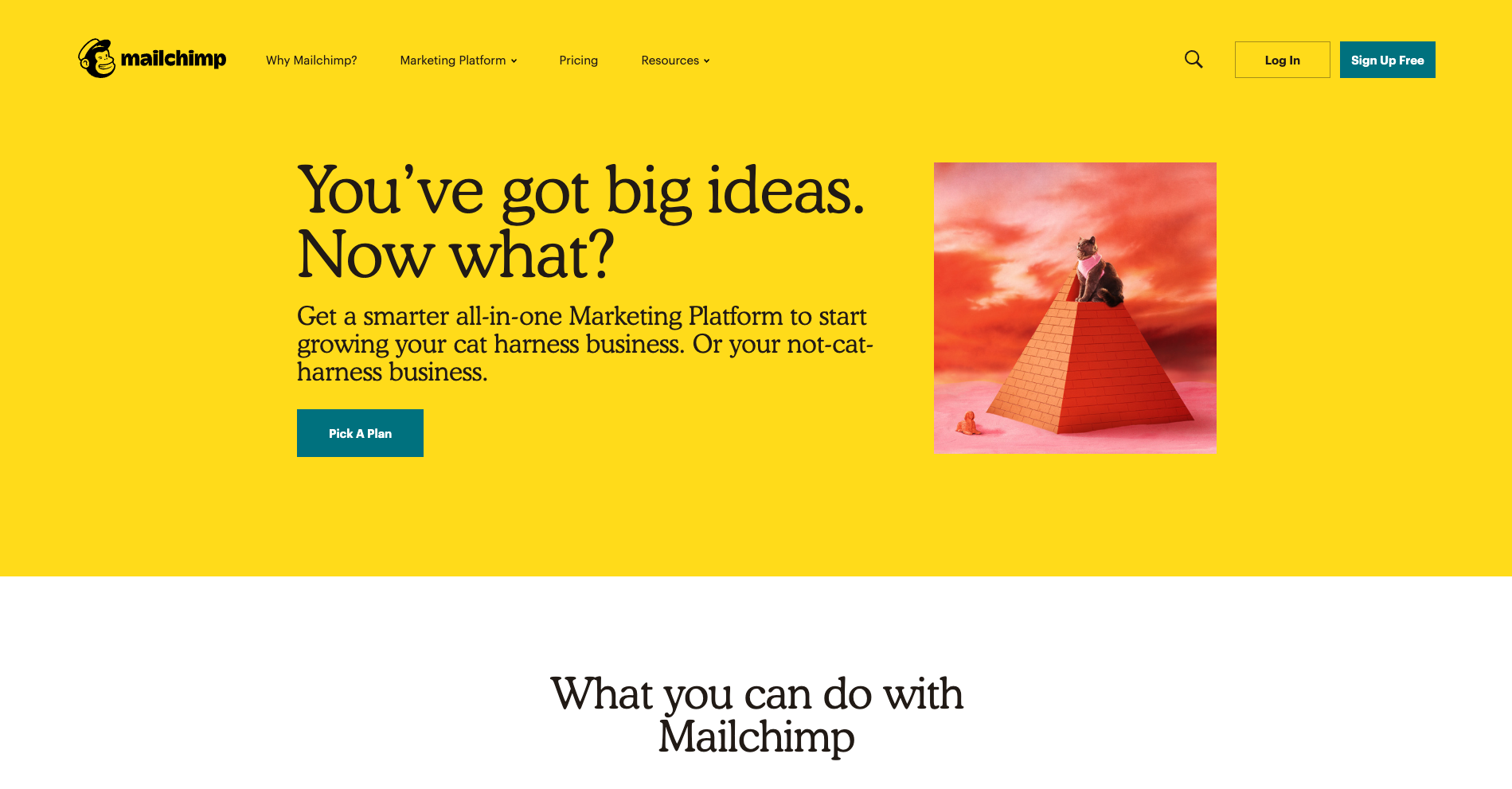
There’s a lot to love about Mailchimp’s website navigation. The overall navigation experience is simple and clean with beautiful illustrations accompanying each content category which makes them all feel just that little bit more human. The unexpected animation that appears on hover on the logo is a nice touch that engages visitors and winks at them as if to say “Yes, this will take you back to the home page”.
The universal navigation bar at the top of the page hides when a website visitor scrolls down the page and reappears when they hover over the top of the page or scroll back up. It hides when you’re moving away from it and it reappears when you’re moving back towards it. I also find Mailchimp’s take on a fat footer (see below) especially interesting — it fills an entire page view and works quite well.
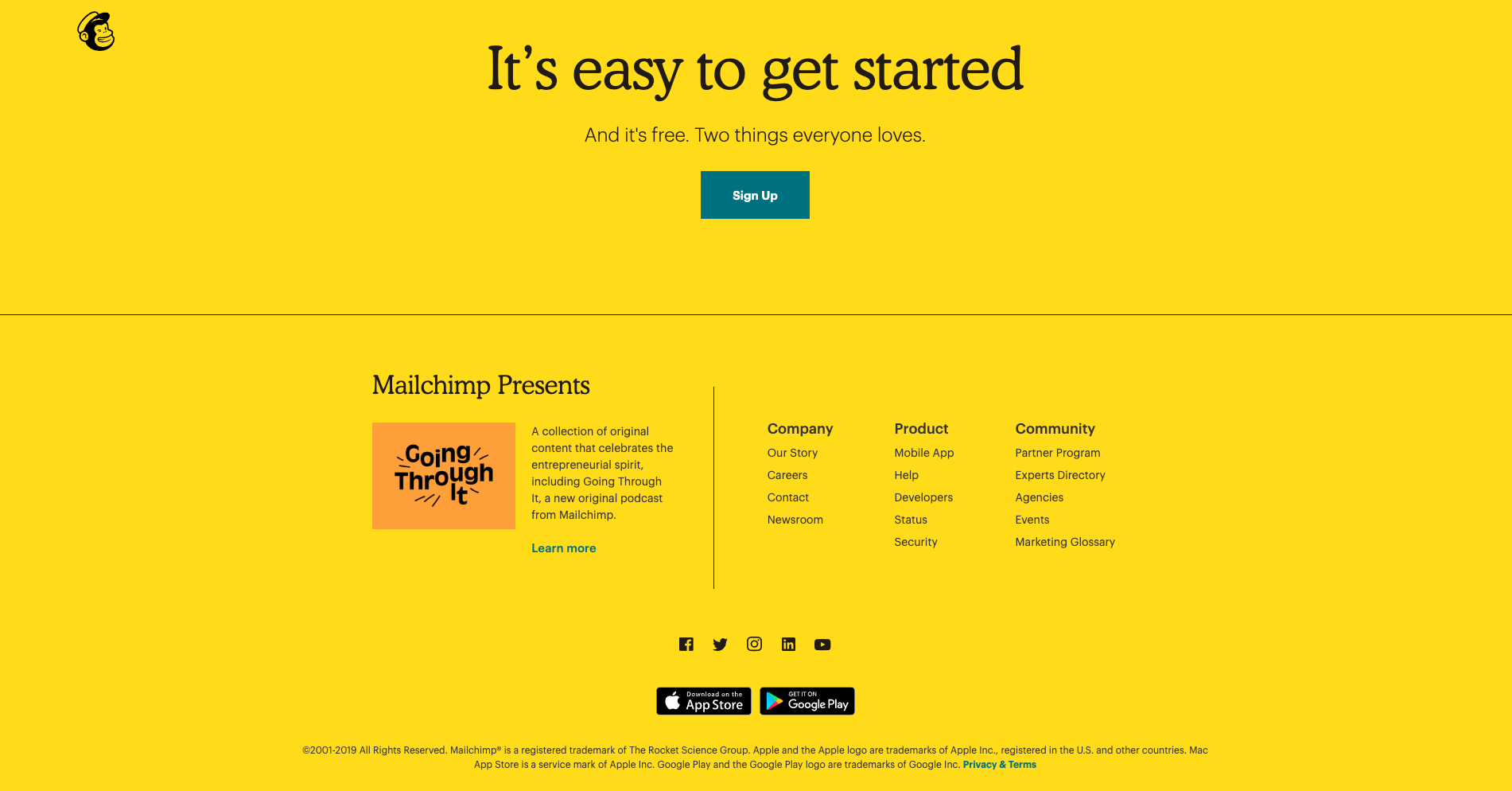
A footer has many jobs including: communicating to website visitors that they’ve reached the bottom of the page, housing content that doesn’t belong anywhere else (e.g., privacy policies, social media links etc) and it serves as a safety net for people who might be feeling a bit lost. Mailchimp’s fat footer has five sections that are not overwhelming at all and is consistent with the rest of the website through its clear and simple content groupings and functionality.

With a riot of colour and delightfully animated illustrations, Mosster Studio’s website is amazing to look at. It also takes that animation one step further through a really cool navigational feature that helps orient website visitors. The top navigation bar is sticky on scroll and the building block-like shapes for each page are animated — on hover they push out and on click they push in as shown in the below image for the ‘Info’ page.
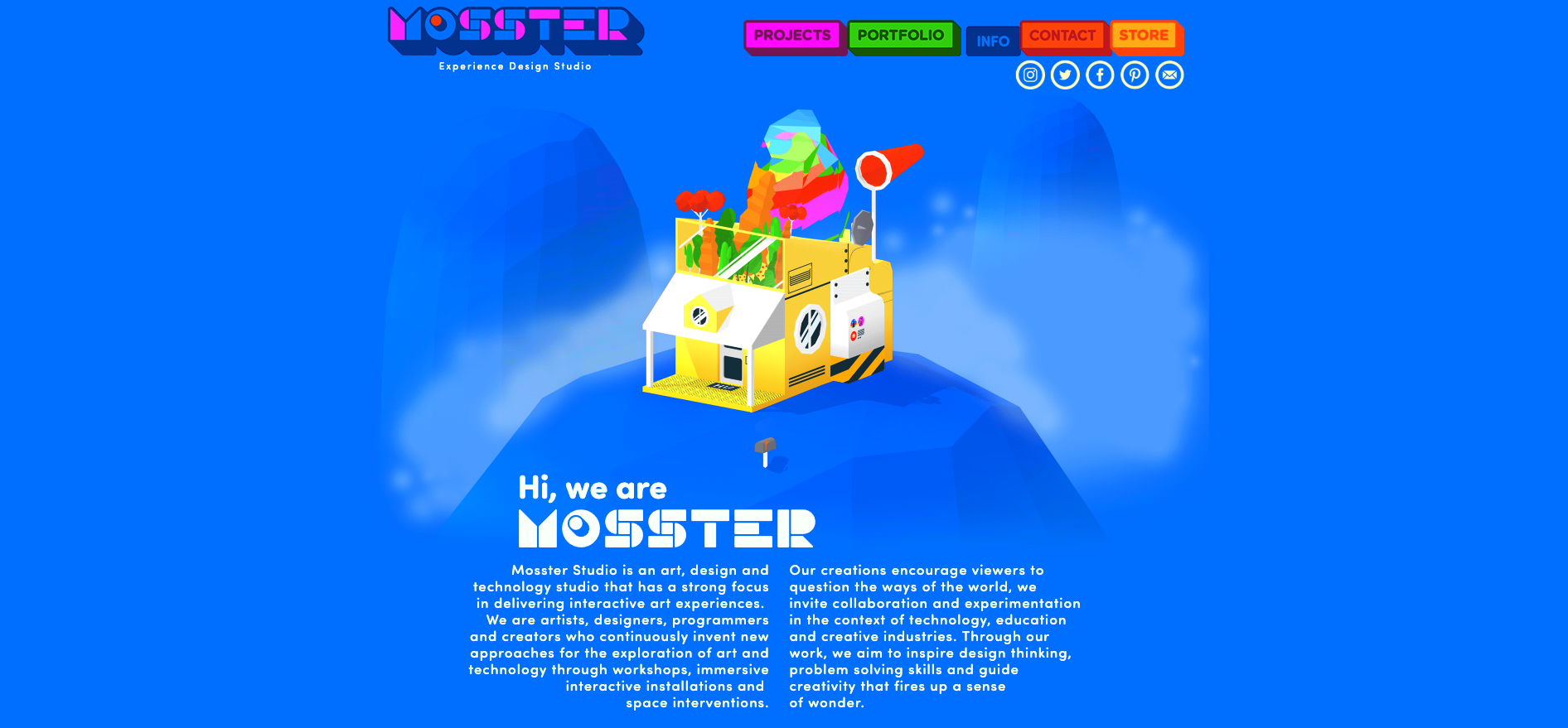
This is a really nice way to show people where they are on this website and it’s definitely consistent with the overall experience. This website also has a sticky minimal non-footer footer that can be seen at the bottom of both the images above. It works because it only has two items in it — copyright information and the privacy policy — and no matter where you are on the website, it’s always there within easy viewing and reach. I feel that it’s just right for this particular website. The IA is quite shallow and the sticky top navigation menu ensures that the footer safety net isn’t really needed in this case.
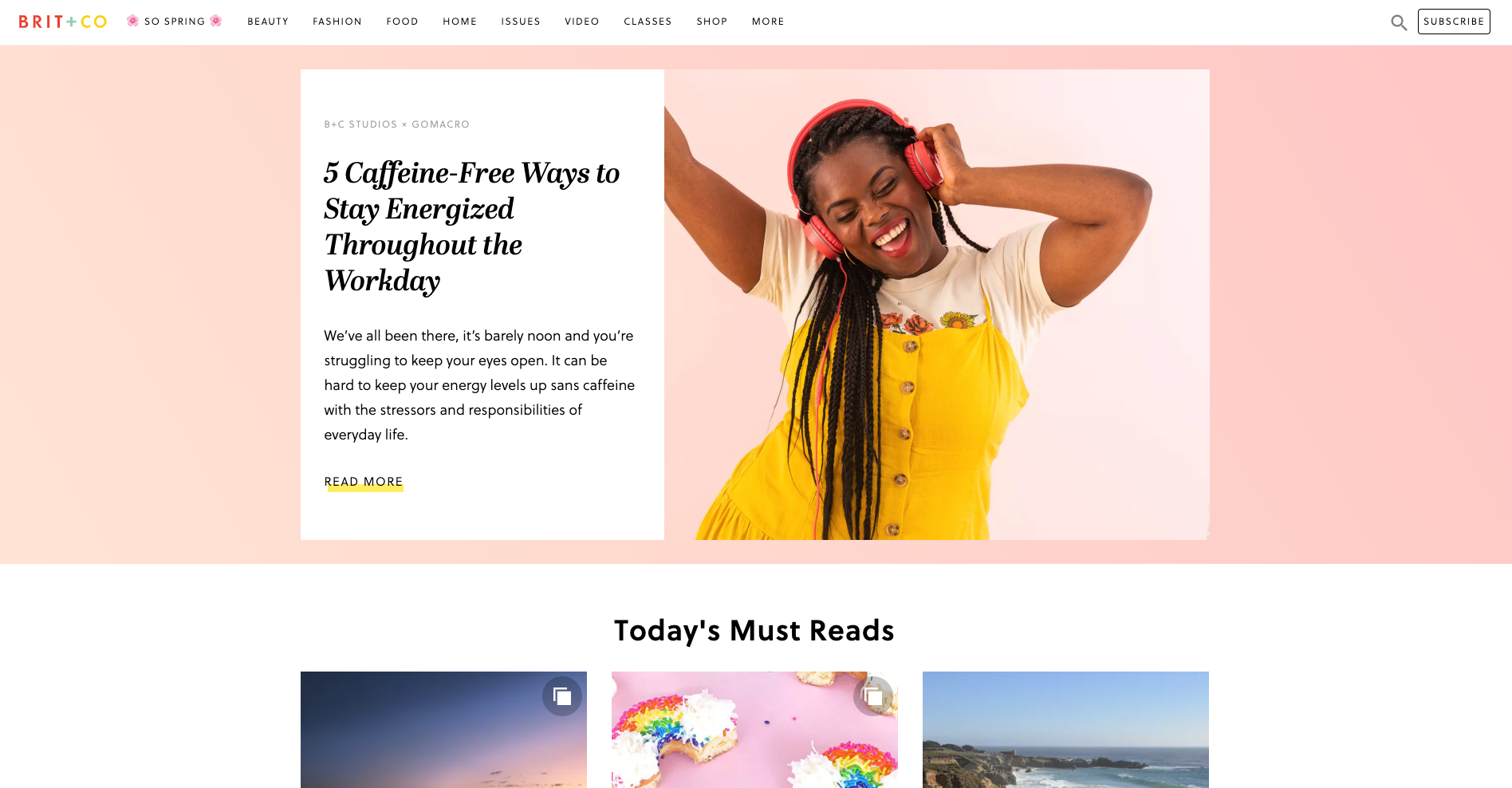
Brit + Co is a media company and the thing I really love about their website navigation is what happens when a website visitor clicks into an area called ‘So Spring’. It’s a single page space with seasonal specific content where the main website top navigation bar is replaced by a single label in the header. It feels like a website within a website — it’s connected to the main website which is easily accessed through the link on the logo and the subscribe call to action (CTA) is still there, but it definitely has its own architecture and navigation style.
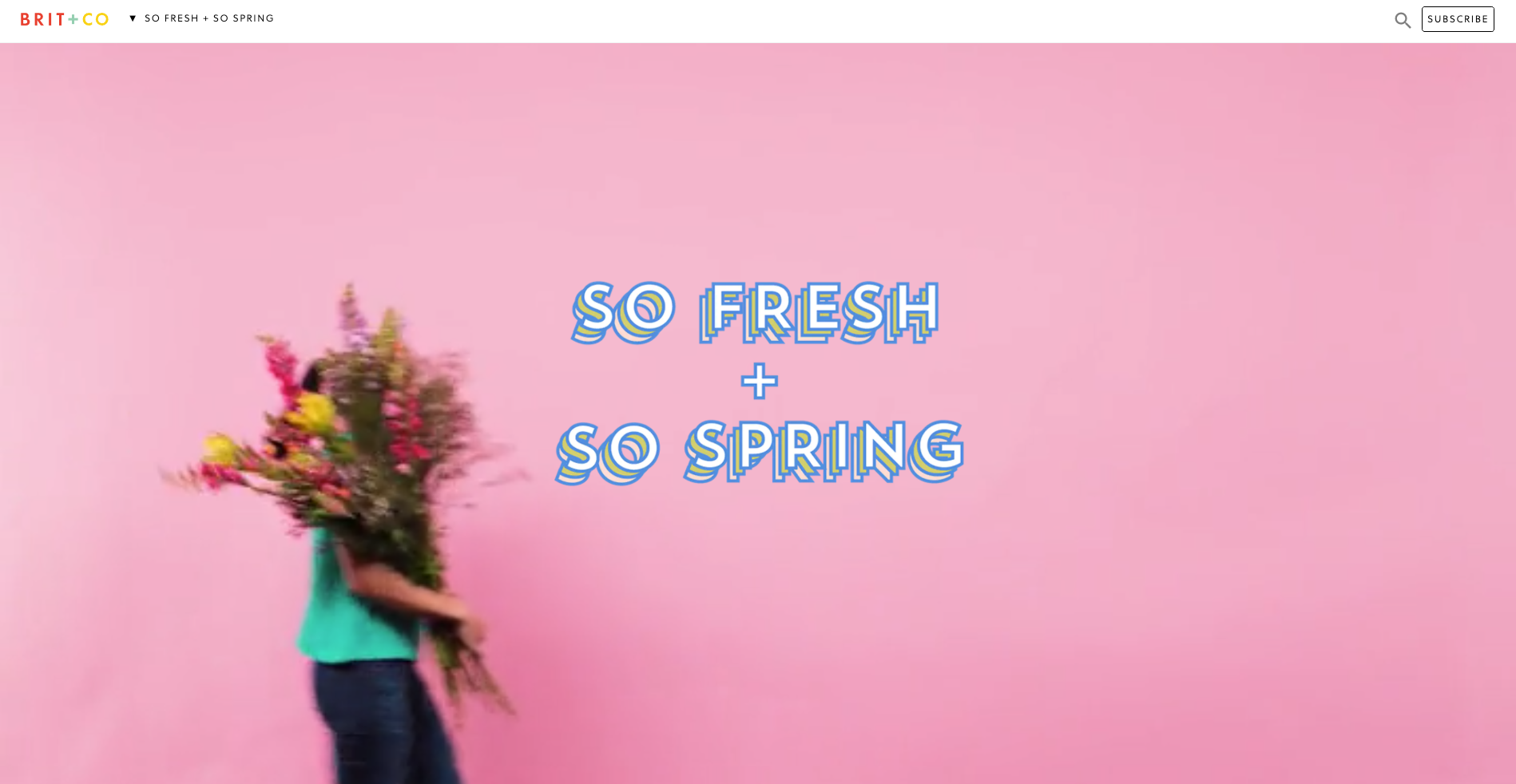
When first opened (see below image), the label at the top says ‘So fresh + So Spring’ and the visitor is presented with a gorgeous wide, animated banner with a woman walking across the page and turning around while carrying an enormous bunch of flowers.
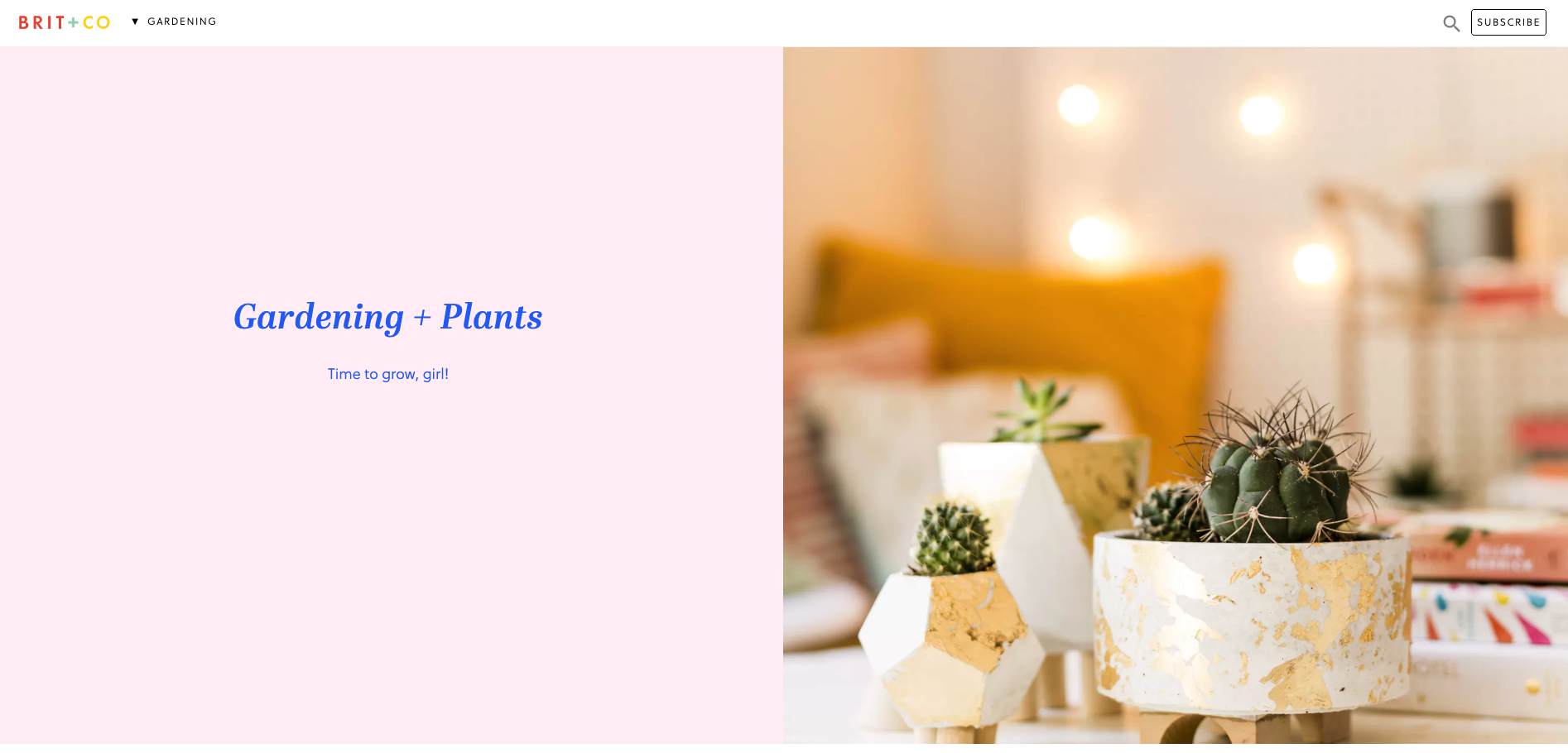
Then, when the website visitor scrolls down the page to the next content section, the header automatically changes to show them where they are in this mini website as shown in the below image when I scrolled down to the ‘Gardening’ section — awesome!
This dynamic navigation feature also contains a dropdown menu allowing website visitors to see all the other topics at a glance and directly navigate between them (see below image).

I feel that these navigation choices make this presumably temporary online space even more immersive and really well thought out.
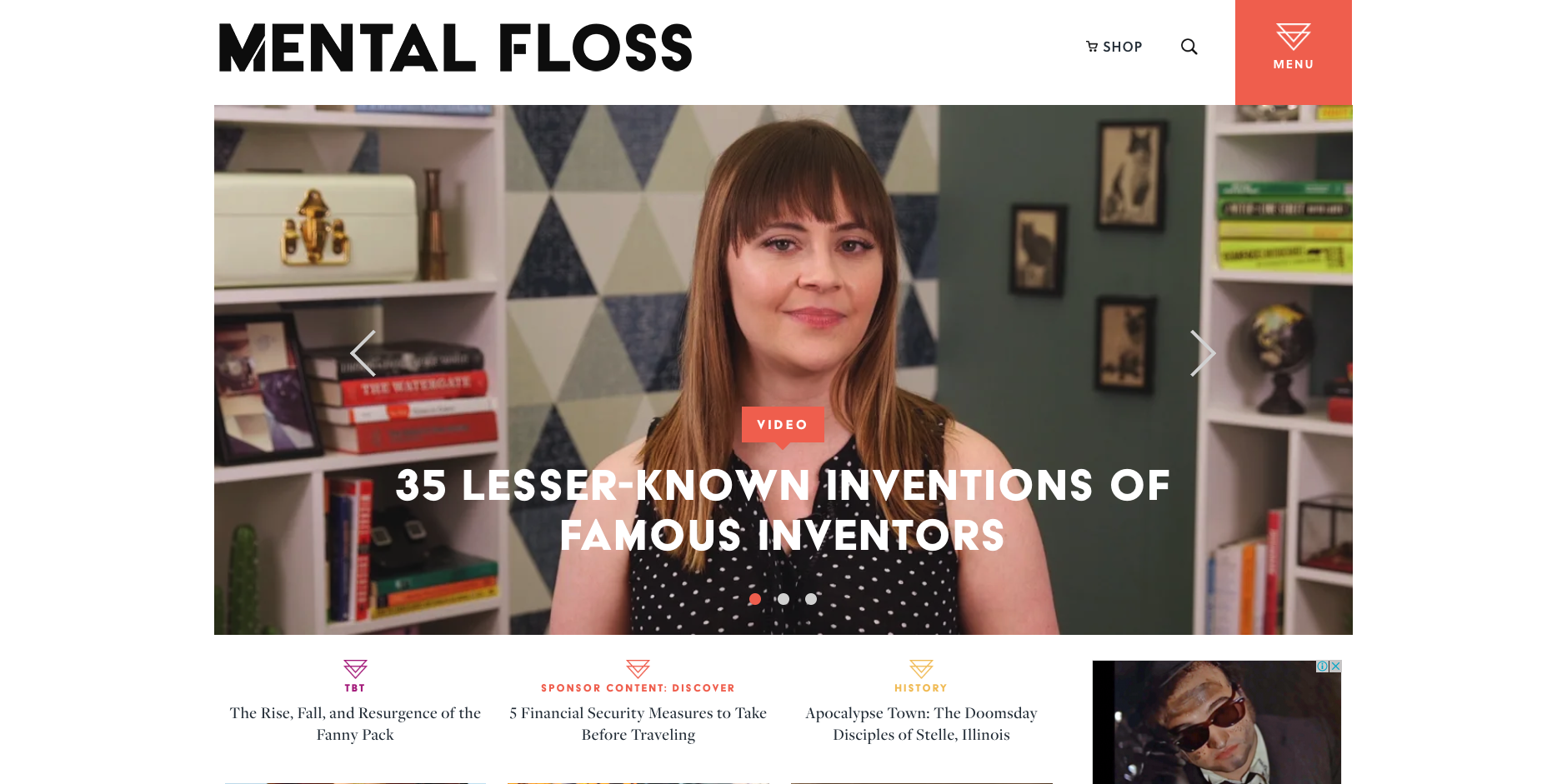
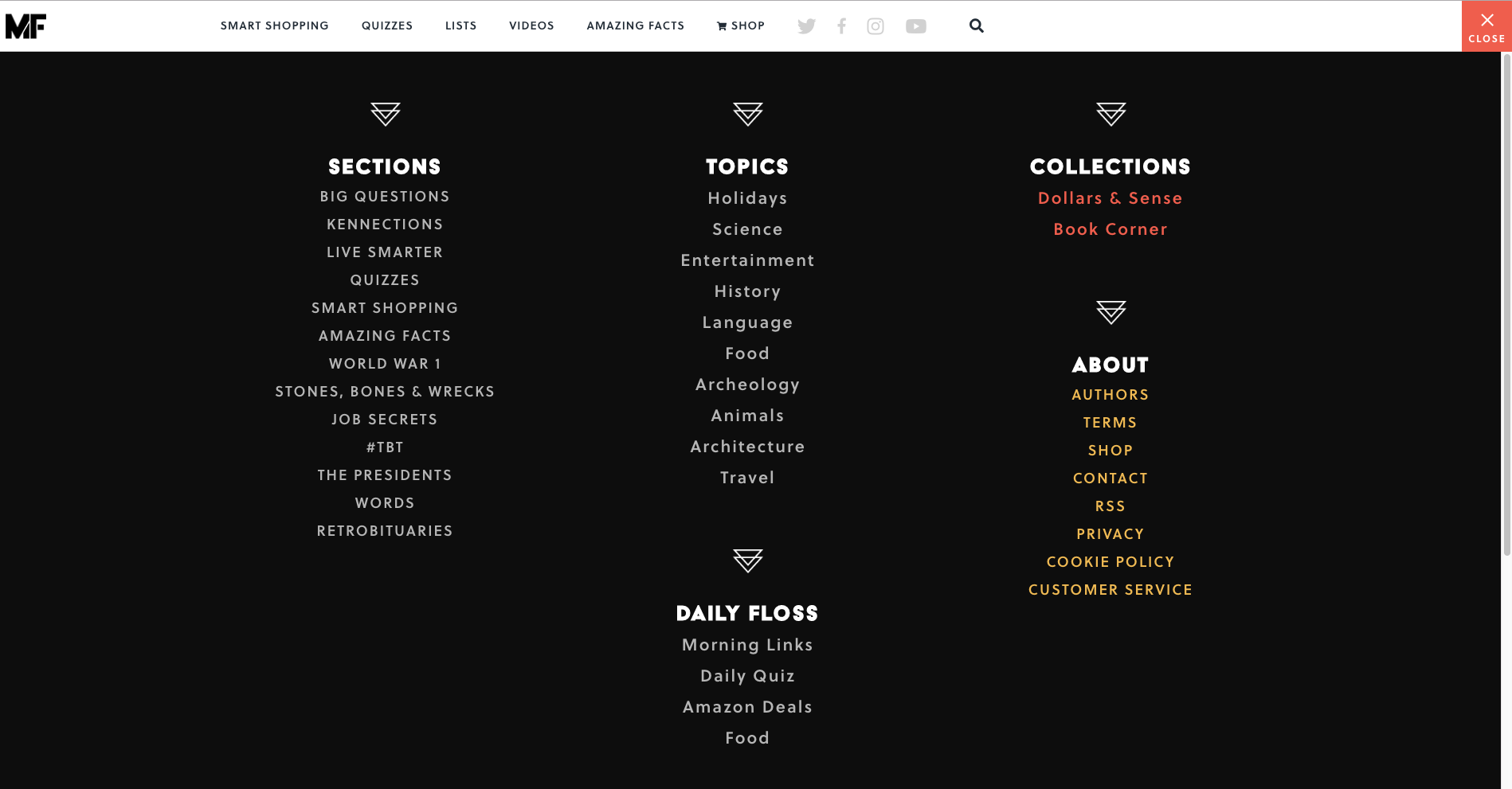
Mental Floss is a long time favourite website of mine. In addition to its fun articles, quizzes and amazing facts generator — did you know that the national animal of Scotland is the unicorn?! — it also has a super cool transforming navigation menu. It starts out as shown in the image above with a big orange square in the top right hand corner that’s simply labelled ‘Menu’ that when clicked, opens a large, full page menu as shown in the image below.
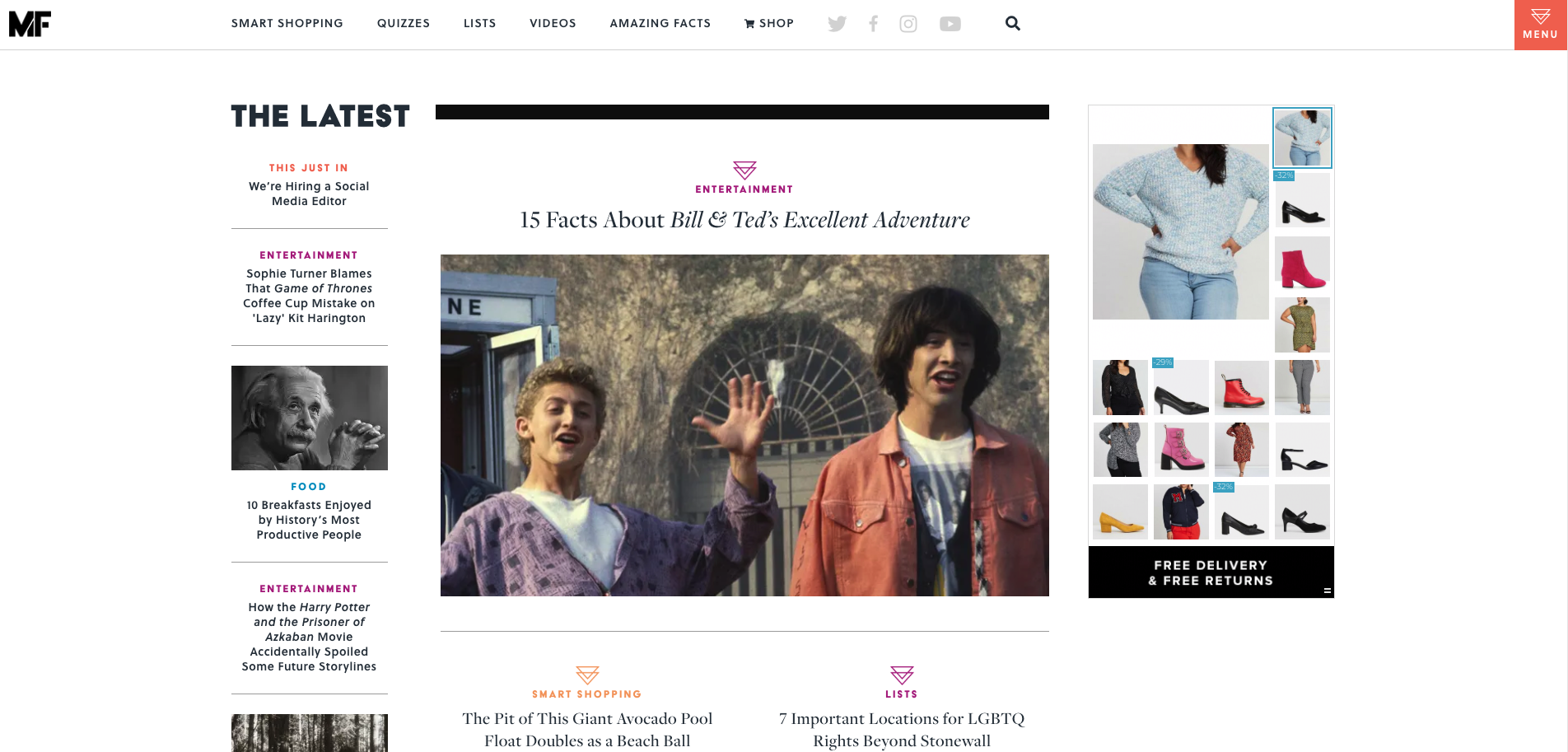
When a website visitor scrolls down the very long home page, the header transforms into a sticky top navigation bar (see below image). The original menu tile is still present and produces the same menu shown above when clicked, but has been shrunk down and attached to the newly transformed sticky navigation bar.
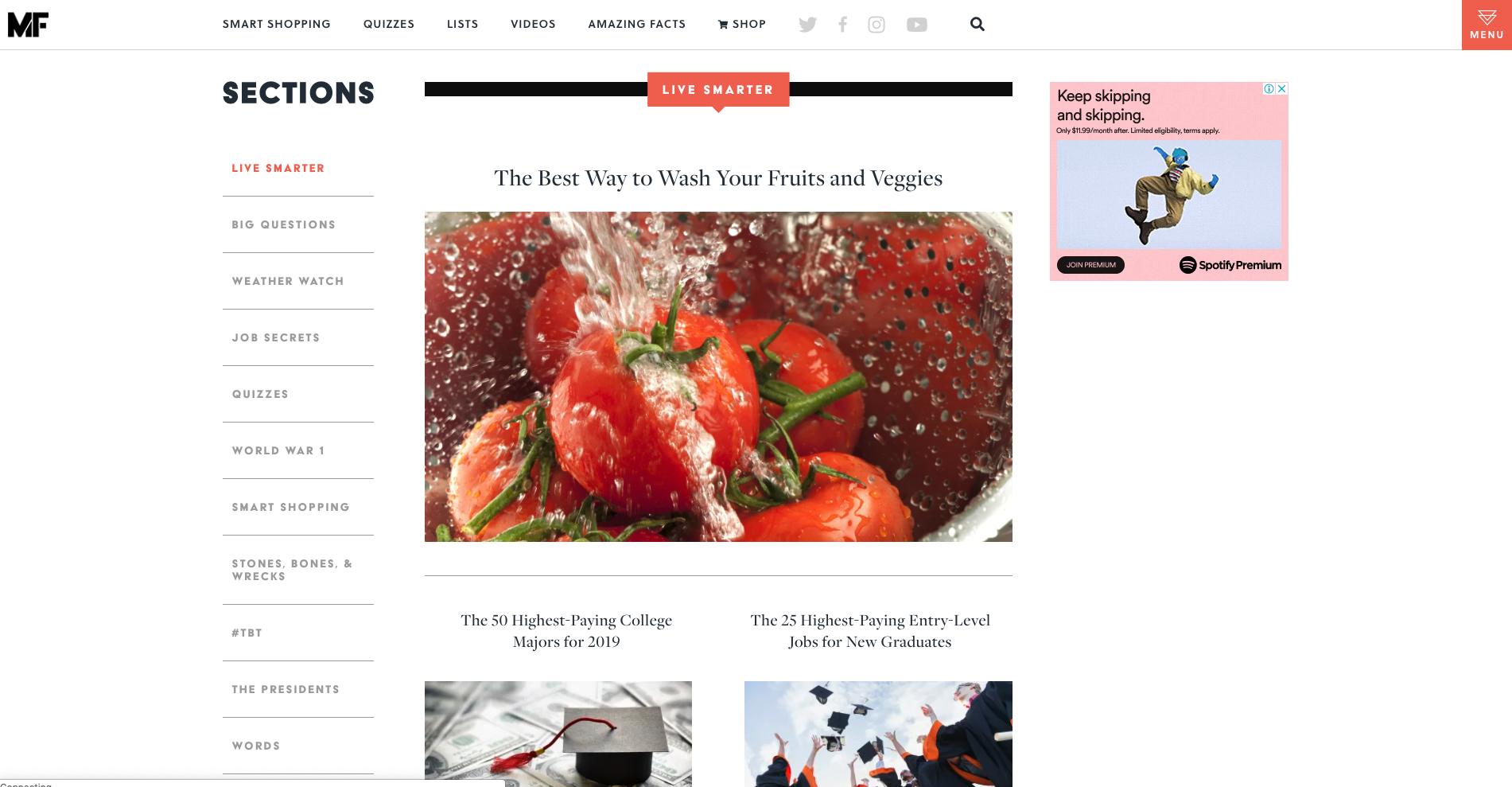
As the website visitor’s journey progresses further down the home page, clearly sectioned groups of content with their own micro navigation menus start to emerge — funnily enough, there’s one called ‘Sections’ that has a mini vertical side navigation (see below image) and this group of content also appears under the menu tile we saw a few moments ago.
Mental Floss is like a rabbit hole in the best possible and most immersive way. Its transforming and intricately connected navigation works because it’s completely consistent with the experience of having a place to go and just get lost in interesting content. I love it.
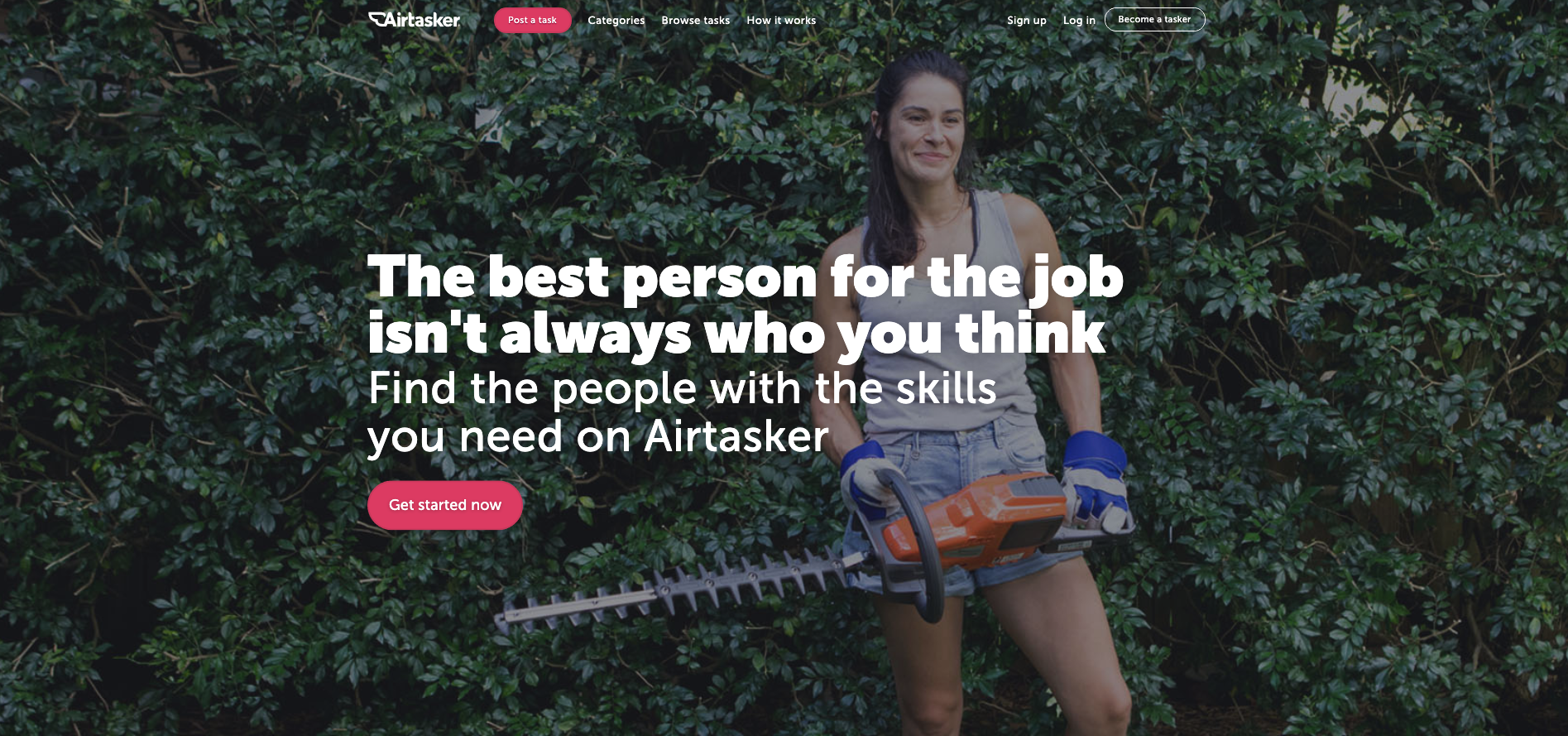
The category section on Airtasker’s website is — as expected — quite the mega menu. The overall website navigation is fairly simple with a fixed header running along the top of the page and the ‘Categories’ label does not lead to a landing page — it exists purely to launch that mega menu. What I really like about this navigation example is the way a website visitor can filter the category content at that very high level of the IA through the mega menu with one click by indicating if they are looking for work or looking to hire someone (see below image).
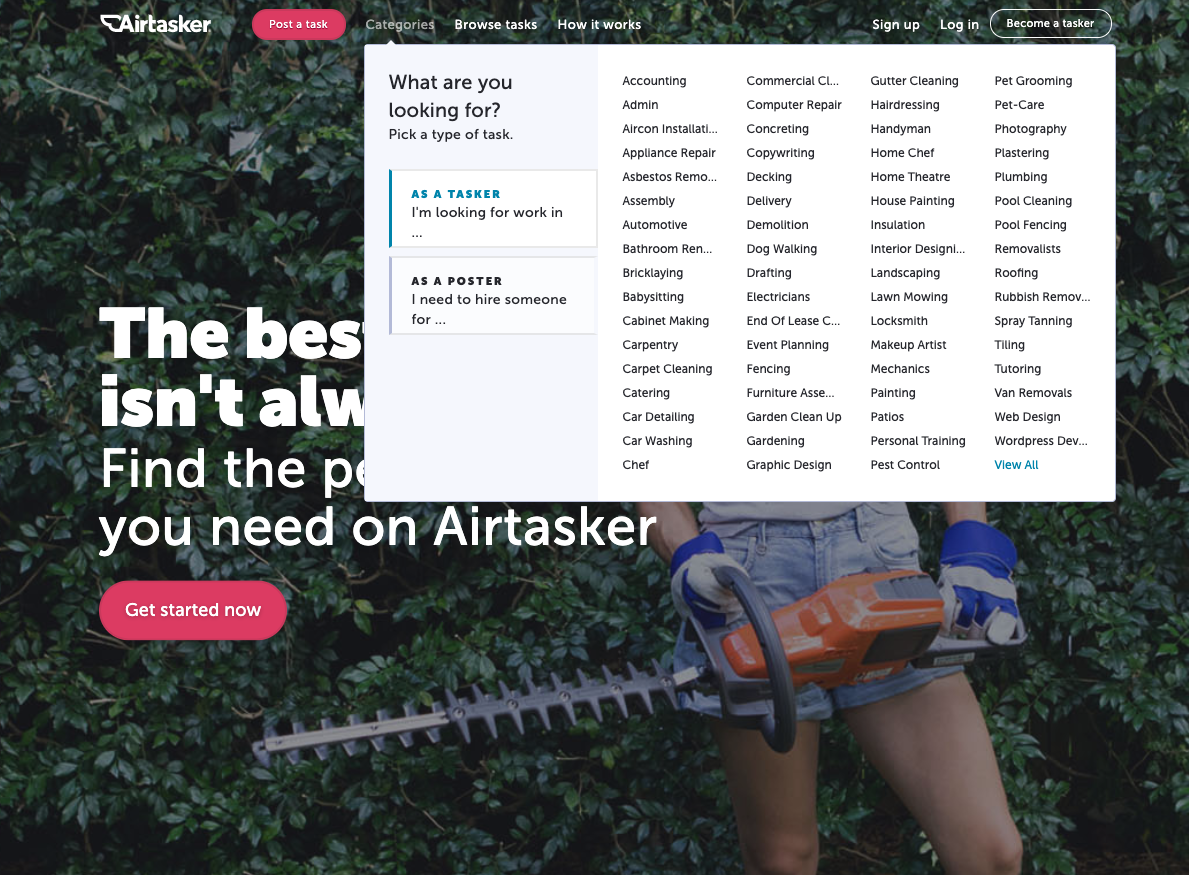
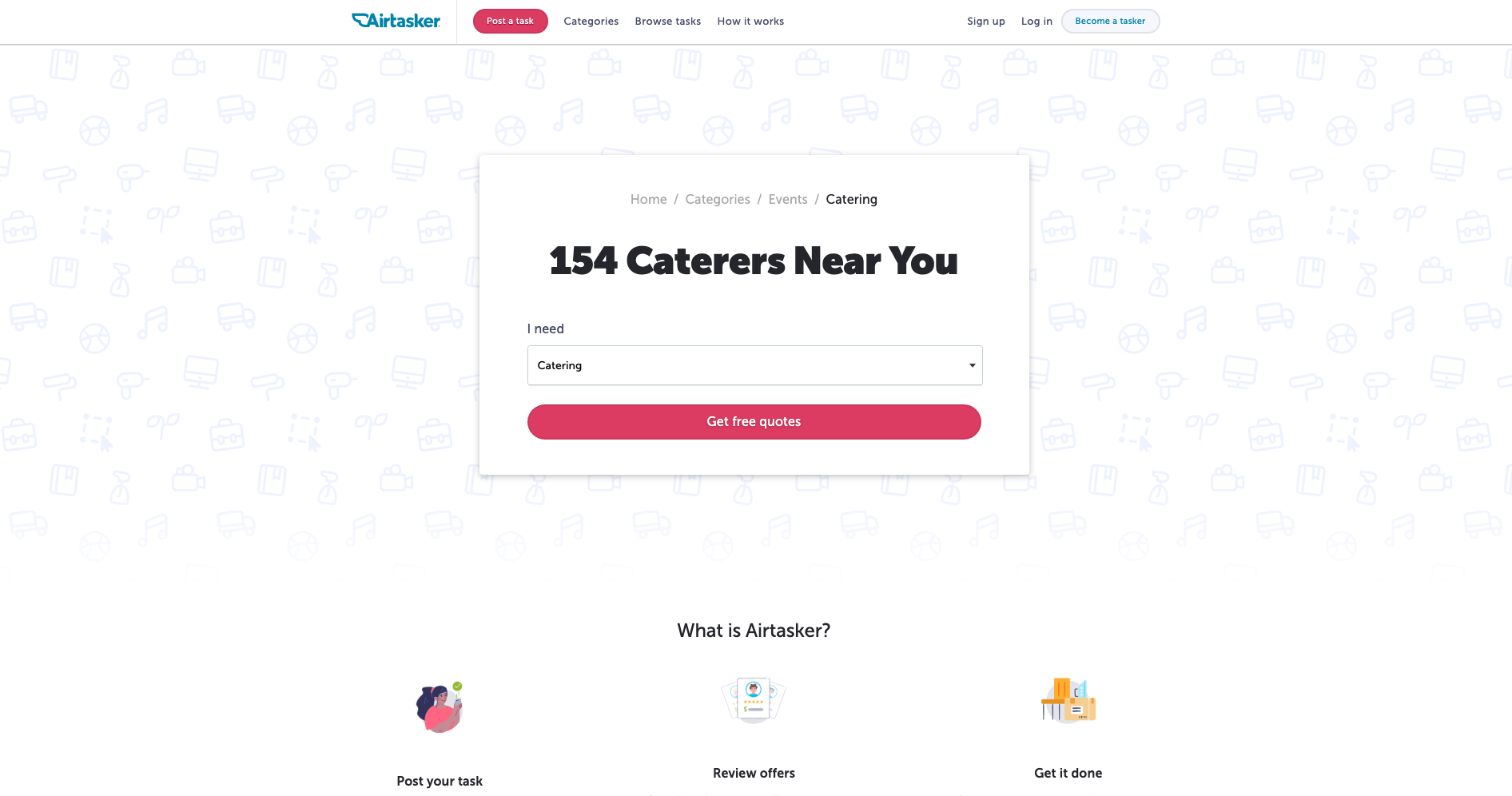
The categories themselves don’t reduce, increase or change in any way at this level, but the content below them is filtered to match the selected view so that when a visitor clicks into their category of choice, they’re only shown the perspective that matters to them. For example, if a website visitor selects ‘I’m a poster’ and then selects the ‘Catering’ category, they will be taken to the below screen.
And for the same scenario in reverse where ‘I’m a tasker’ is selected before selecting ‘Catering’, this is the screen that appears (see below image).
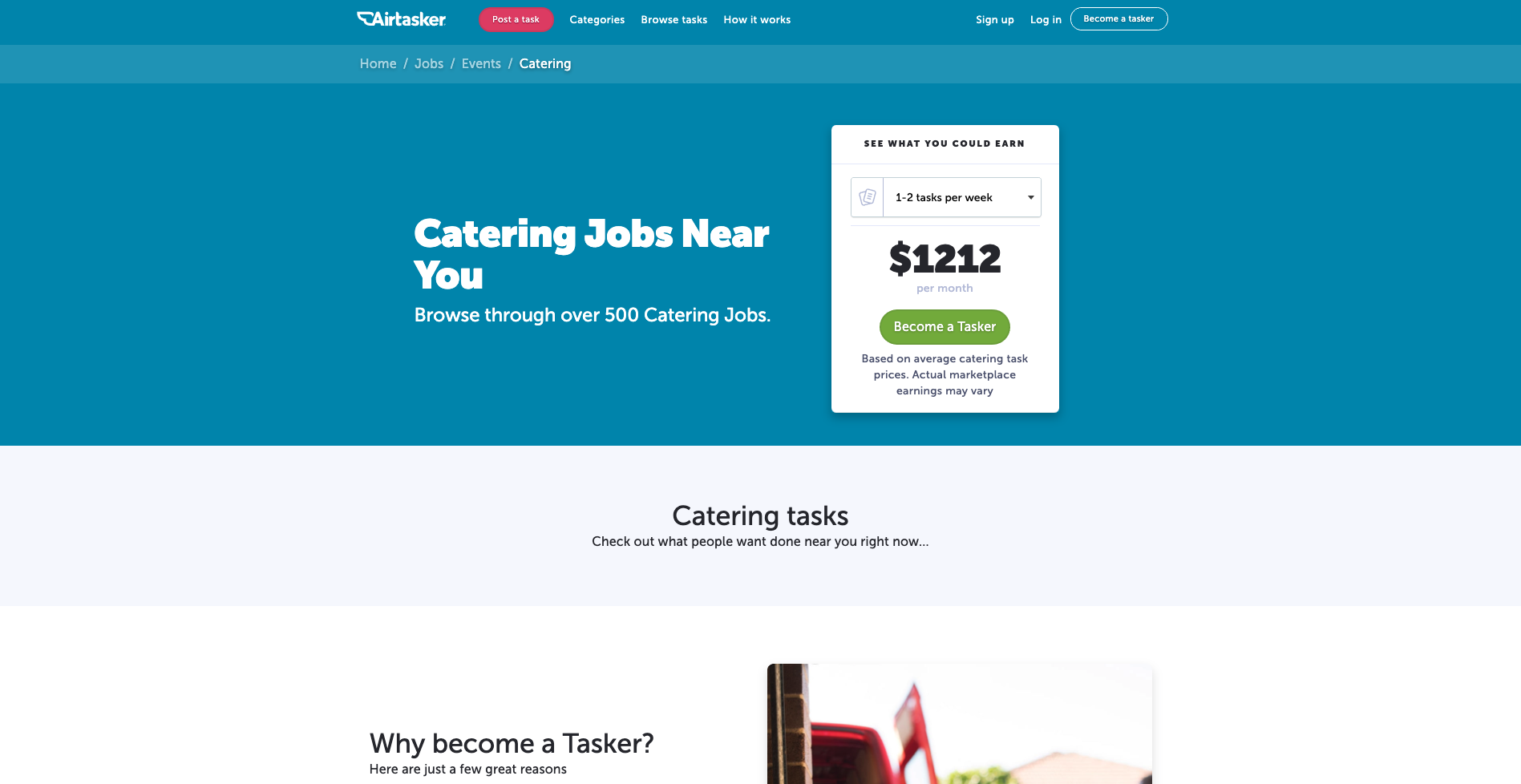
I think it’s a really cool way to chart that navigation course upfront and completely avoid content that holds no relevance in that moment.
