Subscribe to OW blog for an instantly better inbox
Oops! Something went wrong while submitting the form.


We recently hosted a live webinar introducing Optimal's new Usability Testing tool, a powerful solution that brings multiple research methods together in a single study, helping you get better insights, faster.
Looking for the highlights? We've rounded up answers to the most common questions from the session.
Optimal's new Usability Testing tool is a mixed-methods research tool that brings Prototype Testing, Live Site Testing, and Surveys into a single, end-to-end study workflow. Instead of treating each method as its own initiative, you can combine them inside a single study to allow participants to move naturally between tasks, experiences, and questions.
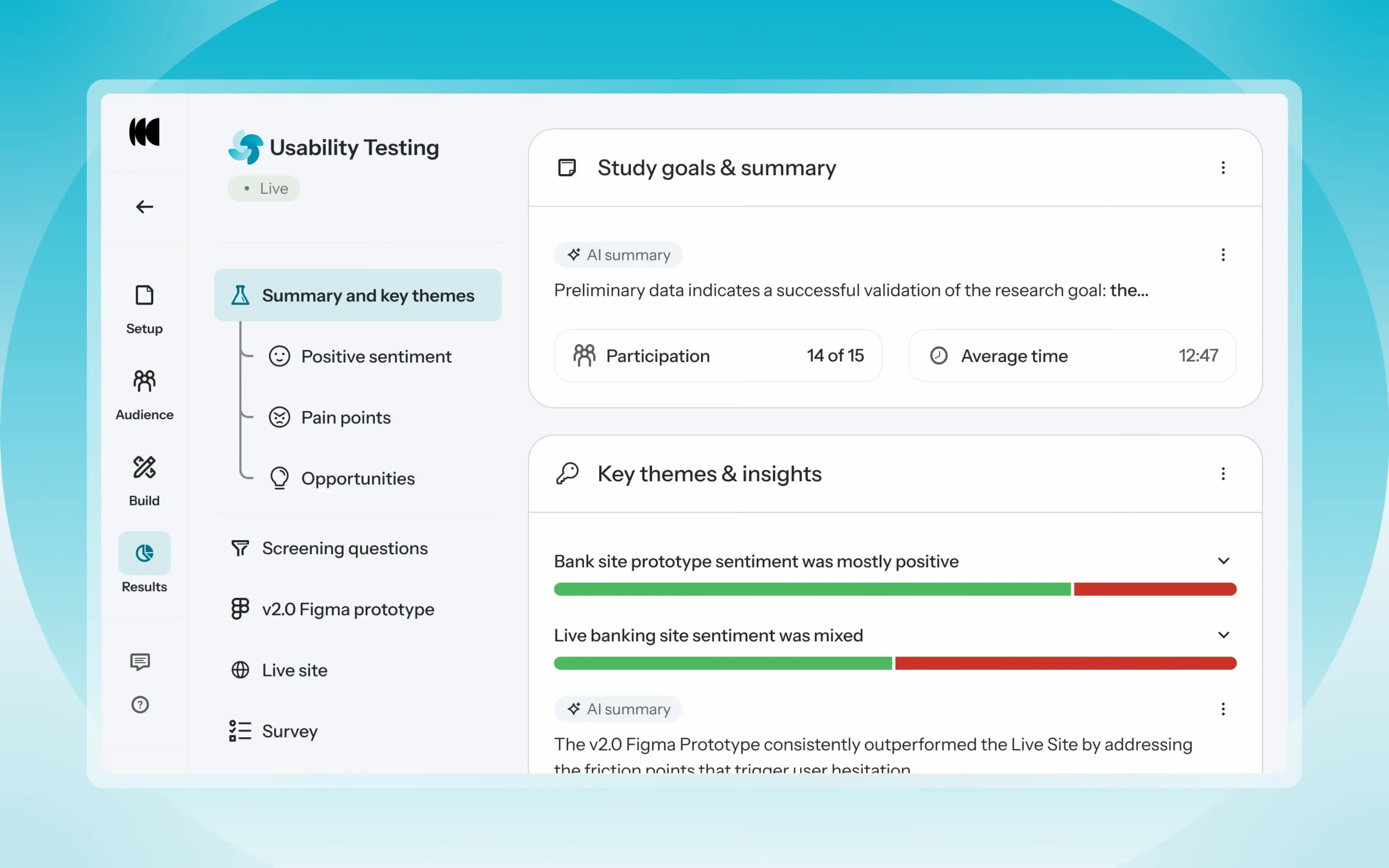
With this tool, you can compare multiple prototypes side by side, benchmark a current live experience against a redesigned concept, evaluate a competitor's experience, and more. And researchers get everything analyzed in one place with AI-powered summaries, task results, video clips, and evidence-backed insights surfaced automatically.
Yes, participants can complete Usability Testing studies on mobile devices using their mobile browser or the Optimal Participant App. If screen recording is required, participants are prompted to download the Optimal Participant App, available for both iOS and Android.
You can keep it simple and run a single survey, a standalone prototype test, or a live site session on its own. Or, mix methods or run multiple of the same method, such as multiple prototypes or live website tests in one study. The tool supports however your study needs to be shaped.
Usability Testing currently supports over 30 languages enabling what participants see and guiding how AI models interpret responses, generate summaries, identify themes, and surface insights. Today, studies are configured around a single language, so participants are expected to respond in the chosen language. That said, multilingual study support is something we're exploring for our roadmap.
Just once. From the participant's perspective, this looks and feels like a single study regardless of how many methods are included. They move through the experience naturally from start to finish.
Section-level randomization shuffles the order of any sections, while question-level randomization works within a specific section, shuffling the order of tasks and follow-up questions. Both are supported, giving researchers the flexibility to reduce order bias, particularly useful when comparing multiple experiences.
Yes, with no limitations on the number of prototypes you can link to a single study so you can add multiple Figma prototype sections and connect a different prototype to each one.
Given that Usability Testing studies can grow complex, the ability to reorder things quickly was a priority. You can reorder individual tasks and questions within a section, and sections themselves by dragging them in the Build panel.
Scaling research isn't just about running more studies, it's about helping more people across the business access insights, understand them, and use them to make decisions. With Usability Testing, product managers, designers, and stakeholders can quickly understand what happened and why without having to see hours of recording through the automatically generated highlight reels, key quotes, and transcripts.
If you want to experience the full walkthrough, demo, and Q&A, watch the recording to see Usability Testing in action and pick up tips and best practices straight from the session.
👉 Watch the full webinar here.
The pace of product development has never been faster, and the cost of building on assumptions has never been higher. At Optimal, we've spent nearly two decades helping teams get closer to their users, and what we're seeing right now is a fundamental shift in how research gets done. More teams are running research than ever before and timelines to act on findings are tighter, while the expectations for what research needs to deliver keep rising.
That shift is exactly what's driving Optimal 3.0, our most ambitious reinvention of the platform yet, designed to give every team the speed, depth, and flexibility that modern research demands. Today's release is the next step in that journey.
Optimal's new mixed-methods research tool tears down the boundaries between methods. It brings prototype testing, live site testing, and surveys into a single, end-to-end study workflow. And grounded in our product principles: speed to insights, access for all, and communication.
Optimal’s new Usability Testing tool marks the next step in the evolution of Optimal 3.0, giving teams the flexibility to evaluate experiences in whatever form they exist today.
Combine prototype testing, AI prototype testing, live site testing, and surveys in a single study. Test multiple prototypes side by side, compare different live URLs, or mix prototype and live site tasks together all in one workflow. Research can now mirror how products actually evolve, from early concept to shipped experience.
New speak-aloud question types, custom message blocks, auto-generated transcripts and insights, citations and highlight clips help you capture the context and reasoning behind every action. AI-assisted analysis then helps you make sense of it all fast and communicate with impact.
Review a study overview surfacing key themes, pain points, and sentiment analysis combining insights across all your study methods along with detailed results, task analysis and recordings, transcripts, key quotes, and automatically generated citations and video clips.
Coming soon: you can also use AI Chat to chat with your data directly, asking questions and pulling new insights and evidence across all your qualitative and quantitative inputs.
Modern product development is no longer linear. Teams continuously move between:
Traditional usability testing tools were not built for this fluidity. Optimal’s Usability Testing brings the flexibility to match how teams actually work today.
By combining multiple methods into a single study and pairing it with AI-powered synthesis, Usability Testing helps teams reduce setup and analysis time, recruit once, capture richer qualitative context, compare experiences more easily, move faster from feedback to action, and tell clearer, more compelling insight stories.
Learn how to get started with Usability Testing in Optimal and accelerate your path from idea to insight. Book a meeting, start exploring in your account, or join our live training webinar on June 24th to see it in action.


UX and product teams struggle with fragmented workflows when using traditional survey-only platforms like SurveyMonkey. Teams end up juggling multiple tools for surveys, usability testing, information architecture, and participant recruitment, creating data silos and ballooning costs.
Optimal unifies the entire UX research workflow in a single platform with unlimited seats, integrated recruitment, and purpose-built UX tools.
SurveyMonkey does one thing well: Surveys. It's built for market research, employee feedback and event registrations. But most UX teams need additional methods to complete their research including: card sorting, tree testing, prototype testing, and usability studies. SurveyMonkey offers none of these, forcing you to purchase additional platforms.
Optimal provides the complete UX toolkit. Surveys, card sorting, tree testing, first-click testing, prototype testing, and interviews, all in one platform with integrated analysis.
17 years of UX expertise. Optimal isn't a generic survey tool adapted for research. Every feature is purpose-built for understanding user behavior and optimizing digital experiences, proven by companies like Netflix and Uber.
SurveyMonkey's per-seat model creates scaling challenges. Every new team member who needs research access means another line item in your budget. As your research practice matures and more people across product, design, and marketing want to run studies, costs multiply.
Optimal's unlimited seat model changes the economics. Pay for usage, not headcount. Whether you have 5 researchers or 50 people conducting studies across product, design, and marketing teams, the cost stays the same. No budget negotiations when a new PM wants to run a study. No choosing between cost and collaboration.
Hidden costs multiply with seat-based pricing. Beyond per-user fees, SurveyMonkey charges for responses beyond plan limits. A growing team means higher seat costs AND higher overage fees as research scales.
Unlimited seats enable research democratization. When anyone can conduct research without impacting the budget, UX thinking spreads across your organization, without procurement approvals for each new seat.
SurveyMonkey requires DIY recruitment. You get distribution tools (email, links, QR codes) but no participants. You must build your own panel or purchase SurveyMonkey Audience separately, with additional per-response fees that vary by audience type.
Launch research in minutes with Optimal. Design your study, specify demographics, and recruit qualified participants immediately. No vendor coordination, no delays, no managing multiple relationships.
Quality and reach matter. Optimal's recruitment includes quality checks and access to niche audiences (healthcare professionals, developers, executives) that require expensive custom recruitment through SurveyMonkey.
Fully Managed or DIY Recruitment: Flexibility to Suit Your Needs. Optimal offers fully managed recruitment as well as DIY recruitment and an on-demand panel. Whether you prefer hands-on control or a completely managed process, we have you covered. With Managed Recruitment, our dedicated in-house team handles everything from briefing to delivery. The team sources from a global pool of vetted participants across multiple trusted providers and selects the panel to ensure that you can quickly connect with your target users. Need to refine targeting mid-project? No problem. We’ll refine your criteria seamlessly to keep your study on track, no matter the changes.With SurveyMonkey, you’re left to build your own panel or purchase SurveyMonkey Audience separately, with extra per-response fees based on audience type, which can quickly escalate costs.
Advanced Targeting: Precision Recruitment for Your Exact Needs. At Optimal, we empower you with the ability to recruit precisely the audience you need, even for niche or hard-to-reach groups. Unlike SurveyMonkey Audience, where targeting is limited to preset criteria, Optimal Managed Recruitment gives you the flexibility to create custom, free-form targeting criteria. Whether you're seeking healthcare professionals, developers, or executives, we’ll ensure you get the exact participants required to deliver actionable insights.
Transparent, All-Inclusive Pricing: No Hidden Fees, No Surprises. Optimal has no hidden recruitment fees or per-question charges. The cost of recruitment is all-inclusive, with no additional costs for screening questions or response limits. By contrast, pricing can quickly add up with SurveyMonkey’s additional costs for screening questions, question types, and length of surveys. As an example, for matrix/scale questions, each row of a question counts as a separate question, increasing the overall cost.
Optimize Your Screeners: Expert Support for Better Results. Optimal's Managed Recruitment helps you optimize your screeners for free. Our team ensures that your screeners filter participants effectively and can even help you write them if needed. We optimize for quality and feasibility, ensuring the best-fit participants.
SurveyMonkey excels as a general-purpose survey platform, but UX and product teams quickly hit its limits. Per-user pricing and panel recruitment costs scales expensively, there are no UX-specific research methods, and recruitment requires separate coordination.
Optimal delivers more value for less:
For teams serious about understanding users and building better products, Optimal eliminates workflow complexity while providing significantly more capability per dollar.
Ready to see the difference? Start your free trial.
Optimal Surveys helps product, design and research teams capture the user insights that actually drive decisions—from feature validation to user journey optimization. Now it's getting even smarter.
Research shows that when surveys are customized, people give more thoughtful answers and are less likely to drop out.
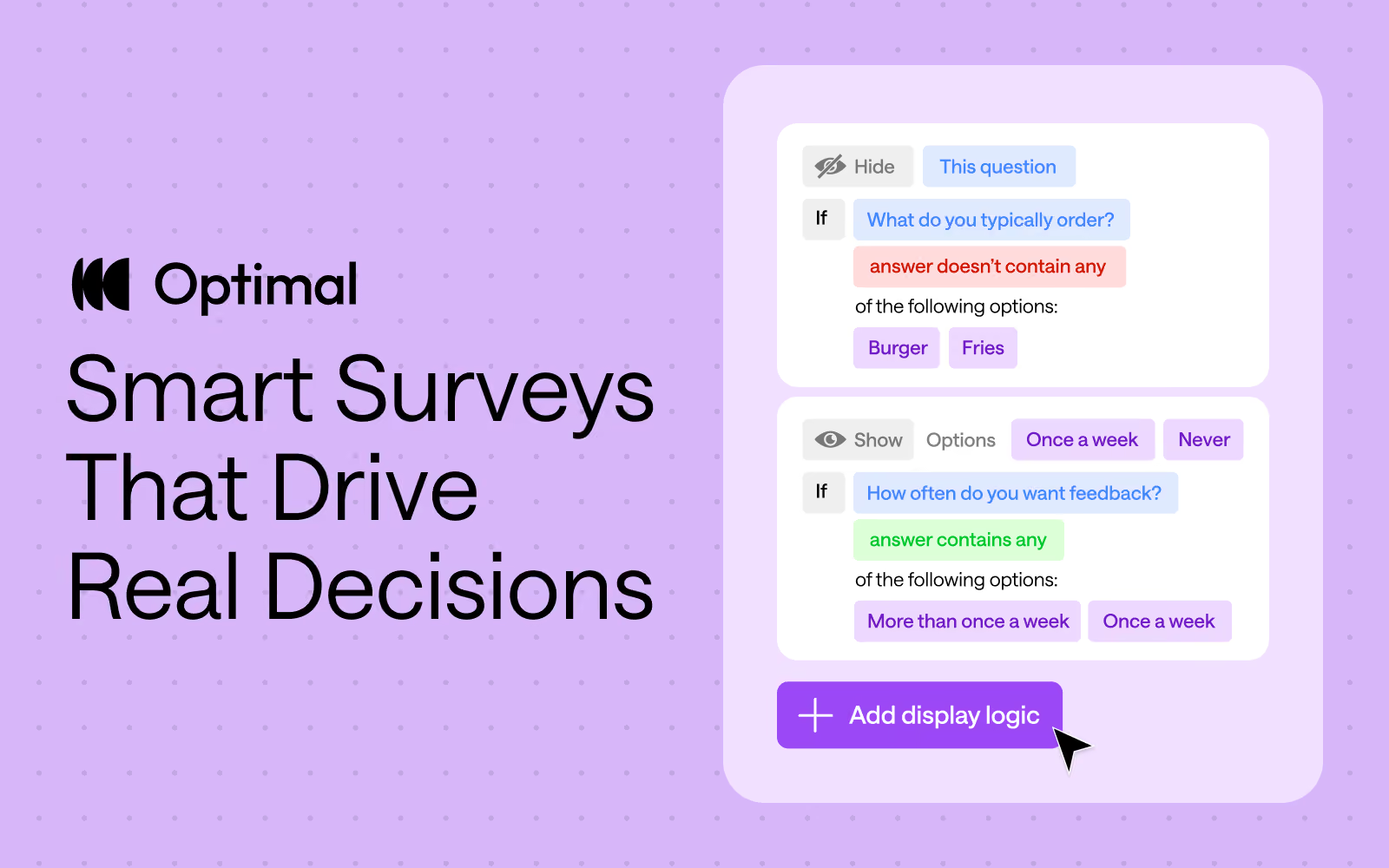
That’s why we’re really excited to roll out one of our most requested survey features: Display Logic!
This new capability creates truly dynamic surveys that eliminate irrelevant questions and reduce drop-off rates. Instead of moving users through generic questionnaires, Display Logic shows each participant only what matters to them, giving you higher-quality data and more targeted insights.
Combined with our existing branching logic, you now have complete control over creating survey experiences that feel personal, not repetitive.
Better data quality
When participants only see relevant questions, their answers are more thoughtful and accurate. More focused questions mean better insights.
More targeted insights
Use previous responses to drill deeper into specific topics—or skip over areas that don’t apply. You’ll uncover richer insights without extra noise.
Faster, more focused studies
Customizing the survey cuts out extra questions, keeps participants engaged, and helps them move through faster. Plus, a better experience means they’re more likely to take part in your future research.
We've been doubling down on making Optimal surveys both user-friendly and best-in-class for delivering insights. To help you get the most out of your surveys, we’ve added AI Simplify to suggest clearer, more effective question wording to help you engage participants and get higher-quality data.
We’ve also recently launched automated Insights for open-text responses. This feature takes the grunt work out of analysis by instantly surfacing key themes from open-text and matrix responses.
These are just a few of the ways we’re shaping Optimal into one of the most thoughtful and effective survey tools out there. With powerful AI features like question writing and instant insights built right in, we’re making it easier than ever to go from idea to impact.
Whether you're running usability studies, product tests, or market research, Optimal’s display logic and other survey tools help you create cleaner, more efficient surveys from start to finish. Start tailoring your surveys today to drive data-backed decisions.
Not yet using Optimal? Start your free 7-day trial and launch your first survey now.
At Optimal, we believe in the transformative potential of AI to accelerate your workflow and time to insights. Our goal is simple: keep humans at the heart of every insight while using AI as a powerful partner to amplify your expertise.
By automating repetitive tasks, providing suggestions for your studies, and streamlining workflows, AI frees you up to focus on what matters most—delivering impact, making strategic decisions, and building products people love.
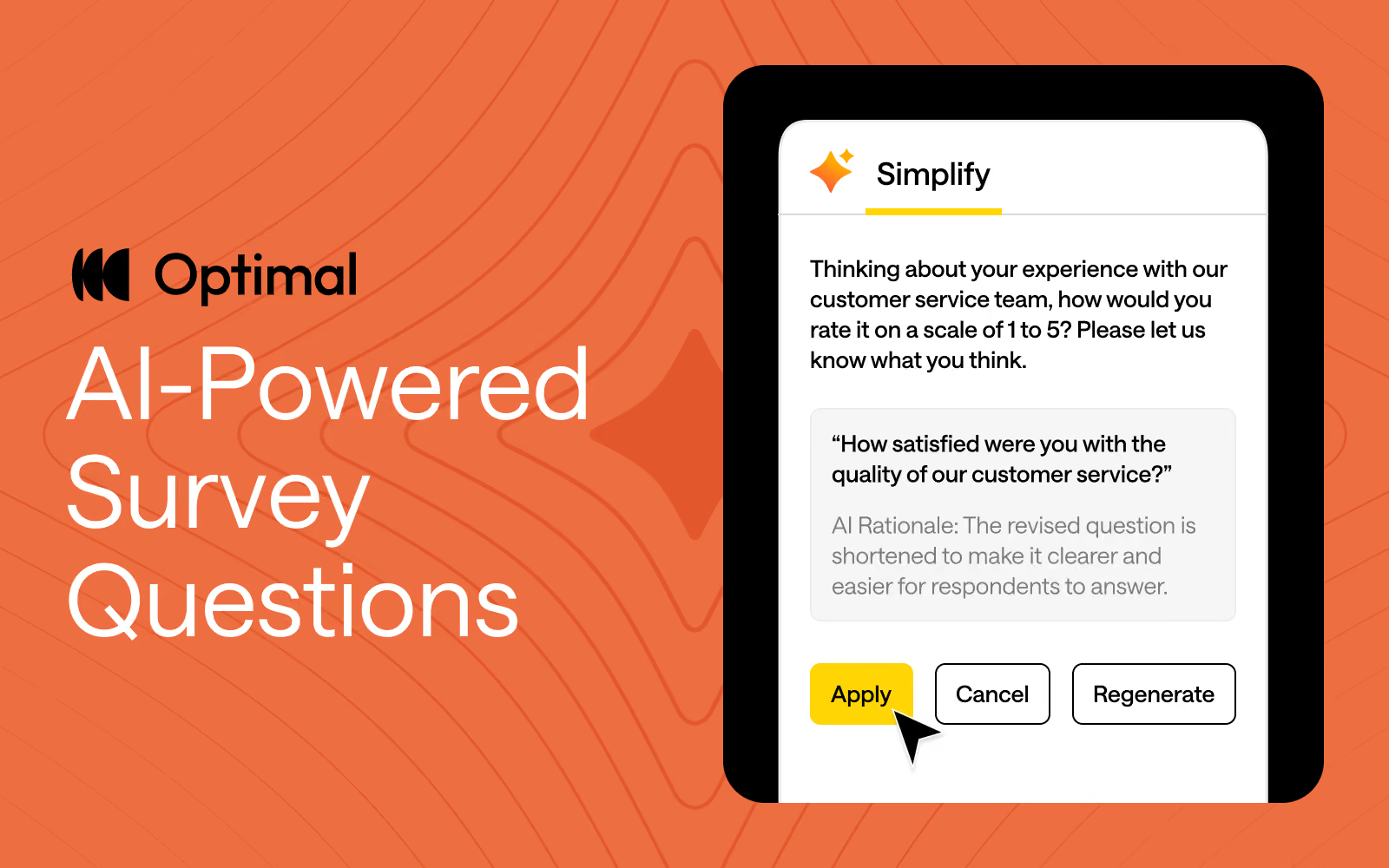
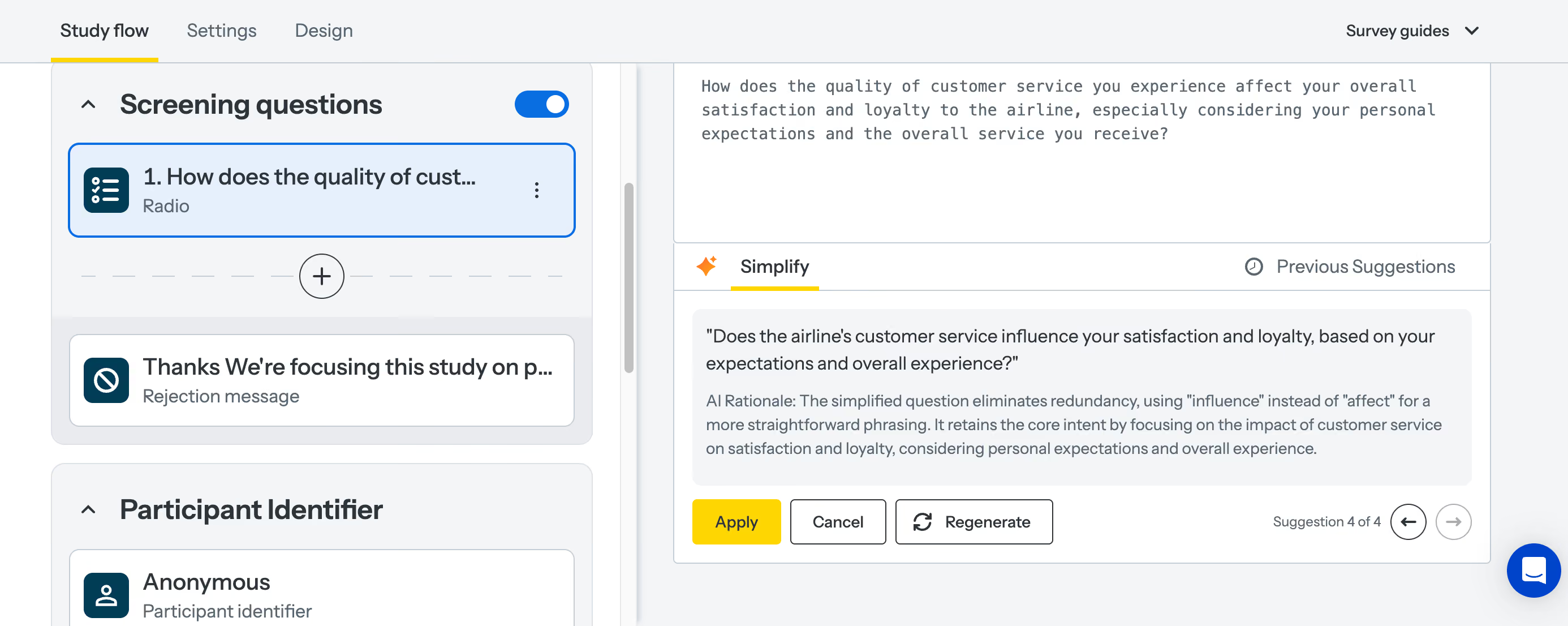
That’s why we’re excited to announce our latest AI feature: AI-Powered Question Simplification.
Ambiguous or overly complex wording can confuse respondents, making it harder to get reliable, accurate insights. Plus, refining survey and question language is manual and can be a time-consuming process with little guidance. To solve this, we built an AI-powered tool to help study creators craft questions that resonate with participants and speed up the process of designing studies.
Our new AI-powered feature helps with:
Apply AI-Powered Question Simplification to any of your survey questions or to screening questions, and pre- and post-study questions in prototype tests, surveys, card sorts, tree tests, and first-click tests.
AI is at the forefront of our innovation at Optimal this year, and we’re building AI into Optimal with clear principles in mind:
Keep an eye out for more updates throughout 2025 as we continue to expand our platform with AI-powered features that help you uncover insights with speed, clarity, and more confidence.
Want to see how AI can speed up your workflow?
Apply AI-Powered Question Simplification today or check out AI Insights to experience it for yourself!
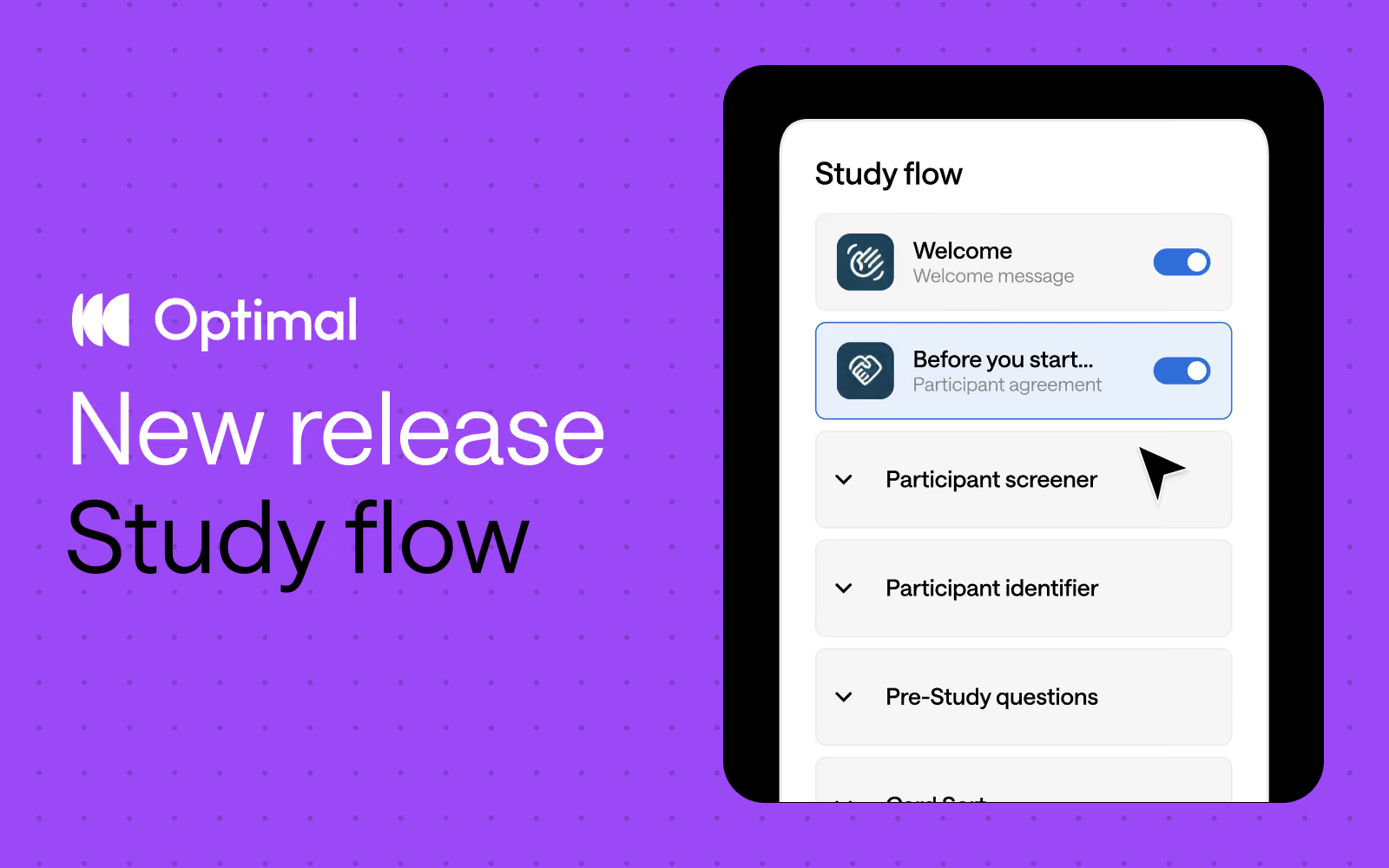
Inspired by insights from Optimal users, we’ve reimagined study creation to bring you a beautifully streamlined experience with the new Study Flow tab.
⚡ Enjoy faster study set up: Messages & instructions and Questionnaire tabs are combined in a single tab - called Study Flow - for faster editing and settings customization.
✨ See it all at a glance: Easily visualize and understand the participant experience—from the welcome message to the final thank-you screen—every step of the way.
🎯 Duplicate questions: Save time and quickly replicate questions for surveys, screening questions, and pre- and post-study questions.
⭐ Experience enhanced UI: Enjoy a modern, clean design with intuitive updates that minimize scrolling and reduce mental load.
🗂️ Collapse and expand sections: Easily navigate studies by collapsing and expanding sections, making it easier to build out specific parts of your study.
This Study Flow tab is available across all Optimal tools, except for Qualitative Insights.
We’re not stopping there. We have some significant improvements on the horizon designed to give you even greater flexibility and control.
Advanced logic: Enhanced logic capabilities is one of our most highly requested features, and we’re thrilled to introduce new capabilities to help you build your ideal study experience – available for surveys and other tools. We will first introduce “display logic”, allowing for:
Customizable sections: Organize your questions into different sections to build a better study experience for your participants. For example, segment your questions into relevant groupings, such as demographics or product usage. With custom sections, you can add new sections, rename, reorder, duplicate, and move questions between different sections.*
*Note: Questions cannot be moved to/from the screening questions section.
These upcoming features will empower you to create dynamic, tailored study experiences for different audiences with ease for more valuable insights.
Start exploring the new Study Flow now.

