Subscribe to OW blog for an instantly better inbox
Oops! Something went wrong while submitting the form.


Since launching Optimal Interviews in December, we've been tracking closely as research, product, and design teams put it to the test. The tool is driving a real transformation in workflows, and we’re energized by the feedback so far.
Optimal Interviews was built to remove the friction from one of research's most time-intensive steps: analyzing interview recordings. With automated transcription, AI-generated insights, highlight reels, summaries, and citations, the tool transforms hours of manual review into something that happens in minutes.
But we’re not done yet. We’re constantly building and evolving based on your feedback. With the latest releases like automatic recording, every session can now be captured and stored automatically, helping teams build a centralized user research repository and supporting continuous research.
Here’s a look at how teams are using Optimal Interviews, the latest work in this space, and where we’re headed.
Researchers across industries are leveraging Optimal Interviews in a variety of ways. Here are just a few examples from current users:
It’s been a busy few months, and we’ve shipped several meaningful updates over the past few months. Here’s what’s new:
Optimal Interviews now supports 13 languages, automatically detecting and transcribing interviews in their original languages. AI Chat is also ready to assist your team in these languages, ensuring a seamless experience no matter what language your team is using.
Sync Optimal Interviews with your Google Meet, Zoom, or Microsoft Teams account to automatically generate and attach meeting links to sessions scheduled with the Optimal scheduler.
You can choose to automatically record and upload sessions scheduled through Optimal, eliminating the need for manual uploads. Sessions can now be captured and stored automatically, enabling teams to conduct continuous research. Accumulate insights over time in a central repository, where they remain always accessible and ready to be explored further with AI Chat.
Custom topics allow you to define specific areas of interest for AI to focus on for interview insights. As more recordings are added, the tool will automatically generate insights based on these topics, so you can easily filter and focus on the data that matters most to you.
Our ultimate goal? To keep finding ways to reduce manual effort. Let Optimal streamline your research workflow, automate time-consuming tasks, and help you build out your qualitative research repository.
We have a number of significant additions in development, including:
Sync you and your team’s calendars (Google and Microsoft) with Optimal Interviews so you can easily schedule and sync you and your team’s interview availability. Avoid double booking and get scheduled sessions automatically added to your calendar.
Interviewers and participants will be able to message each other directly through Optimal. This helps protect personal contact details e.g. email addresses and reduces unintended bias, such as revealing the study creator’s organization. Teams can coordinate, add clarifications, and follow up more efficiently without exposing personal information.
How are you using Optimal Interviews in your research? What's working well, and what would you like to see us build next?
And if you're just getting started, our Interviews 101 guide is a great place to begin.
Want to learn more about how to harness the full potential of Optimal Interviews and AI Chat? Register for this live training.
Optimal Interviews is updated continuously and shaped with feedback from users. Follow our release notes or share your thoughts via live chat or feature request form to give your feedback and stay in the loop.
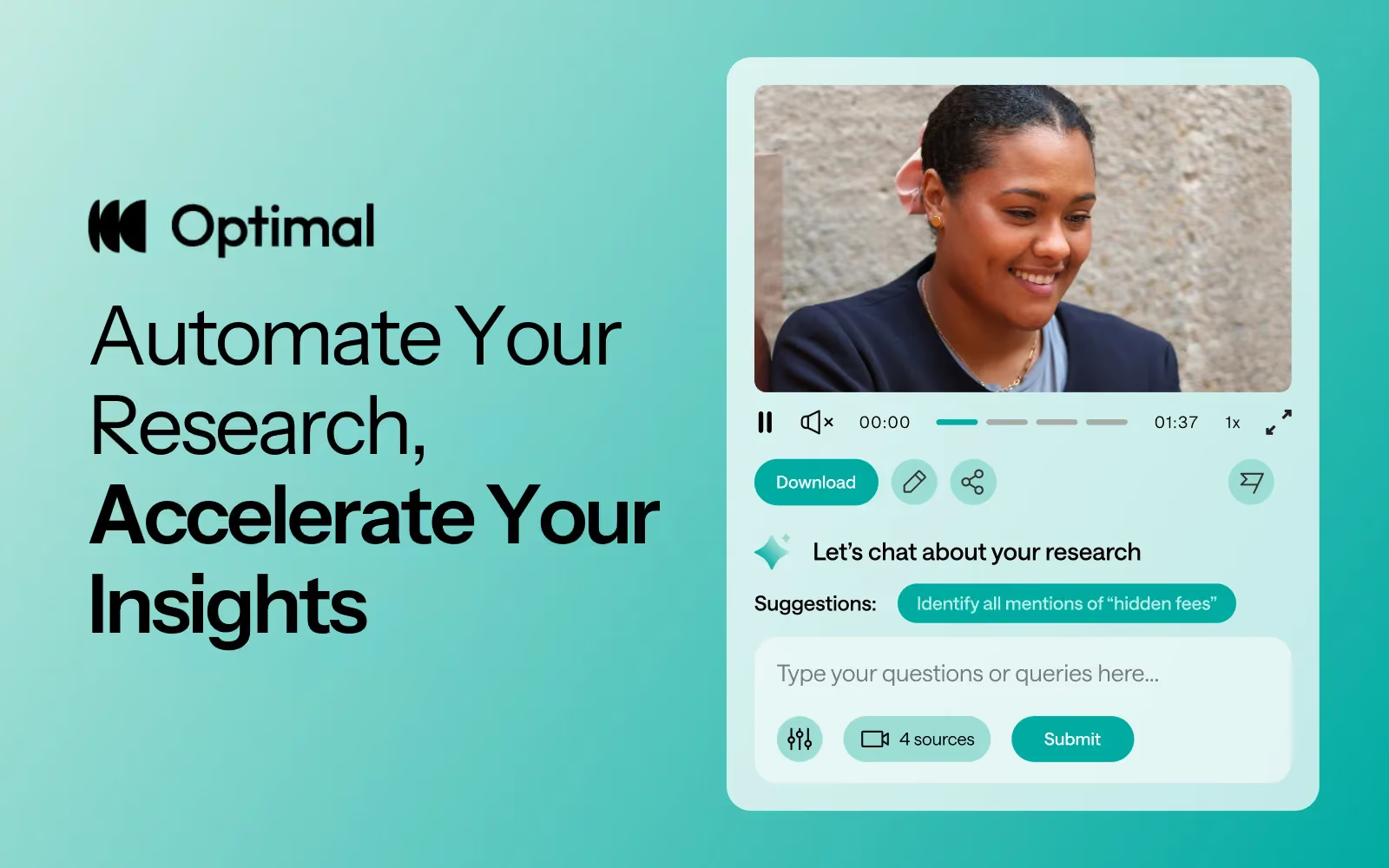
At Optimal, we know the reality of user research: you've just wrapped up a fantastic interview session, your head is buzzing with insights, and then... you're staring at hours of video footage that somehow needs to become actionable recommendations for your team.
User interviews and usability sessions are treasure troves of insight, but the reality is reviewing hours of raw footage can be time-consuming, tedious, and easy to overlook important details. Too often, valuable user stories never make it past the recording stage.
That's why we’re excited to announce the launch of Interviews, a brand-new tool that saves you time with AI and automation, turns real user moments into actionable recommendations, and provides the evidence you need to shape decisions, bring stakeholders on board, and inspire action.
We surveyed more than 100 researchers, designers, and product managers, conducted discovery interviews, tested prototypes, and ran feedback sessions to help guide the discovery and development of Optimal Interviews.
The result? What once took hours of video review now takes minutes. With Interviews, you get:
This tool is powered by AI designed for researchers, product owners, and designers. This isn’t just transcription or summarization, it’s intelligence tailored to surface the insights that matter most. It’s like having a personal AI research assistant, accelerating analysis and automating your workflow without compromising quality. No more endless footage scrolling.
The AI used for Interviews as well as all other AI with Optimal is backed by AWS Amazon Bedrock, ensuring that your AI insights are supported with industry-leading protection and compliance.
A big thank you to our early access users! Your feedback helped us focus on making Optimal Interviews even better. Here's what's new:
This new tool is just the beginning. Our vision is to help you manage the entire moderated interview process inside Optimal, from recruitment to scheduling to analysis and sharing.
Here’s what’s coming:
Imagine running your full end-to-end interview workflow, all in one platform. That’s where we’re heading, and Interviews is our first step.
Interviews is available now for our latest Optimal plans with study limits. Start transforming your footage into minutes of clarity and bring your users’ voices to the center of every decision. We can’t wait to see what you uncover.

When we planned our product roadmap for 2025 we talked to our users to understand their biggest pain points and one thing came up time and time again: conducting and analyzing user interviews, while still one of the most important aspects of user research, was still incredibly painful and time consuming.
So we went away, and we tried to envision the perfect workflow for user interviews for product, design and research terms and what we came up with looked a little something like this:
Then we went and built it.
Traditional interviews are passive. They sit in folders, waiting for someone to have time to review them. But what if interviews could speak for themselves? What if they could surface their own insights, highlight critical moments, and answer follow-up questions?
This isn't science fiction, it's the natural evolution of user research, powered by AI (and built by Optimal).
Most research teams have folders full of unanalyzed video content and hours of valuable insights buried in hours of footage and unfortunately, talking to your users doesn't matter if insights never surface. Most research teams area already trying to leverage AI for solve some of their challenges, but generic AI tools miss the nuance of user research. They can transcribe words but can't identify pain points. They can find keywords but can't surface behavioral patterns. They understand language but not user psychology. The next generation of user interview tools require research-grade AI. AI trained on user research methodologies. Algorithms that understand the difference between stated preferences and actual behavior. Technology that recognizes emotional cues, identifies friction points, and connects user needs to product opportunities.
Traditional analysis creates static reports. Product, design and research teams need tools for user interviews that create dynamic intelligence. Instead of documents that get filed away, imagine insights that flow directly into product decisions:
Manual analysis can take weeks or even months, especially for large datasets. AI-powered tools can speed this process up significantly, but time savings is just the beginning. The real transformation happens when researchers stop spending time on manual tasks and start spending time on strategic thinking. When analysis happens automatically, human intelligence can focus on synthesis, strategy, and storytelling.
We are reimagining user interviews from the ground up. Instead of weeks of manual analysis we want you to be able to surface insights in hours. Instead of static reports, we want you to have dynamic, searchable intelligence. Instead of user voices lost in transcripts, we want to help you get video evidence that influences every product decision.
This isn't a distant future, it's happening now. We can’t wait for you to see it.

Are we exaggerating when we say that the way the researchers run and analyze user interviews hasn’t changed in 20 years? We don’t think so. When we talk to our customers to try and understand their current workflows, they look exactly the same as they did when we started this business 17 years ago: record, transcribe, analyze manually, create reports. See the problem?
Despite advances in technology across every industry, the fundamental process of conducting and analyzing user interviews has remained largely unchanged. While we've transformed how we design, develop, and deploy products, the way we understand our users is still trapped in workflows that would feel familiar to product, design and research teams from decades ago.
For most researchers, in the best case scenario, Interview analysis can take several hours over the span of multiple days. Yet in that same timeframe, in part thanks to new and emerging AI tools, an engineering team can design, build, test, and deploy new features. That just doesn't make sense.
The problem isn't that researchers lack tools. It's that they haven’t had the right ones. Most tools focus on transcription and storage, treating interviews like static documents rather than dynamic sources of intelligence. Testing with just 5 users can uncover 85% of usability problems, yet most teams struggle to complete even basic analysis in time to influence product decisions. Luckily, things are finally starting to change.
When it comes to user research, three things are happening in the industry right now that are forcing a transformation:
We’re just going to say it; most user insights from interviews never make it past the recording stage. When it comes to talking to users, the vast majority of researchers in our audience talk about recruiting pain because the most commonly discussed challenge around interviews is usually finding enough participants who match their criteria. But on top of the challenge of finding the right people to talk to, there’s another challenge that’s even worse: finding time to analyze what users tell us. But, what if you had a tool where using AI, the moment you uploaded an interview video, key themes, pain points, and opportunities surfaced automatically? What if you could ask your interview footage questions and get back evidence-based answers with video citations?
This isn't about replacing human expertise, it's about augmenting it. AI-powered tools can process and categorize data within hours or days, significantly reducing workload. But more importantly, they can surface patterns and connections that human analysts might miss when rushing through analysis under deadline pressure. Thanks to AI, we're witnessing the beginning of a research renaissance and a big part of that is reimagining the way we do user interviews.
When interview analysis accelerates from weeks to hours, everything changes.
Product teams can validate ideas before building them. Design teams can test concepts in real-time. Engineering teams can prioritize features based on actual user need, not assumptions. Product, Design and Research teams who embrace AI to help with these workflows, will be surfacing insights, generating evidence-backed recommendations, and influencing product decisions at the speed of thought.
We know that 32% of all customers would stop doing business with a brand they loved after one bad experience. Talking to your users more often makes it possible to prevent these experiences by acting on user feedback before problems become critical. When every user insight comes with video evidence, when every recommendation links to supporting clips, when every user story includes the actual user telling it, research stops being opinion and becomes impossible to ignore. When you can more easily gather, analyze and share the content from user interviews those real user voices start to get referenced in executive meetings. Product decisions begin to include user clips. Engineering sprints start to reference actual user needs. Marketing messages reflect real user voices and language.
The best product, design and research teams are already looking for tools that can support this transformation. They know that when interviews become intelligent, the entire organization becomes more user-centric. At Optimal, we're focused on improving the traditional user interviews workflow by incorporating revolutionary AI features into our tools. Stay tuned for exciting updates on how we're reimagining user interviews.
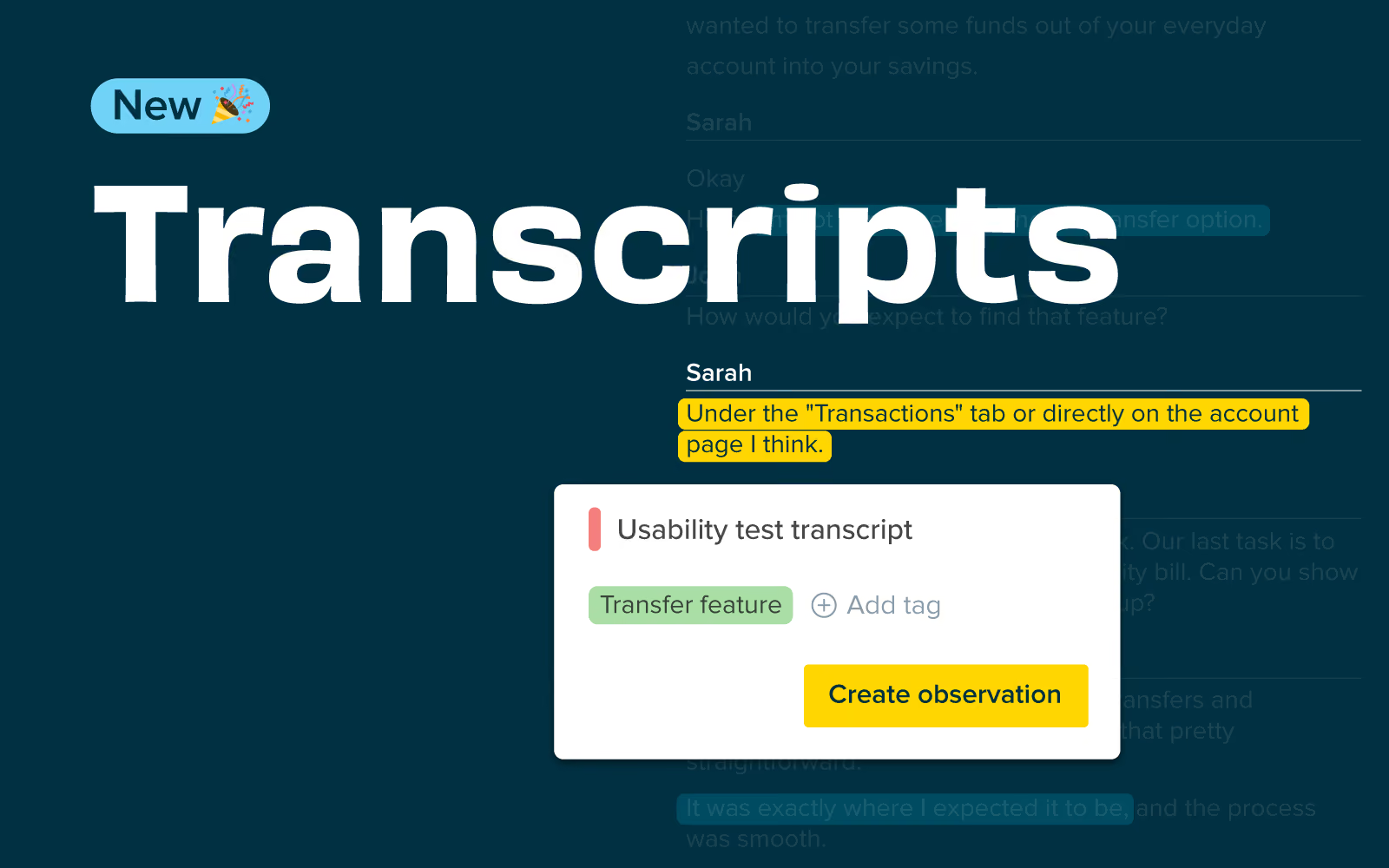
The accuracy of your data collection is crucial in qualitative research. It is vital that nothing is lost in translation or simply missed from the point of collection to analysis, and our latest release makes this even easier to achieve. You can now directly import interview transcripts into Qualitative Insights (previously known as Reframer), allowing you and your team to capture and tag observations effortlessly while maintaining the integrity of the information. Get ready to experience a new level of efficiency in your qualitative research!
Whether you are conducting interviews alone or with the support of your team, it’s important to prioritize building connections with participants rather than struggling to take notes and ask the right questions. Transcripts ensure you avoid losing crucial insights and context as you move from data collection to analysis and reduce the likelihood of human errors and missed observations that sometimes occur during live note-taking sessions.
It also enables smooth collaboration among team members by allowing them to review interviews and contribute to the analysis, even if they weren't present.
You can add a transcript to a new or existing study in Qualitative Insights with just a few clicks. After recording an interview or user testing session, open your Qualitative Insights study and click ‘Sessions’ then ‘+ Transcript.’
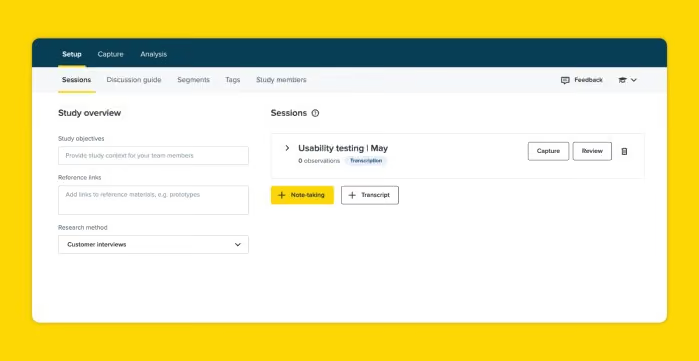
Add a session title, any session information or a link to the video for future reference in the session information box. If you have created segments, choose which ones apply to this participant; you can update these later at any time. Then click ‘import transcript.’
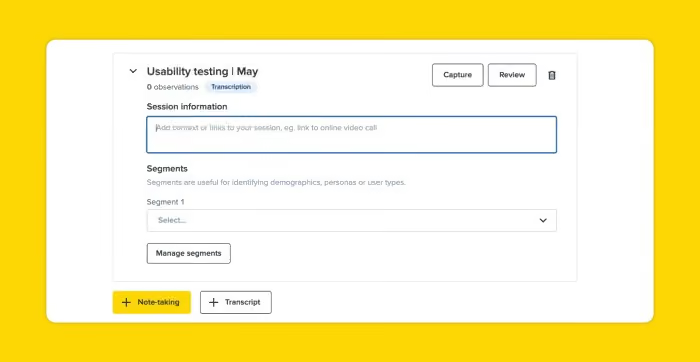
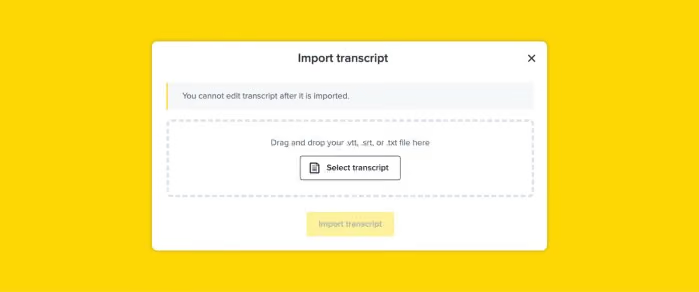
Click ‘Select transcript’ and ensure you made any edits before importing it. This feature supports .vtt, .srt, or .txt files. Now, click Capture observations’ to complete the import and create and tag your observations.
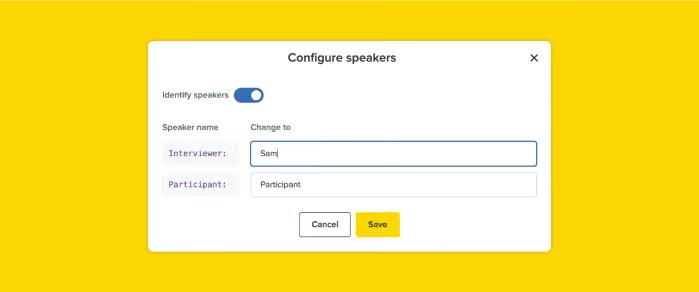
You will see your transcript displayed. If you use a .vtt or .srt file, you will see the speaker names have been identified. You can update the speaker names by clicking on configure speakers.
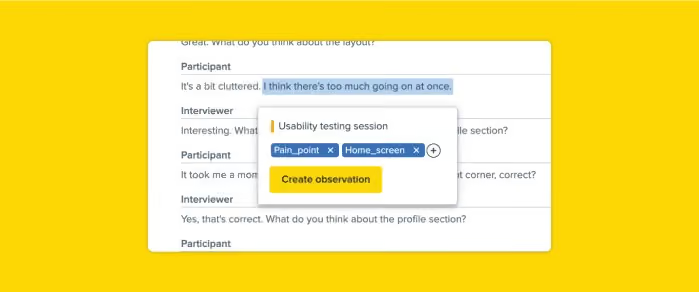
To create observations from your transcript, simply highlight text, enter a new tag or select an existing one, then click create an observation.
There is no limit to how many transcripts you can import. This means you can import all your past and future interviews, ensuring all your research data is in one place for easy access and analysis.
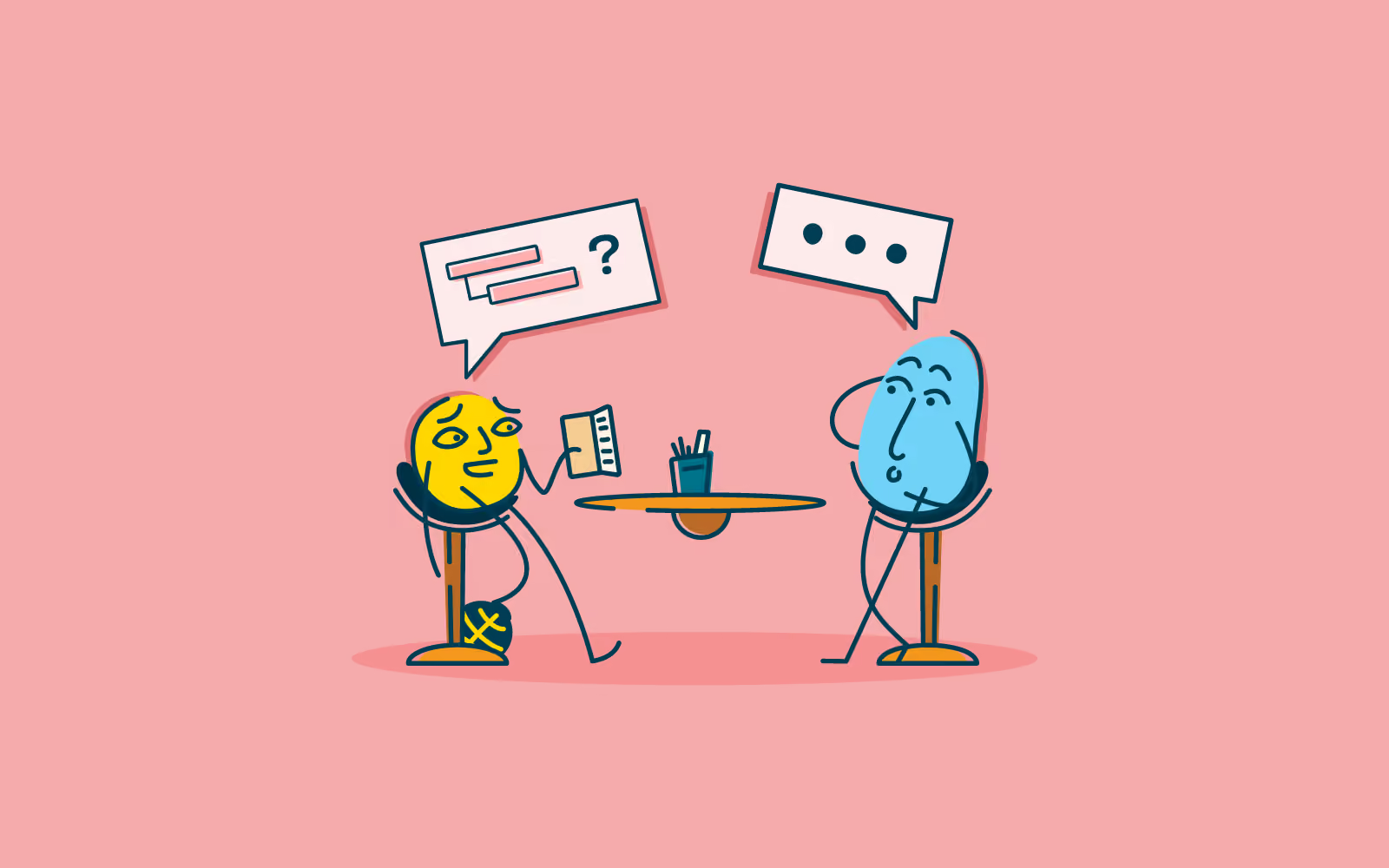
If you're more of a visual person, you can watch a 20 minute talk which explains how to use the narrative arc in your in-person research.
Stories are powerful things. You don’t need me to tell you that! You’ve probably read a book, seen a play, a film or a TV series and thought: “Man*, that was brilliant! The way they drew all those threads together in that last scene. I was totally with them!”
We’ve been telling each other stories for millennia - they were the way we explained the world around us as well as the way in which we entertained ourselves.
From an early age, the logic of stories is hard-wired into our minds through repetition. This is why, two thirds of the way through a story you have a fair idea of where things are headed and can take a good guess at what is going to happen in the end.
*Except you didn't say 'Man', as you aren't as old as me.
In 1863 Freytag developed this pyramid which he used to explain what was happening in stories:
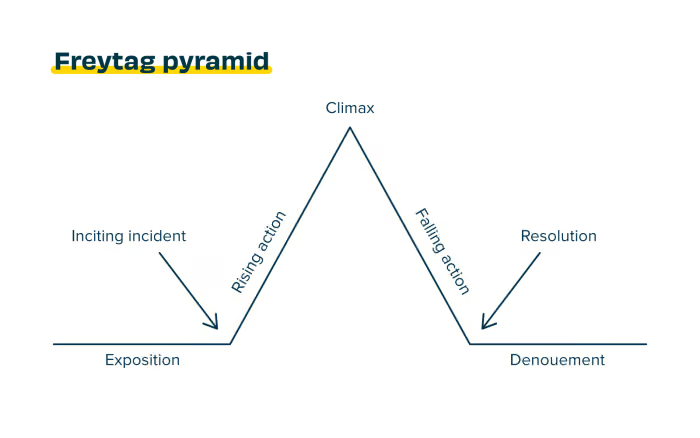
Many, many stories follow this arc; they may miss off the exposition or skip the resolution but they will have that story climax where all the threads come together.
So, the narrative arc is interesting, but how does it relate to in-person research? How does knowing the plot of Little Red Riding Hood help you become a better researcher?
In-person research can be very nerve-wracking for you and for your participants.
I’ve seen people conducting interviews who know what they want to find out get lost in futile questions having taken the wrong turn, or ‘spoiling’ an interview by revealing too much about the subject or mentioning it too soon.
Participants can also find interviews nerve-wracking. They might struggle to understand the context of questioning and may feel they have ‘done a bad job’ as they haven’t given useful answers. As apparently random questions come at them, they can feel off balance and concerned. The whole experience can start to feel like a police interview*. There’s no thread for them to follow.
*Real police interviews are not like they are shown on TV. Real police interviews are thorough, repetitive, detailed and rational. No shouting or table-tipping.
Let’s look at the steps in the narrative arc and how they apply to an in-person research situation.
Start the story by introducing the characters - yourself and who else is in attendance but also give the participant the chance to say something about themselves.
Give a little backstory or context about the research - not so much that you ‘give away the plot.’ Explain ‘why we’re here’, let the participant answer some really simple questions so that they can get some 'runs on the board' and get over any nerves.
Ask the first question that gets things moving. Usually something that lets the participant give their context. For example, “Tell me about the last time you…”
Here’s where you can ask questions that build on each other and let the participant really expand on their story. Your job is to guide them towards the story climax which is where you hit them with your most important question.
The trick in the rising action is to reduce the bias as much as you can by carefully ordering and phrasing the questions so that you don’t give away too much and so the participant can respond without feeling driven to an answer.
You've got your participant to the point where they have all of the context to answer your most important question or questions, so go ahead and ask them.
Strictly speaking in stories, you tend only to have one story climax. In your research you may have several, but not so many that the participant feels like a quote machine. The story climax is going to line up with the research objectives you set before you wrote your discussion guide. If it doesn’t, your research is not going to give you the insights you were looking for.
Now that the cat's out of the bag, your participant will understand why you asked some of the questions in the rising action. Go ahead and give them the chance to reflect. You can also tie up those loose ends, things you skated over as they might color the key response: “So earlier, when I asked you about X you said Y. Tell me about that.”
Every session ends with a final word from the participant. People like to ask the ‘what if you had a magic wand’ question, but I find it better to ask about people’s feelings towards something. Whether that’s an existing issue or a future opportunity.
It’s a fancy French term for 'ending' and all sessions must have one. This is where you thank the participant for their time, give them their incentive, encourage them to reach out if they have further thoughts. For some participants, it's important as they may have all the time in the world and need to be given the right signals that ‘we’re done, thanks’!
Use the narrative arc to help you order your thoughts when you're writing your discussion guide and when running your sessions.
If your in-person session shows clear drive in a direction - has subtle guiding story cues - even if the participant doesn’t know exactly where you are heading, they will be able to contribute meaningfully. The arc of the story that you are both telling will provide enough context for them to answer each question you ask - at the point you ask it.
Furthermore, your participant will leave your session feeling good about the experience and your organization. It’s a win-win!

