February 13, 2026
3 minutes

Live Site Testing Without Code: 5 Key Takeaways

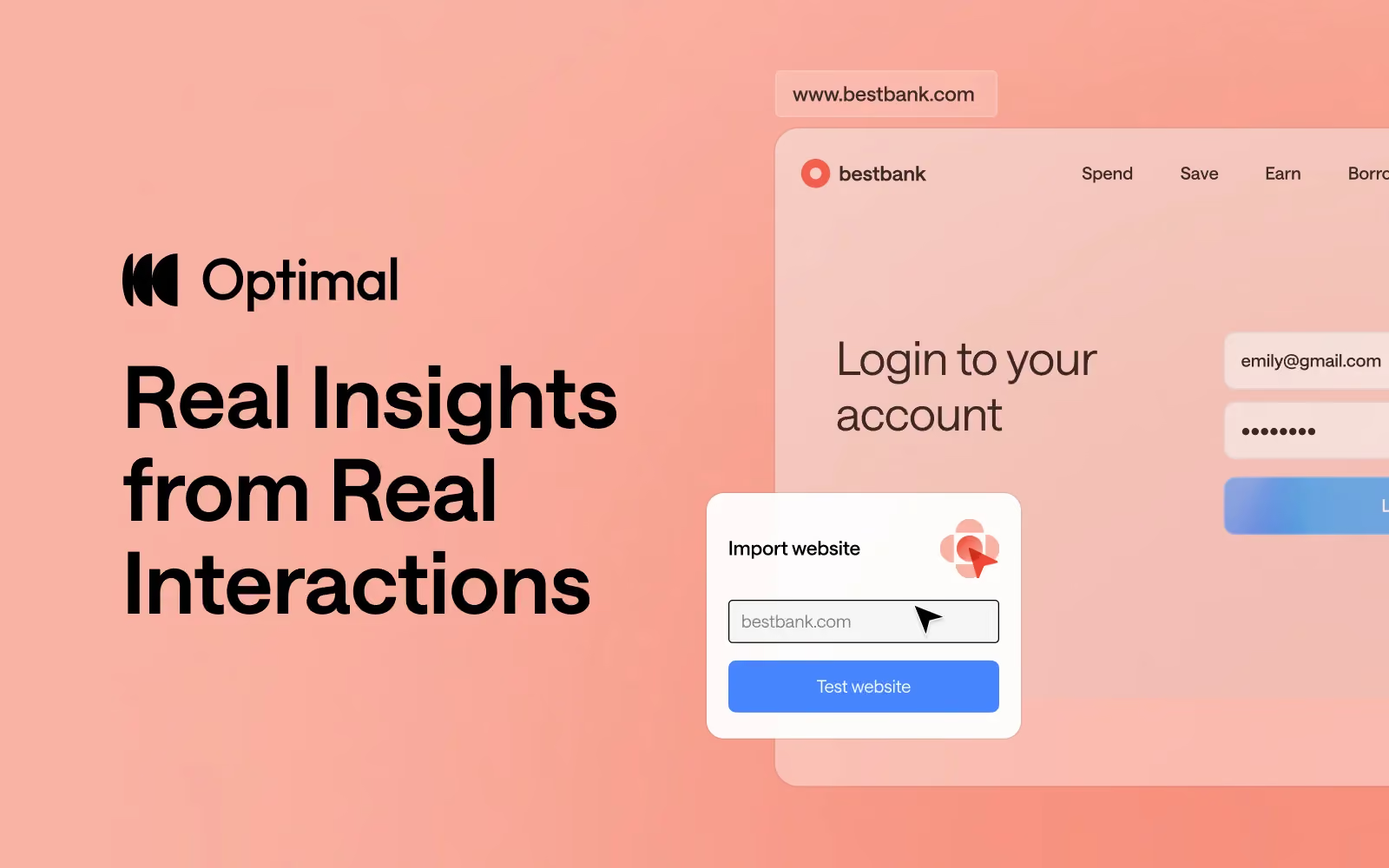
Live site testing is now part of the Optimal platform and is designed to give you real insights from real user interactions without code, installs, or complicated setups. 

If you missed our recent Live Site Testing Training webinar or want a refresher, we’ll get you up to speed with this recap of all the key insights. 

What is Live Site Testing?


Optimal’s live site testing lets you watch users navigate any website or web app, including your own staging or production site, or even competitor experiences. It’s all about understanding how people behave in the environments they actually use, helping you identify friction points you might otherwise miss.

Key Takeaways From the Training


1. Context Is Everything


In usability research, the “real world” often looks very different from controlled prototype tests. People use their own devices, have distractions, and bring patterns and expectations shaped by real life. Foundational research shows the richest insights often come from observing users in these real contexts.

Live site testing is built to reflect that reality, helping you answer not just if someone completes a task, but how they approach it and why they struggle. 

2. Testing Is Fast and Friction‑Free


One of the biggest barriers to live site testing historically is complexity, needing code snippets, extensions, or technical setup. Optimal’s tool removes all that friction so you can see natural behaviour without influence or disruption:

  • No code or installs required
  • Paste a URL and you’re ready to go
  • You can test as often as you want - during discovery, before launch, after launch, or anytime in between - and any site you want

3. Design Tests With Real‑Life Scenarios


When crafting tasks for live site testing, think about real user goals. Asking people to complete realistic tasks (e.g., find a product, book a flight, compare two pages) and encouraging them to think out loud leads to much richer insights than purely metric‑focused tests. You can also mix tasks with survey questions for quantitative data. 

4. Participant Experience Is Built for Natural Interaction


A big part of getting real behavior is ensuring participants feel comfortable and unencumbered. Optimal’s built-in task window is readily available when needed but otherwise minimizes to stay out of the way. This flow helps people stay focused and act naturally, which directly improves the quality of insights you collect.

5. Combine Live Site Testing with Optimal’s Interviews Tool


For even deeper insights, pair live site testing with Optimal Interviews. Once you upload live site testing recordings, you get automated insights, transcripts, summaries, as well as highlight reels in Interviews. You can also explore further with AI chat, so you can quickly uncover quotes, compare experiences, and answer ad‑hoc questions.

This combination doesn’t just make analysis faster; it helps you convince stakeholders with clear, digestible, and compelling evidence from real user behaviour. Instead of long reports, you can present snackable, actionable insights that drive alignment and decisions.


Looking Ahead


We’re evolving live site testing at Optimal with solution testing, a multi-method approach that combines prototypes, live sites, and surveys in a single study. This will let teams capture even richer insights with speak-aloud tasks, automated analysis, highlight reels, and AI chat, making it faster and easier to understand user behavior and share compelling findings.


FAQs Highlights


Can you test staging or test environments and sites behind a password or firewall?

Yes, Optimal's live site testing tool works with any URL, including staging and test environments as well as sites behind a password or firewall.

You can share specific instructions with participants before they start. For example, if participants need to create an account and you don’t want that recorded, you can ask them to do this in advance via the welcome screen. That way, when the study begins, they’re already logged in.

Will live site testing affect my live website or real data?
No, user testers interacting with a live site test cannot make any changes to your website or its data.


What permissions are needed to test competitor websites?
With Optimal’s live site testing, you don't need special approval or permissions to evaluate public competitors' experiences.


Access the Training


If you want to experience the full walkthrough, demo, and Q&A from the session, we encourage you to watch the full webinar! You’ll learn how to start running your own live site tests and uncover real user behavior, plus pick up tips and best practices straight from the training.


👉 Watch the full training webinar here.

Share this article
Author
Optimal
Workshop

Related articles

View all blog articles
Learn more
1 min read

Introducing Optimal’s New Interviews Tool: Automate Your Research, Accelerate Your Insights

At Optimal, we know the reality of user research: you've just wrapped up a fantastic interview session, your head is buzzing with insights, and then... you're staring at hours of video footage that somehow needs to become actionable recommendations for your team.

User interviews and usability sessions are treasure troves of insight, but the reality is reviewing hours of raw footage can be time-consuming, tedious, and easy to overlook important details. Too often, valuable user stories never make it past the recording stage.


That's why we’re excited to announce the launch of Interviews, a brand-new tool that saves you time with AI and automation, turns real user moments into actionable recommendations, and provides the evidence you need to shape decisions, bring stakeholders on board, and inspire action.

Interviews, Reimagined

We surveyed more than 100 researchers, designers, and product managers, conducted discovery interviews, tested prototypes, and ran feedback sessions to help guide the discovery and development of Optimal Interviews.

The result? What once took hours of video review now takes minutes. With Interviews, you get:

  • Instant clarity: Upload your interviews and let AI automatically surface key themes, pain points, opportunities, and other key insights.
  • Deeper exploration: Ask follow-up questions and anything with AI chat. Every insight comes with supporting video evidence, so you can back up recommendations with real user feedback.
  • Automatic highlight reels: Generate clips and compilations that spotlight the takeaways that matter.
  • Real user voices: Turn insight into impact with user feedback clips and videos. Share insights and download clips to drive product and stakeholder decisions.

Groundbreaking AI at Your Service

This tool is powered by AI designed for researchers, product owners, and designers. This isn’t just transcription or summarization, it’s intelligence tailored to surface the insights that matter most. It’s like having a personal AI research assistant, accelerating analysis and automating your workflow without compromising quality. No more endless footage scrolling.


The AI used for Interviews as well as all other AI with Optimal is backed by AWS Amazon Bedrock, ensuring that your AI insights are supported with industry-leading protection and compliance.

Evolving Optimal Interviews

A big thank you to our early access users! Your feedback helped us focus on making Optimal Interviews even better. Here's what's new:

  • Speed and easy access to insights: More video clips, instant download, and bookmark options to make sharing findings faster than ever.
  • Privacy: Disable video playback while still extracting insights from transcripts and get PII redaction for English audio alongside transcripts and insights.
  • Trust: Our enhanced, best-in-class AI chat experience lets teams explore patterns and themes confidently.
  • Expanded study capability: You can now upload up to 20 videos per Interviews study.


What’s Next: The Future of Moderated Interviews in Optimal

This new tool is just the beginning. Our vision is to help you manage the entire moderated interview process inside Optimal, from recruitment to scheduling to analysis and sharing.

Here’s what’s coming:

  • View your scheduled sessions directly within Optimal. Link up with your own calendar.
  • Connect seamlessly with Zoom, Google Meet, or Teams.

Imagine running your full end-to-end interview workflow, all in one platform. That’s where we’re heading, and Interviews is our first step.

Ready to Explore?


Interviews is available now for our latest Optimal plans with study limits. Start transforming your footage into minutes of clarity and bring your users’ voices to the center of every decision. We can’t wait to see what you uncover.

Get started with Interviews.

Learn more
1 min read

7 Ways to Use AI Chat to Boost Collaboration in Mural, FigJam, and Miro

Collaboration tools like Mural, FigJam, and Miro are staples of how modern teams can brainstorm, map ideas, align on plans, and build together. But a canvas alone can't tell you if you're on the right track or guide you to what comes next when progress stalls. That's where Optimal AI Chat and user insights come in.

By starting or bringing real user insights into the boards your team already works in, you can reduce ambiguity, ground discussions in real research, and accelerate decision-making. 

Here are 7 ways to use AI Chat alongside your collaboration boards.

1. Align on key objectives

Before your next planning session, use Optimal AI Chat to surface relevant insights from your interview recordings. Add a summary directly into your Mural, Miro, or FigJam board so everyone comes in with the same context and understanding of the objectives. Instead of starting with assumptions, your team can start with real user insights and clear trade-offs to discuss.

Try this prompt: "Summarize the key considerations for [decision topic] and flag any trade-offs we should discuss as a team."

AI Chat example

2. Create a user journey map

AI Chat can analyze interview transcripts and video recordings and highlight common jobs to be done, behaviors, and friction points. You can then map those steps visually on your board and identify where the experience breaks down.

Try these prompts: “Summarize the typical jobs to be done for the people we interviewed.”
“For this job you identified [paste job details], detail the journey steps.” 

3. Turn pain points into design and product decisions

AI Chat can analyze recurring themes from your interview recordings and convert them into concrete opportunities your team can explore next. Adding these to your board gives the team a clear starting point rather than a vague list of problems.

Try this prompt:  "Based on these pain points [paste notes or themes], suggest three product improvements we could explore."

4. Sharpen your marketing messaging

Interview insights aren’t just valuable for product, research, and design teams. Marketing teams can also use AI Chat to quickly evaluate messaging, positioning, and customer perception.

When running preference or concept testing interviews, AI Chat can quickly analyze the feedback and suggest positioning directions you can workshop on your board.

Try this prompt: “Suggest positioning options based on the interview feedback.”

5. Facilitate workshops

Running workshops and brainstorming sessions with cross-functional teams can be challenging. Conversations drift, discussions stall, and teams sometimes struggle to focus on the most important issues. 

AI Chat can help you structure the conversation before the workshop even begins by generating discussion guides based on user insights from your interviews. Add the chat outputs directly to your board to guide the session.

Try this prompt: “Generate a structured discussion guide based on the pain points of the interviewees.”

6. Make brainstorming more focused

Open brainstorming can be valuable. It can also be chaotic without clear direction. By leveraging AI Chat, you can guide your brainstorming sessions with intelligent suggestions, topic generation, and idea organization.

Try this prompt: “Generate 10 brainstorm ideas based on these user insights and group them into themes we could explore.”

7. Map complex processes

Visualizing complex processes and systems is easier with tools like Miro, FigJam, and Mural. AI Chat can help you map out each step. AI Chat can help break down a process step-by-step, highlighting decisions, dependencies, and potential friction points based on your interviews. Your team can then map these steps visually and identify opportunities for improvement.

Try this prompt: “Create a step-by-step process map for how users complete [task], including key decisions and potential friction points.”

Using Optimal AI Chat for seamless collaboration

The best collaboration happens when teams have the right information at the right time. 

Optimal AI Chat gives your team a jumpstart for your interview analysis: clearer inputs, faster synthesis, and smarter outputs that translate directly into what you're building on your boards.

Whether you're running a workshop, mapping a user journey, or planning a product launch, AI Chat helps you spend less time getting oriented and more time making decisions.

Ready to see what your team can do with it?
Learn more about best practices for AI Chat or book a demo

Learn more
1 min read

Live Site Testing Without Code: 5 Key Takeaways

Live site testing is now part of the Optimal platform and is designed to give you real insights from real user interactions without code, installs, or complicated setups. 

If you missed our recent Live Site Testing Training webinar or want a refresher, we’ll get you up to speed with this recap of all the key insights. 

What is Live Site Testing?


Optimal’s live site testing lets you watch users navigate any website or web app, including your own staging or production site, or even competitor experiences. It’s all about understanding how people behave in the environments they actually use, helping you identify friction points you might otherwise miss.

Key Takeaways From the Training


1. Context Is Everything


In usability research, the “real world” often looks very different from controlled prototype tests. People use their own devices, have distractions, and bring patterns and expectations shaped by real life. Foundational research shows the richest insights often come from observing users in these real contexts.

Live site testing is built to reflect that reality, helping you answer not just if someone completes a task, but how they approach it and why they struggle. 

2. Testing Is Fast and Friction‑Free


One of the biggest barriers to live site testing historically is complexity, needing code snippets, extensions, or technical setup. Optimal’s tool removes all that friction so you can see natural behaviour without influence or disruption:

  • No code or installs required
  • Paste a URL and you’re ready to go
  • You can test as often as you want - during discovery, before launch, after launch, or anytime in between - and any site you want

3. Design Tests With Real‑Life Scenarios


When crafting tasks for live site testing, think about real user goals. Asking people to complete realistic tasks (e.g., find a product, book a flight, compare two pages) and encouraging them to think out loud leads to much richer insights than purely metric‑focused tests. You can also mix tasks with survey questions for quantitative data. 

4. Participant Experience Is Built for Natural Interaction


A big part of getting real behavior is ensuring participants feel comfortable and unencumbered. Optimal’s built-in task window is readily available when needed but otherwise minimizes to stay out of the way. This flow helps people stay focused and act naturally, which directly improves the quality of insights you collect.

5. Combine Live Site Testing with Optimal’s Interviews Tool


For even deeper insights, pair live site testing with Optimal Interviews. Once you upload live site testing recordings, you get automated insights, transcripts, summaries, as well as highlight reels in Interviews. You can also explore further with AI chat, so you can quickly uncover quotes, compare experiences, and answer ad‑hoc questions.

This combination doesn’t just make analysis faster; it helps you convince stakeholders with clear, digestible, and compelling evidence from real user behaviour. Instead of long reports, you can present snackable, actionable insights that drive alignment and decisions.


Looking Ahead


We’re evolving live site testing at Optimal with solution testing, a multi-method approach that combines prototypes, live sites, and surveys in a single study. This will let teams capture even richer insights with speak-aloud tasks, automated analysis, highlight reels, and AI chat, making it faster and easier to understand user behavior and share compelling findings.


FAQs Highlights


Can you test staging or test environments and sites behind a password or firewall?

Yes, Optimal's live site testing tool works with any URL, including staging and test environments as well as sites behind a password or firewall.

You can share specific instructions with participants before they start. For example, if participants need to create an account and you don’t want that recorded, you can ask them to do this in advance via the welcome screen. That way, when the study begins, they’re already logged in.

Will live site testing affect my live website or real data?
No, user testers interacting with a live site test cannot make any changes to your website or its data.


What permissions are needed to test competitor websites?
With Optimal’s live site testing, you don't need special approval or permissions to evaluate public competitors' experiences.


Access the Training


If you want to experience the full walkthrough, demo, and Q&A from the session, we encourage you to watch the full webinar! You’ll learn how to start running your own live site tests and uncover real user behavior, plus pick up tips and best practices straight from the training.


👉 Watch the full training webinar here.

Seeing is believing

Explore our tools and see how Optimal makes gathering insights simple, powerful, and impactful.