October 19, 2026
—
5 minutes

What Do Participants Think About AI Interviewers? Insights from a Recent Study

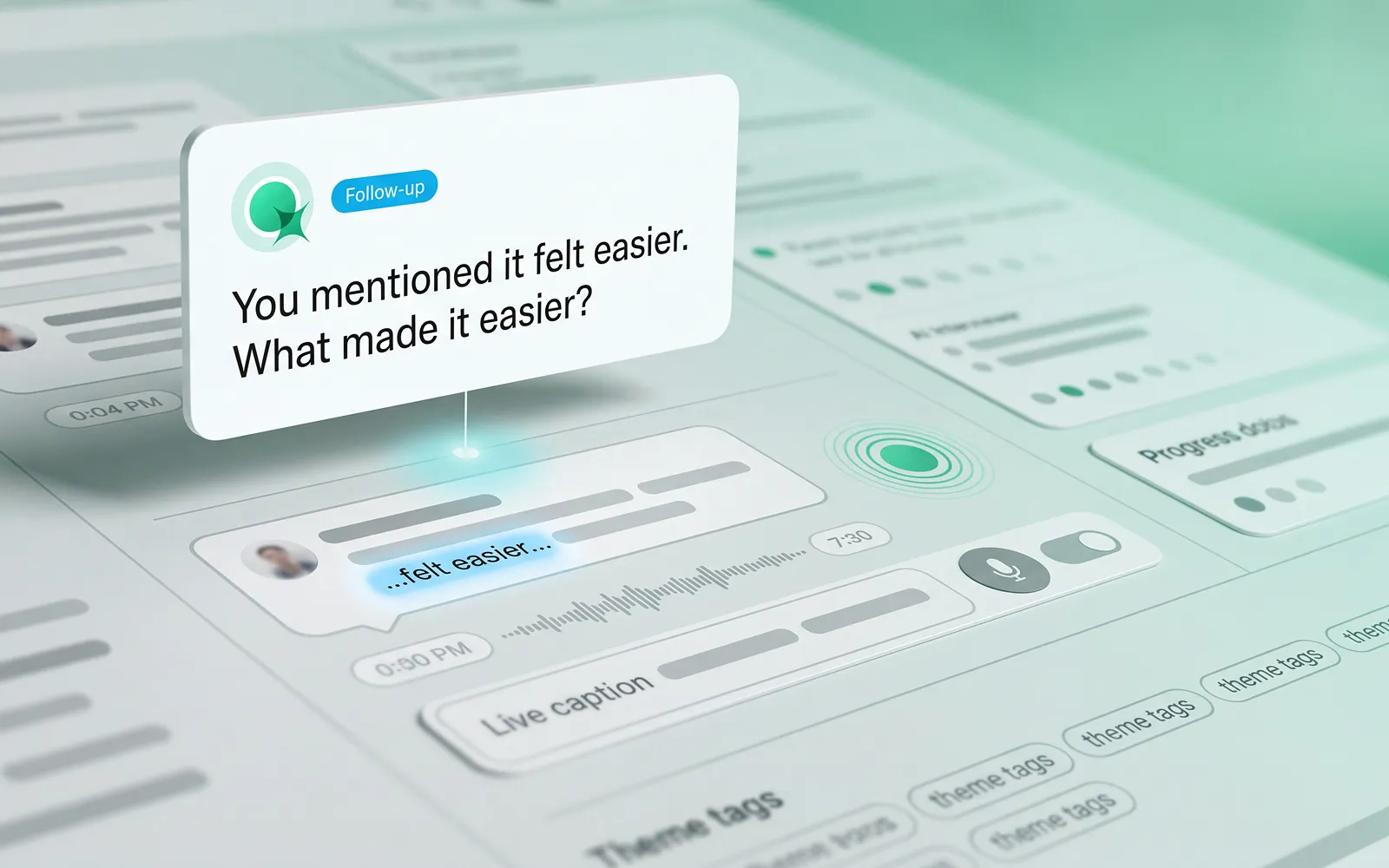
AI is opening up new possibilities for qualitative research. But for researchers, it’s not enough for an AI Interviewer to ask relevant questions. An effective AI Interviewer needs to create an experience where participants feel comfortable sharing their perspectives, have the space to explain their thinking and explore their answers in more depth.

‍

To find out more, we ran a study using Optimal’s AI Interviewer to look at general attitudes towards AI, better understand what participants valued about an AI Interviewer experience, and what worked well and where they saw room for improvement.

‍

One theme stood out: the value of AI interviews depends not just on the technology, but on the experience it creates for the people taking part.

‍

‍

What do people think about interacting with AI?

‍

As AI becomes more familiar in everyday life, the conversation is shifting from whether people will use it to when, why and under what circumstances they find it useful. In a survey of 1,005 US consumers led by Adobe Express, 61% said they were comfortable having conversations with AI-powered systems.

‍

Another survey of more than 1,000 participants across six countries found that people who knew they were interacting with AI reported satisfaction rates 34% higher than those who weren't informed.

‍

These findings suggest that interacting with AI isn't inherently uncomfortable for everyone. But comfort with AI doesn't automatically translate into a positive research experience. A quick customer-service interaction is different from a qualitative research interview, where people need to reflect on their experiences, explain their reasoning and sometimes share sensitive or complicated perspectives.

‍

For researchers, the more useful question is: what makes an AI-led conversation feel comfortable, natural and valuable for participants? 

‍

‍

What makes an AI-moderated research experience successful?

‍

In qualitative research, the quality of the conversation matters just as much as the number of responses collected.

‍

A good AI-moderated interview should give participants the freedom to express themselves in their own words, ask relevant follow-up questions and create opportunities to explore an answer beyond the initial response, and go beyond simply moving people through a series of questions.

‍

Here are considerations that stood out from participants interacting with Optimal’s AI Interviewer for the first time.

‍

‍

‍

1. Making AI interviews feel natural and conversational

‍

Qualitative research aims to uncover the reasoning behind people's choices, not just capture their first response. Relevant follow-up questions can encourage participants to elaborate, clarify an opinion or explore an experience in more depth. The ability to answer in their own words, rather than select from predefined options, is also central to gathering richer feedback.

‍

In our study, the majority of participants described their experience with Optimal’s AI Interviewer as “seamless,” “smooth”, “natural”, and even "fun". Several were pleasantly surprised by how the interaction felt, including participants who had reservations beforehand. One participant said, "I have no problems speaking freely."

‍

‍

Automated highlight reel: "The overall experience was widely rated as positive and enjoyable"

‍

On participant remarked, "It was pleasant and I enjoyed it. And you were great." Others described the AI interview format as something they had “come to expect,” framing it as routine rather than novel. 

‍

Automated highlight reel: "Overall satisfaction with the AI interview experience was high"

‍

These responses offer an encouraging perspective on what AI-moderated research can feel like for participants with the right cadence and context. Multiple participants also highlighted that the AI Interviewer’s replies were clearly based on what they had just said, rather than following a rigid script.

‍

One participant noted it felt like talking to a real person because responses were grounded in their own words: "I really felt like I was talking to a real person and that the responses were based off of what I what I said."

‍

Automated highlight reel: "Contextual follow-up questions made the conversation feel natural and responsive."

‍

Another participant highlighted how the AI concisely summarized their points before moving on, without asking the same question in different ways — something they’d found frustrating when using other AI interview tools.

‍

‍

2. Helping participants feel comfortable and confident

‍

People are more likely to engage when they understand what to expect and feel comfortable taking part. Several participants found the AI interview easier to talk to than a traditional interview. For some, the absence of a human interviewer reduced the pressure of the interaction, making it easier to share their thoughts. 

‍

Automated highlight reel: "Talking to an AI felt easier than a live human interview"

‍

The experience wasn't just about how the conversation sounded either. Participants also found the on-screen text helpful for following along with the spoken interaction. One participant who experiences auditory processing difficulties specifically highlighted this as a useful accessibility feature.

‍

These observations suggest that small details in the participant experience can make a meaningful difference. Clear instructions, the ability to follow a conversation in more than one way, and a format that feels comfortable can all help people engage with a study.

‍

One participant noted that they felt a person would more deeply grasp the feelings and emotions behind their answers, but overall rated their experience with the AI Interviewer positively.

‍

Comfort will vary by person and research context, so the goal isn't to assume AI moderation will suit everyone and every situation, but to provide another considered way for people to share their perspectives. 

‍

‍

‍

3. Giving participants control over their experience

‍

A positive AI interview experience doesn't mean every participant will prefer the same format.

With Optimal’s experience, participants appreciated the ability to choose a preferred conversational style that works best for them. One participant, who preferred greater control, initially chose the “submit response” mode. This allowed them to decide when to submit an answer and move on to the AI Interviewer's next question or follow-up.

‍

After a positive experience with the AI Interviewer, they said they would be willing to try the “free form” option. In this mode, the AI Interviewer responds naturally when the participant finishes speaking. This highlights the value of offering choice and helping participants gain familiarity and comfort.

‍

Clip: New comfort and willingness to try "free form"

‍

‍

A new way to engage with participants

‍

For UX research, design, and product teams, AI Interviews offer another option for gathering qualitative feedback, creating more flexibility in how conversations take place, and supporting gathering evidence at scale.

‍

The opportunity isn't to replace the human aspect of research. It's to give researchers more ways to listen, learn and make informed decisions.

‍

Ready to explore AI interviews? Get in touch for a demo or find out how to access Optimal’s AI Interviewer in Early Access.

Share this article
Author
Optimal
Workshop
Topics

Related articles

View all blog articles
Header graphic for the article 'My journey running a design sprint'
Learn more
1 min read

My journey running a design sprint

Recently, everyone in the design industry has been talking about design sprints. So, naturally, the team at Optimal Workshop wanted to see what all the fuss was about. I picked up a copy of The Sprint Book and suggested to the team that we try out the technique.

‍

In order to keep momentum, we identified a current problem and decided to run the sprint only two weeks later. The short notice was a bit of a challenge, but in the end we made it work. Here’s a run down of how things went, what worked, what didn’t, and lessons learned.

‍

A sprint is an intensive focused period of time to get a product or feature designed and tested with the goal of knowing whether or not the team should keep investing in the development of the idea. The idea needs to be either validated or not validated by the end of the sprint. In turn, this saves time and resource further down the track by being able to pivot early if the idea doesn’t float.

‍

If you’re following The Sprint Book you might have a structured 5 day plan that looks likes this:

  • Day 1 - Understand: Discover the business opportunity, the audience, the competition, the value proposition and define metrics of success.
  • Day 2 - Diverge: Explore, develop and iterate creative ways of solving the problem, regardless of feasibility.
  • Day 3 - Converge: Identify ideas that fit the next product cycle and explore them in further detail through storyboarding.
  • Day 4 - Prototype: Design and prepare prototype(s) that can be tested with people.
  • Day 5 - Test: User testing with the product's primary target audience.
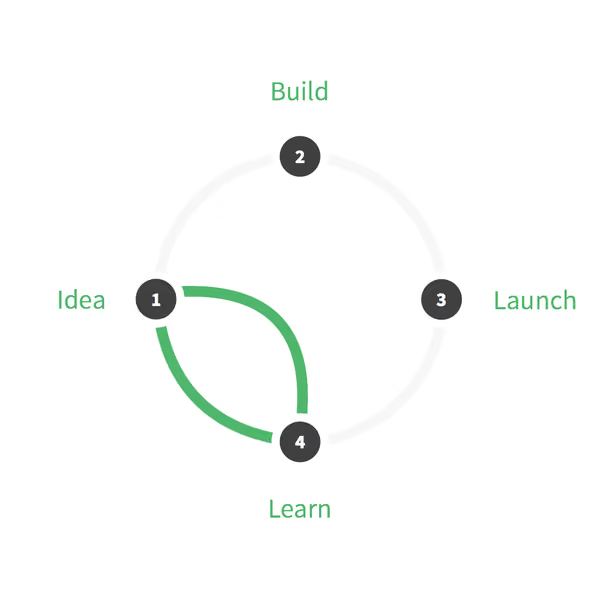
Design sprint cycle
 With a Design Sprint, a product doesn't need to go full cycle to learn about the opportunities and gather feedback.

‍

When you’re running a design sprint, it’s important that you have the right people in the room. It’s all about focus and working fast; you need the right people around in order to do this and not have any blocks down the path. Team, stakeholder and expert buy-in is key — this is not a task just for a design team!After getting buy in and picking out the people who should be involved (developers, designers, product owner, customer success rep, marketing rep, user researcher), these were my next steps:

‍

Pre-sprint

  1. Read the book
  2. Panic
  3. Send out invites
  4. Write the agenda
  5. Book a meeting room
  6. Organize food and coffee
  7. Get supplies (Post-its, paper, Sharpies, laptops, chargers, cameras)
‍

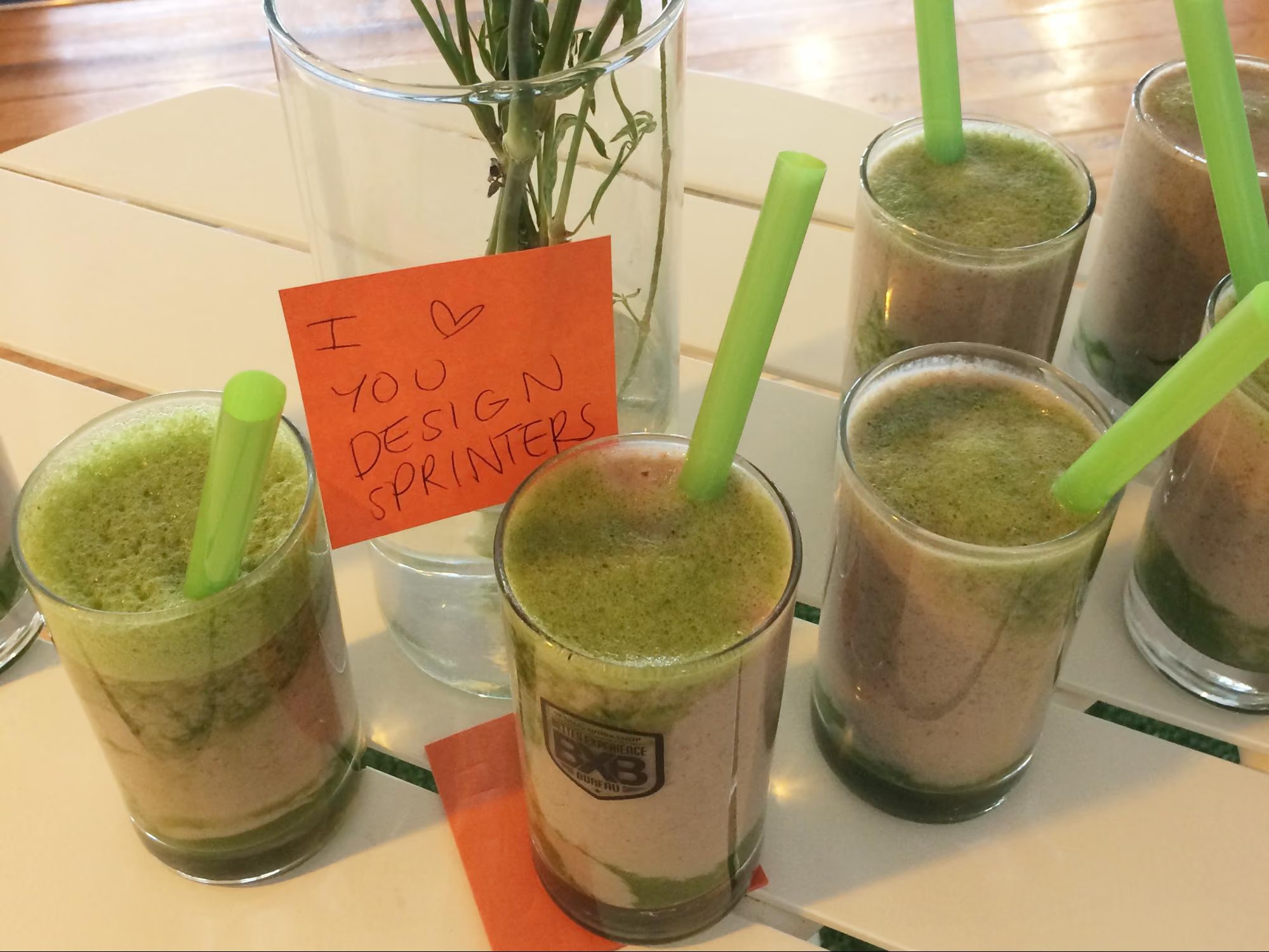
Some fresh smoothies for the sprinters made by our juice technician
 Some fresh smoothies for the sprinters made by our juice technician

‍

The sprint

‍

Due to scheduling issues we had to split the sprint over the end of the week and weekend. Sprint guidelines suggest you hold it over Monday to Friday — this is a nice block of time but we had to do Thursday to Thursday, with the weekend off in between, which in turn worked really well. We are all self confessed introverts and, to be honest, the thought of spending five solid days workshopping was daunting. At about two days in, we were exhausted and went away for the weekend and came back on Monday feeling sociable and recharged again and ready to examine the work we’d done in the first two days with fresh eyes.

‍

Design sprint activities

‍

During our sprint we completed a range of different activities but here’s a list of some that worked well for us. You can find out more information about how to run most of these over at The Sprint Book website or checkout some great resources over at Design Sprint Kit.

‍

Lightning talks

‍

We kicked off our sprint by having each person give a quick 5-minute talk on one of these topics in the list below. This gave us all an overview of the whole project and since we each had to present, we in turn became the expert in that area and engaged with the topic (rather than just listening to one person deliver all the information).

‍

Our lightning talk topics included:

  • Product history - where have we come from so the whole group has an understanding of who we are and why we’ve made the things we’ve made.
  • Vision and business goals - (from the product owner or CEO) a look ahead not just of the tools we provide but where we want the business to go in the future.
  • User feedback - what have users been saying so far about the idea we’ve chosen for our sprint. This information is collected by our User Research and Customer Success teams.
  • Technical review - an overview of our tech and anything we should be aware of (or a look at possible available tech). This is a good chance to get an engineering lead in to share technical opportunities.
  • Comparative research - what else is out there, how have other teams or products addressed this problem space?

‍

Empathy exercise

‍

I asked the sprinters to participate in an exercise so that we could gain empathy for those who are using our tools. The task was to pretend we were one of our customers who had to present a dendrogram to some of our team members who are not involved in product development or user research. In this frame of mind, we had to talk through how we might start to draw conclusions from the data presented to the stakeholders. We all gained more empathy for what it’s like to be a researcher trying to use the graphs in our tools to gain insights.

‍

How Might We

‍

In the beginning, it’s important to be open to all ideas. One way we did this was to phrase questions in the format: “How might we…” At this stage (day two) we weren’t trying to come up with solutions — we were trying to work out what problems there were to solve. ‘We’ is a reminder that this is a team effort, and ‘might’ reminds us that it’s just one suggestion that may or may not work (and that’s OK). These questions then get voted on and moved into a workshop for generating ideas (see Crazy 8s).Read a more detailed instructions on how to run a ‘How might we’ session on the Design Sprint Kit website.

‍

Crazy 8s

‍

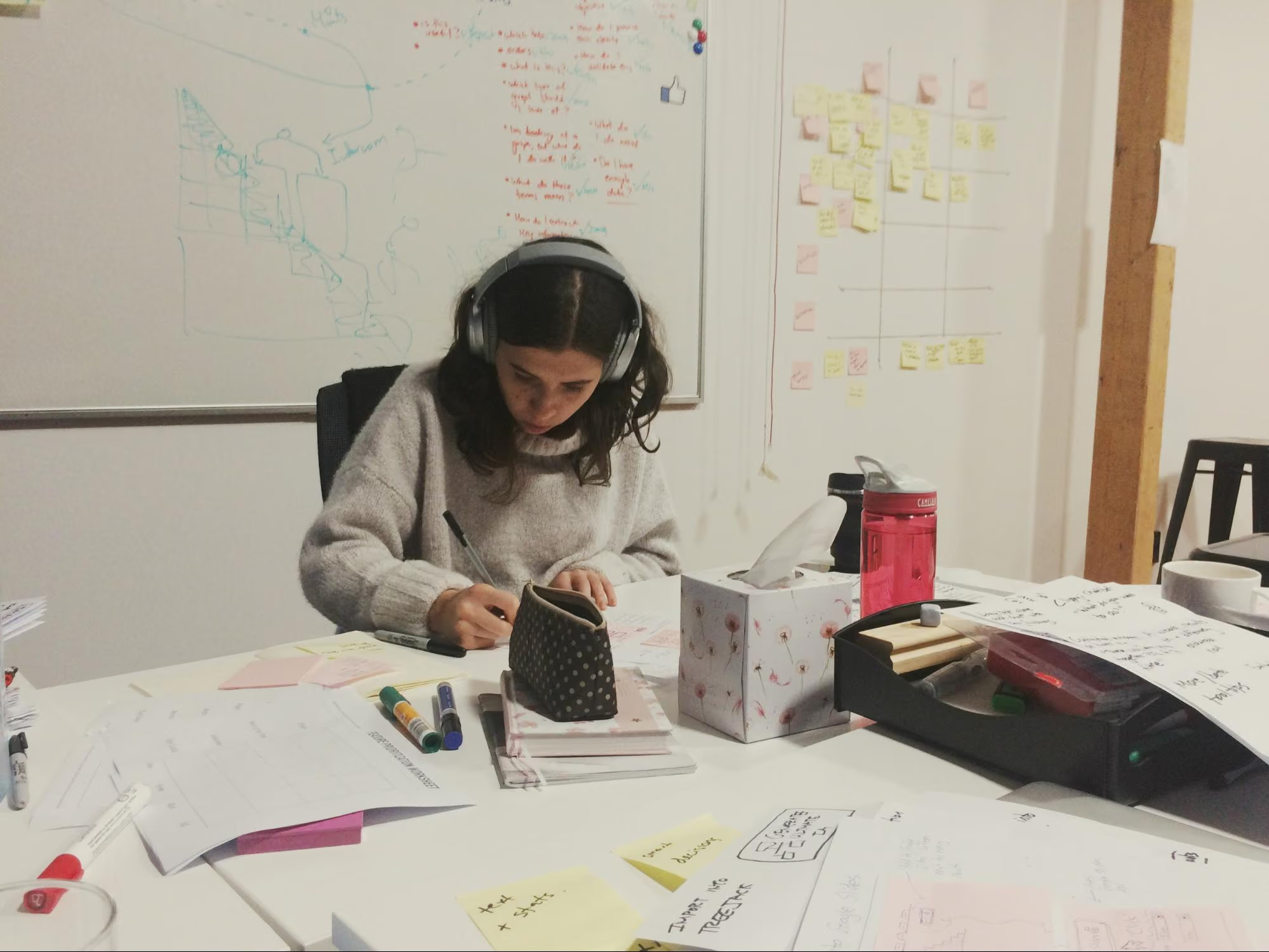
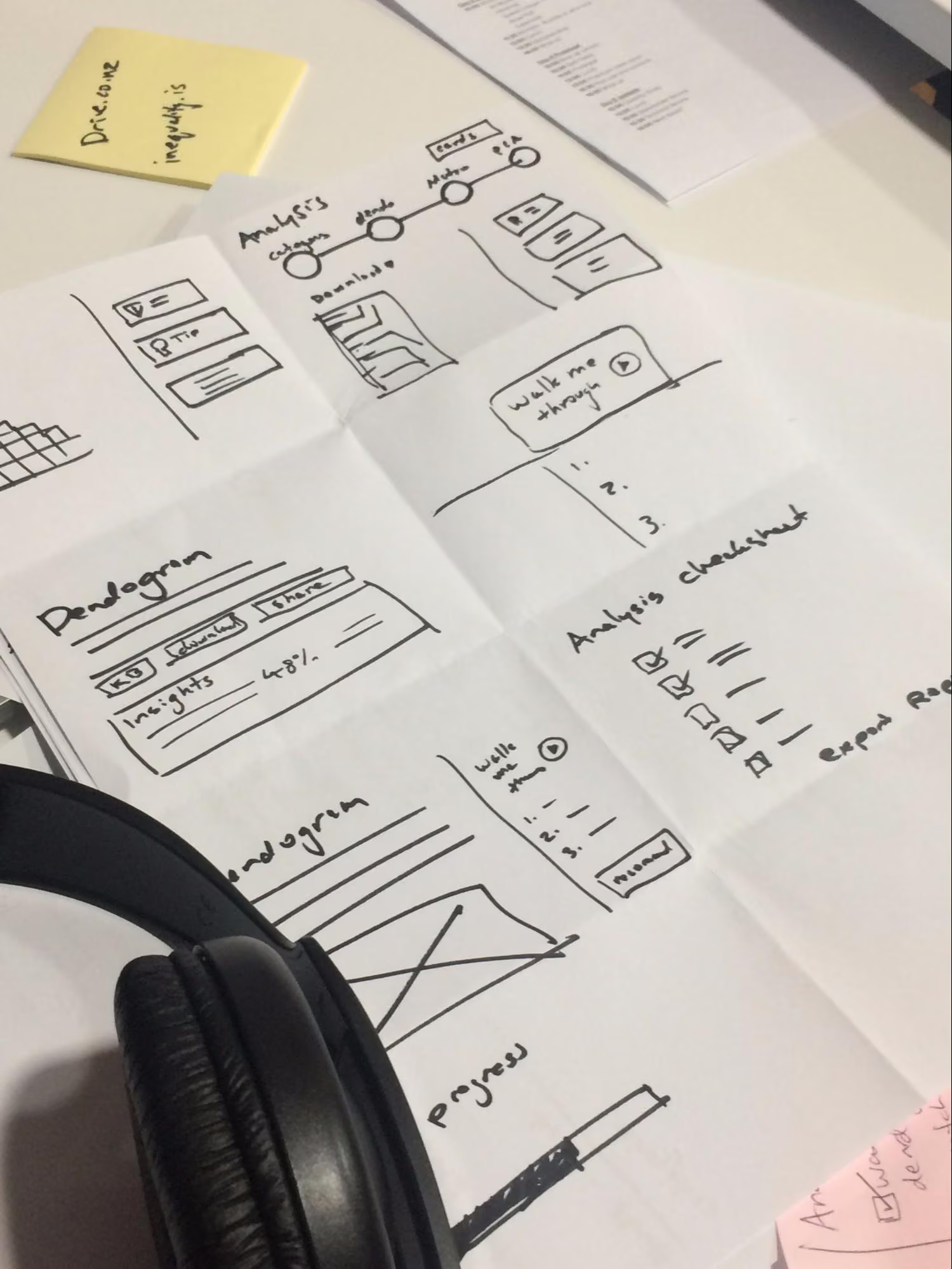
This activity is a super quick-fire idea generation technique. The gist of it is that each person gets a piece of paper that has been folded 8 times and has 8 minutes to come up with eight ideas (really rough sketches). When time is up, it’s all pens down and the rest of the team gets to review each other's ideas.In our sprint, we gave each person Post-it notes, paper, and set the timer for 8 minutes. At the end of the activity, we put all the sketches on a wall (this is where the art gallery exercise comes in).
‍

Mila our data scientist sketching intensely during Crazy 8s
 Mila our data scientist sketching intensely during Crazy 8s

‍

A close up of some sketches from the team
 A close up of some sketches from the team

‍

Art gallery/Silent critique

‍

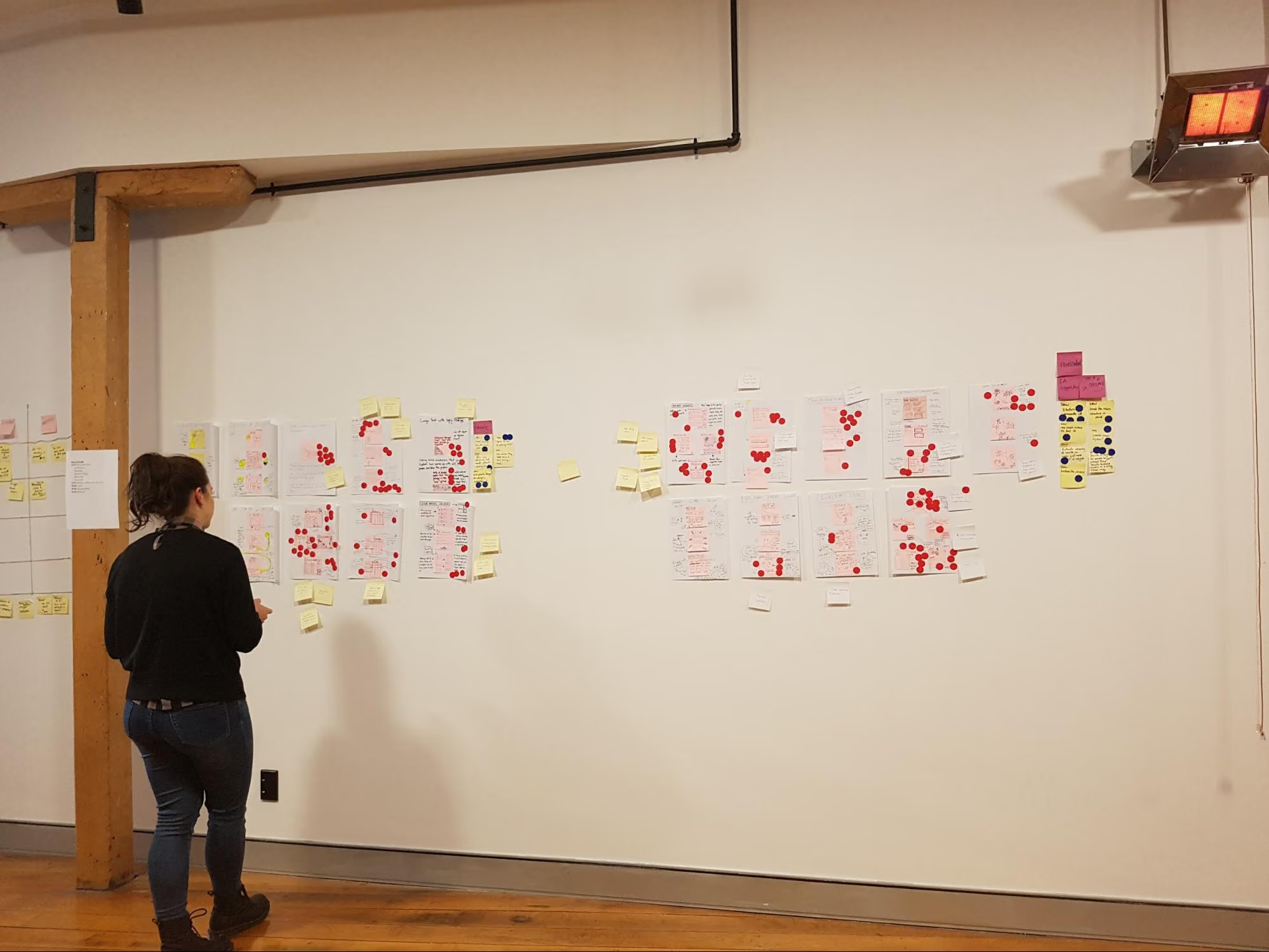
The art gallery is the place where all the sketches go. We give everyone dot stickers so they can vote and pull out key ideas from each sketch. This is done silently, as the ideas should be understood without needing explanation from the person who made them. At the end of it you’ve got a kind of heat map, and you can see the ideas that stand out the most. After this first round of voting, the authors of the sketches get to talk through their ideas, then another round of voting begins.

‍

Mila putting some sticky dots on some sketches
 Mila putting some sticky dots on some sketches

‍

Bowie, our head of security/office dog, even took part in the sprint...kind of.
 Bowie, our head of security, even took part in the sprint...kind of

‍

Usability testing and validation

‍

The key part of a design sprint is validation. For one of our sprints we had two parts of our concept that needed validating. To test one part we conducted simple user tests with other members of Optimal Workshop (the feature was an internal tool). For the second part we needed to validate whether we had the data to continue with this project, so we had our data scientist run some numbers and predictions for us.

‍

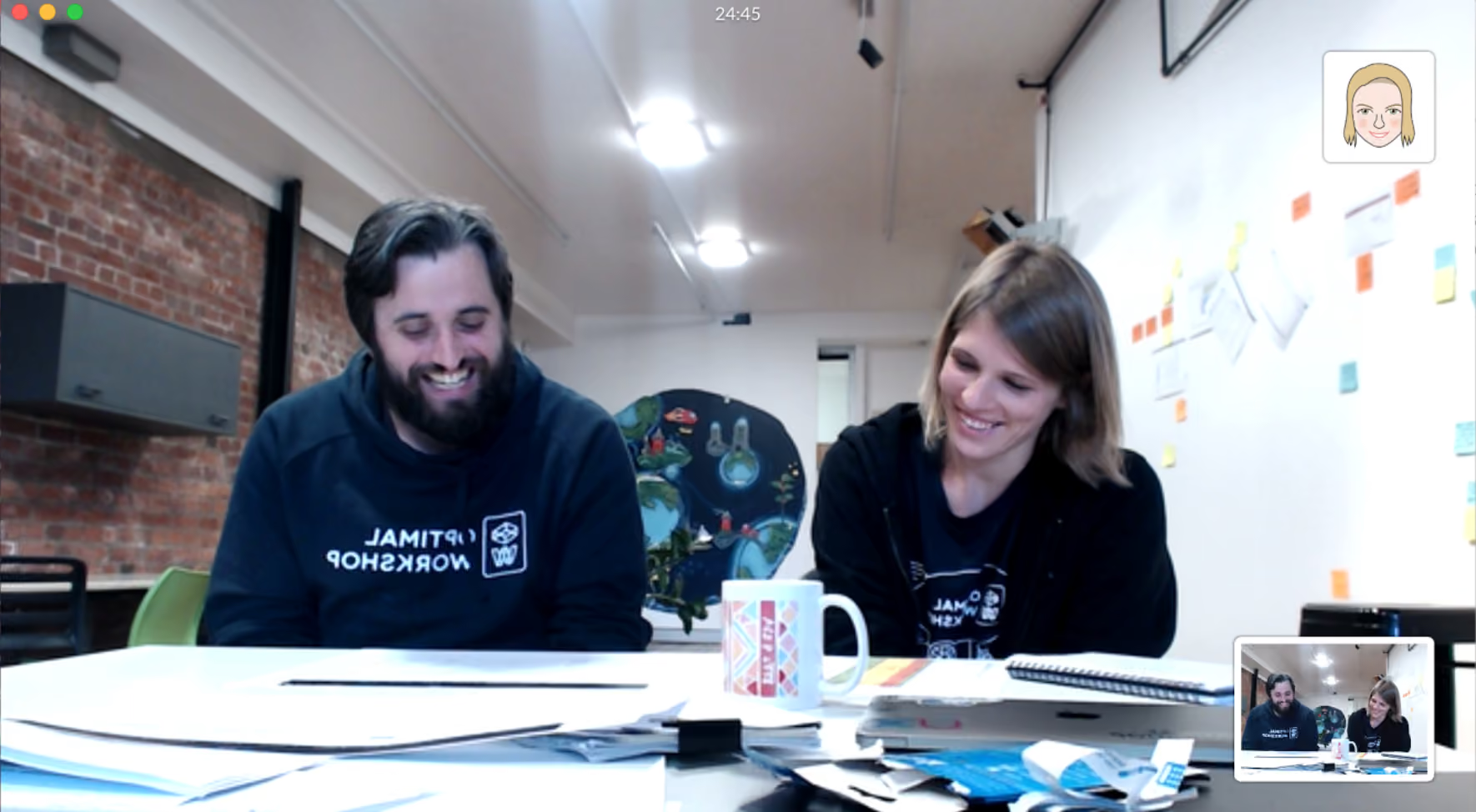
6-dan-design-sprintOur remote worker Rebecca dialed in to watch one of our user tests live
 Our remote worker Rebecca dialed in to watch one of our user tests live
"I'm pretty bloody happy" — Actual feedback.
 Actual feedback

‍

Challenges and outcomes

‍

One of our key team members, Rebecca, was working remotely during the sprint. To make things easier for her, we set up 2 cameras: one pointed to the whiteboard, the other was focused on the rest of the sprint team sitting at the table. Next to that, we set up a monitor so we could see Rebecca.

‍

Engaging in workshop activities is a lot harder when working remotely. Rebecca would get around this by completing the activities and take photos to send to us.

‍

8-rebecca-design-sprint
 For more information, read this great Medium post about running design sprints remotely

‍

Lessons

‍

  • Lightning talks are a great way to have each person contribute up front and feel invested in the process.
  • Sprints are energy intensive. Make sure you’re in a good place with plenty of fresh air with comfortable chairs and a break out space. We like to split the five days up so that we get a weekend break.
  • Give people plenty of notice to clear their schedules. Asking busy people to take five days from their schedule might not go down too well. Make sure they know why you’d like them there and what they should expect from the week. Send them an outline of the agenda. Ideally, have a chat in person and get them excited to be part of it.
  • Invite the right people. It’s important that you get the right kind of people from different parts of the company involved in your sprint. The role they play in day-to-day work doesn’t matter too much for this. We’re all mainly using pens and paper and the more types of brains in the room the better. Looking back, what we really needed on our team was a customer support team member. They have the experience and knowledge about our customers that we don’t have.
  • Choose the right sprint problem. The project we chose for our first sprint wasn’t really suited for a design sprint. We went in with a well defined problem and a suggested solution from the team instead of having a project that needed fresh ideas. This made the activities like ‘How Might We’ seem very redundant. The challenge we decided to tackle ended up being more of a data prototype (spreadsheets!). We used the week to validate assumptions around how we can better use data and how we can write a script to automate some internal processes. We got the prototype working and tested but due to the nature of the project we will have to run this experiment in the background for a few months before any building happens.

‍

Overall, this design sprint was a great team bonding experience and we felt pleased with what we achieved in such a short amount of time. Naturally, here at Optimal Workshop, we're experimenters at heart and we will keep exploring new ways to work across teams and find a good middle ground.

‍

Further reading

‍

Header graphic for the article 'Why Your AI Integration Strategy Could Be Your Biggest Security...'
Learn more
1 min read

Why Your AI Integration Strategy Could Be Your Biggest Security Risk

As AI transforms the UX research landscape, product teams face an important choice that extends far beyond functionality: how to integrate AI while maintaining the security and privacy standards your customers trust you with. At Optimal, we've been navigating these waters for years as we implement AI into our own product, and we want to share the way we view three fundamental approaches to AI integration, and why your choice matters more than you might think.

‍

Three Paths to AI Integration

‍

Path 1: Self-Hosting - The Gold Standard 

‍

Self-hosting AI models represents the holy grail of data security. When you run AI entirely within your own infrastructure, you maintain complete control over your data pipeline. No external parties process your customers' sensitive information, no data crosses third-party boundaries, and your security posture remains entirely under your control.

‍

The reality? This path is largely theoretical for most organizations today. The most powerful AI models, the ones that deliver the transformative capabilities your users expect, are closely guarded by their creators. Even if these models were available, the computational requirements would be prohibitive for most companies.

‍

While open-source alternatives exist, they often lag significantly behind proprietary models in capability. 

‍

Path 2: Established Cloud Providers - The Practical, Secure Choice 

‍

This is where platforms like AWS Bedrock shine. By working through established cloud infrastructure providers, you gain access to cutting-edge AI capabilities while leveraging enterprise-grade security frameworks that these providers have spent decades perfecting.

‍

Here's why this approach has become our preferred path at Optimal:

‍

Unified Security Perimeter: When you're already operating within AWS (or Azure, Google Cloud), keeping your AI processing within the same security boundary maintains consistency. Your data governance policies, access controls, and audit trails remain centralized.

‍

Proven Enterprise Standards: These providers have demonstrated their security capabilities across thousands of enterprise customers. They're subject to rigorous compliance frameworks (SOC 2, ISO 27001, GDPR, HIPAA) and have the resources to maintain these standards.

‍

Reduced Risk: Fewer external integrations mean fewer potential points of failure. When your transcription (AWS Transcribe), storage, compute, and AI processing all happen within the same provider's ecosystem, you minimize the number of trust relationships you need to manage.

‍

Professional Accountability: These providers have binding service agreements, insurance coverage, and legal frameworks that provide recourse if something goes wrong.

‍

Path 3: Direct Integration - A Risky Shortcut 

‍

Going directly to AI model creators like OpenAI or Anthropic might seem like the most straightforward approach, but it introduces significant security considerations that many organizations overlook.

‍

When you send customer data directly to OpenAI's APIs, you're essentially making them a sub-processor of your customers' most sensitive information. Consider what this means:

‍

  • User research recordings containing personal opinions and behaviors
  • Prototype feedback revealing strategic product directions
  • Customer journey data exposing business intelligence
  • Behavioral analytics containing personally identifiable patterns

‍

While these companies have their own security measures, you're now dependent on their practices, their policy changes, and their business decisions. 

‍

The Hidden Cost of Taking Shortcuts

‍

A practical example of this that we’ve come across in the UX tools ecosystem is the way some UX research platforms appear to use direct OpenAI integration for AI features while simultaneously using other services like Rev.ai for transcription. This means sensitive customer recordings touch multiple external services:

‍

  1. Recording capture (your platform)
  2. Transcription processing (Rev.ai)
  3. AI analysis (OpenAI)
  4. Final storage and presentation (back to your platform)

‍

Each step represents a potential security risk, a new privacy policy to evaluate, and another business relationship to monitor. More critically, it represents multiple points where sensitive customer data exists outside your primary security controls.

‍

Optimal’s Commitment to Security: Why We Choose the Bedrock Approach

‍

At Optimal, we've made a deliberate choice to route our AI capabilities through AWS Bedrock rather than direct integration. This isn't just about checking security boxes, although that’s important,  it's about maintaining the trust our customers place in us.

‍

Consistent Security Posture: Our entire infrastructure operates within AWS. By keeping AI processing within the same boundary, we maintain consistent security policies, monitoring, and incident response procedures.

‍

Future-Proofing: As new AI models become available through Bedrock, we can evaluate and adopt them without redesigning our security architecture or introducing new external dependencies.

‍

Customer Confidence: When we tell customers their data stays within our security perimeter, we mean it. No caveats. 

‍

Moving Forward Responsibly

‍

The path your organization chooses should align with your risk tolerance, technical capabilities, and customer commitments. The AI revolution in UX research is just beginning, but the security principles that should guide it are timeless. As we see these powerful new capabilities integrated into more UX tools and platforms, we hope businesses choose to resist the temptation to prioritize features over security, or convenience over customer trust.

‍

At Optimal, we believe the most effective AI implementations are those that enhance user research capabilities while strengthening, not weakening, your security posture. This means making deliberate architectural choices, even when they require more initial work. This alignment of security, depth and quality is something we’re known for in the industry, and it’s a core component of our brand identity. It’s something we will always prioritize. 

‍

Ready to explore AI-powered UX research that doesn't compromise on security? Learn more about how Optimal integrates cutting-edge AI capabilities within enterprise-grade security frameworks.

‍

Header graphic for the article 'AI Is Only as Good as Its UX: Why User...'
Learn more
1 min read

AI Is Only as Good as Its UX: Why User Experience Tops Everything

AI is transforming how businesses approach product development. From AI-powered chatbots and recommendation engines to predictive analytics and generative models, AI-first products are reshaping user interactions with technology, which in turn impacts every phase of the product development lifecycle.

‍

Whether you're skeptical about AI or enthusiastic about its potential, the fundamental truth about product development in an AI-driven future remains unchanged: a product is only as good as its user experience.

‍

No matter how powerful the underlying AI, if users don't trust it, can't understand it, or struggle to use it, the product will fail. Good UX isn't simply an add-on for AI-first products, it's a fundamental requirement.

‍

‍

Why UX Is More Critical Than Ever

‍

Unlike traditional software, where users typically follow structured, planned workflows, AI-first products introduce dynamic, unpredictable experiences. This creates several unique UX challenges:

‍

  • Users struggle to understand AI's decisions – Why did the AI generate this particular response? Can they trust it?
    ‍
  • AI doesn't always get it right – How does the product handle mistakes, errors, or bias?
    ‍
  • Users expect AI to "just work" like magic – If interactions feel confusing, people will abandon the product.
    ‍

AI only succeeds when it's intuitive, accessible, and easy-to-use: the fundamental components of good user experience. That's why product teams need to embed strong UX research and design into AI development, right from the start.

‍

‍

Key UX Focus Areas for AI-First Products

‍

To Trust Your AI, Users Need to Understand It

‍

AI can feel like a black box, users often don't know how it works or why it's making certain decisions or recommendations. If people don't understand or trust your AI, they simply won't use it. The user experiences you need to build for an AI-first product must be grounded in transparency.

‍

What does a transparent experience look like?

‍

  • Show users why AI makes certain decisions (e.g., "Recommended for you because…")
    ‍
  • Allow users to adjust AI settings to customize their experience
    ‍
  • Enable users to provide feedback when AI gets something wrong—and offer ways to correct it
    ‍

A strong example: Spotify's AI recommendations explain why a song was suggested, helping users understand the reasoning behind specific song recommendations.

‍

‍

AI Should Augment Human Expertise Not Replace It

‍

AI often goes hand-in-hand with automation, but this approach ignores one of AI's biggest limitations: incorporating human nuance and intuition into recommendations or answers. While AI products strive to feel seamless and automated, users need clarity on what's happening when AI makes mistakes.

‍

How can you address this? Design for AI-Human Collaboration:

‍

  • Guide users on the best ways to interact with and extract value from your AI
    ‍
  • Provide the ability to refine results so users feel in control of the end output
    ‍
  • Offer a hybrid approach: allow users to combine AI-driven automation with manual/human inputs
    ‍

Consider Google's Gemini AI, which lets users edit generated responses rather than forcing them to accept AI's output as final, a thoughtful approach to human-AI collaboration.

‍

‍

Validate and Test AI UX Early and Often

‍

Because AI-first products offer dynamic experiences that can behave unpredictably, traditional usability testing isn't sufficient. Product teams need to test AI interactions across multiple real-world scenarios before launch to ensure their product functions properly.

‍

Run UX Research to Validate AI Models Throughout Development:

‍

  • Implement First Click Testing to verify users understand where to interact with AI
    ‍
  • Use Tree Testing to refine chatbot flows and decision trees
    ‍
  • Conduct longitudinal studies to observe how users interact with AI over time
    ‍

One notable example: A leading tech company used Optimal to test their new AI product with 2,400 global participants, helping them refine navigation and conversion points, ultimately leading to improved engagement and retention.

‍

‍

The Future of AI Products Relies on UX

‍

The bottom line is that AI isn't replacing UX, it's making good UX even more essential. The more sophisticated the product, the more product teams need to invest in regular research, transparency, and usability testing to ensure they're building products people genuinely value and enjoy using.

‍

Want to improve your AI product's UX? Start testing with Optimal today.

‍

Seeing is believing

Explore our tools and see how Optimal makes gathering insights simple, powerful, and impactful.