3

AI Innovation + Human Validation: Why It Matters

AI creates beautiful designs, but only humans can validate if they work

Let's talk about something that's fundamentally reshaping product development: AI-generated designs. It's not just a trendy tool; it's a complete transformation of the design workflow as we know it.

Today's AI design tools aren't just creating mockups, they're generating entire design systems, producing variations at scale, and predicting user preferences before you've even finished your prompt. Instead of spending hours on iterations, designers are exploring dozens of directions in minutes.

This is where platforms like Lovable shine with their vibe coding approach, generating design directions based on emotional and aesthetic inputs rather than just functional requirements, and while this AI-powered innovation is impressive, it raises a critical question for everyone creating digital products: How do we ensure these AI-generated designs actually resonate with real people?

The Gap Between AI Efficiency and Human Connection

The design process has fundamentally shifted. Instead of building from scratch, designers are prompting and curating. Rather than crafting each pixel, they're directing AI to explore design spaces.

The whole interaction feels more experimental. Designers are using natural language to describe desired outcomes, and the AI responses feel like collaborative explorations rather than final deliverables.

This shift has major implications for product teams:

  • If you're a product manager, you need to balance AI efficiency with proven user validation methods to ensure designs solve actual user problems.
  • UX designers, you're now curating and refining AI outputs. When AI generates interfaces, will real users understand how to use them?
  • Visual designers, your expertise is evolving. You need to develop prompting skills while maintaining your critical eye for what actually works.
  • And UX researchers, there's an urgent need to validate AI-generated designs with real human feedback before implementation.

The Future of Design: AI Innovation + Human Validation

As AI design tools become more powerful, the teams that thrive will be those who balance technological innovation with human understanding. The winning approach isn't AI alone or human-only design, it's the thoughtful integration of both.

Why Human Validation Is Essential for AI-Generated Designs

AI is revolutionizing design creation, but it has inherent limitations that only human validation can address:

  • AI Lacks Contextual Understanding While AI can generate visually impressive designs, it doesn't truly understand cultural nuances, emotional responses, or lived experiences of your users. Only human feedback can verify whether an AI-generated interface feels intuitive rather than just looking good.
  • The "Uncanny Valley" of AI Design AI-generated designs sometimes create an "almost right but slightly off" feeling, technically correct but missing the human touch. Real user testing helps identify these subtle disconnects that might otherwise go unnoticed by design teams.
  • AI Reinforces Patterns, Not Breakthroughs AI models are trained on existing design patterns, meaning they excel at iteration but struggle with true innovation. Human validation helps identify when AI-generated designs feel derivative versus when they create genuine emotional connections with users.
  • Diverse User Needs Require Human Insight AI may not account for accessibility considerations, cultural sensitivities, or edge cases without explicit prompting. Human validation ensures designs work for your entire audience, not just the statistical average.

The Multiplier Effect: Why AI + Human Validation Outperforms Either Approach Alone

The combination of AI-powered design and human validation creates a virtuous cycle that elevates both:

  • From Rapid Iteration to Deeper Insights AI allows teams to test more design variations than ever before, gathering richer comparative data through human testing. This breadth of exploration was previously impossible with human-only design processes.
  • Continuous Learning Loop Human validation of AI designs creates feedback that improves future AI prompts. Over time, this creates a compounding advantage where AI tools become increasingly aligned with real user preferences.
  • Scale + Depth AI provides the scale to generate numerous options, while human validation provides the depth of understanding required to select the right ones. This combination addresses both the breadth and depth dimensions of effective design.

At Optimal, we're committed to helping you navigate this new landscape by providing the tools you need to ensure AI-generated designs truly resonate with the humans who will use them. Our human validation platform is the essential complement to AI's creative potential, turning promising designs into proven experiences.

Introducing the Optimal + Lovable Integration: Bridging AI Innovation with Human Validation

At Optimal, we've always believed in the power of human feedback to create truly effective designs. Now, with our new Lovable integration, we're making it easier than ever to validate AI-generated designs with real users.

Here's how our integrated approach works:

1. Generate Innovative Designs with Lovable

Lovable allows you to:

  • Explore emotional dimensions of design through AI prompting
  • Generate multiple design variations in minutes
  • Create interfaces that feel aligned with your brand's emotional targets

2. Validate Those Designs with Optimal

Interactive Prototype Testing Our integration lets you import Lovable designs directly as interactive prototypes, allowing users to click, navigate, and experience your AI-generated interfaces in a realistic environment. This reveals critical insights about how users naturally interact with your design.

Ready to Transform Your Design Process?

Try our Optimal + Lovable integration today and experience the power of combining AI innovation with human validation. Your first study is on us! See firsthand how real user feedback can elevate your AI-generated designs from interesting to truly effective.

Try the Optimal + Lovable Integration today

Share this article
Author
Optimal
Workshop

Related articles

View all blog articles
Learn more
1 min read

When Everyone's a Researcher and it's a Good Thing

Be honest. Are you guilty of being a gatekeeper? 

For years, UX teams have treated research as a specialized skill that requires extensive training, advanced degrees, and membership in the researcher club. We’re guilty of it too! We've insisted that only "real researchers" can talk to users, conduct studies, or generate insights.

But the problem with this is, this gatekeeping is holding back product development, limiting insights, and ironically, making research less effective.  As a result,  product and design teams are starting to do their own research, bypassing UX because they want to just get things done. 

This shift is happening, and while we could view this as the downfall of traditional UX, we see it more as an evolution. And when done right, with support from UX, this democratization actually leads to better products, more research-informed organizations, and yes, more valuable research roles.

The Problem with Gatekeeping 

Product teams need insights constantly, making decisions daily about features, designs, and priorities. Yet dedicated researchers are outnumbered, often supporting 15-20 product team members each. The math just doesn't work. No matter how talented or efficient researchers are, they can't be everywhere at once, answering every question in real-time. This mismatch between insight demand and research capacity forces teams into an impossible choice: wait for formal research and miss critical decision windows or move forward without insights and risk building the wrong thing.

Since product teams often don’t have the time to wait, teams make decisions anyway, without research. A Forrester study found that 73% of product decisions happen without any user input, not because teams don't value research, but because they can't wait weeks for formal research cycles.

In organizations where this is already happening (it’s most of them!) teams have two choices, accept that their research to insight to development workflow is broken, or accept that things need to change and embrace the new era of research democratization. 

In Support of  Research Democratization

The most research-informed organizations aren't those with the most researchers, they're those where research skills are distributed throughout the team. When Product Managers and Designers talk directly to users, with researchers providing frameworks and quality control they make more research-informed decisions which result in better product performance and lower business risk. 

When PMs and designers conduct their own research, context doesn't get lost in translation. They hear the user's words, see their frustrations, and understand nuances that don't survive summarization. But there is a right way to democratize, which not all organizations are doing. 

Democratization as a consequence instead of as an intentional strategy, is chaos. Without frameworks and support from experienced researchers, it just won’t work. The goal isn't to turn everyone into researchers, it's to empower more teams to do their own research, while maintaining quality and rigor. In this model, the researcher becomes an advisor instead of a gatekeeper and the researcher's role evolves from conducting all studies to enabling teams to conduct their own. 

Not all questions need expert researchers. Intercom uses a three-tier model:

  • Tier 1 (70% of questions): Teams handle with proven templates
  • Tier 2 (20% of questions): Researcher-supported team execution
  • Tier 3 (10% of questions): Researcher-led complex studies

This model increased research output by 300% while improving quality scores by 25%.

In a model like this, the researcher becomes more important than ever because democratization needs quality assurance. 

Elevating the Role of Researchers 

Democratization requires researchers to shift from "protectors of methodology" to "enablers of insight." It means:

  • Not seeking perfection because an imperfect study done today beats a perfect study done never.
  • Acknowledging that 80% confidence on 100% of decisions beats 100% confidence on 20% of decisions.
  • Measuring success by the "number of research-informed decisions made” instea dof the "number of studies conducted" 
  • Deciding that more research happening is good, even if researchers aren't doing it all.

By enabling teams to handle routine research, professional researchers focus on:

  • Complex, strategic research that requires deep expertise
  • Building research capabilities across the organization
  • Ensuring research quality and methodology standards
  • Connecting insights across teams and products
  • Driving research-informed culture change

In truly research-informed organizations, everyone has user conversations. PMs do quick validation calls. Designers run lightweight usability tests. Engineers observe user sessions. Customer success shares user feedback.

And researchers? They design the systems, ensure quality, tackle complex questions, and turn this distributed insight into strategic direction.

Research democratization isn't about devaluing research expertise, it's about scaling research impact. It's recognizing that in today's product development pace, the choice isn't between formal research and democratized research. It's between democratized research and no research at all.

Done right, democratization isn't the end of UX research as a profession. It's the beginning of research as a competitive advantage.

Learn more
1 min read

When AI Meets UX: How to Navigate the Ethical Tightrope

As AI takes on a bigger role in product decision-making and user experience design, ethical concerns are becoming more pressing for product teams. From privacy risks to unintended biases and manipulation, AI raises important questions: How do we balance automation with human responsibility? When should AI make decisions, and when should humans stay in control?

These aren't just theoretical questions they have real consequences for users, businesses, and society. A chatbot that misunderstands cultural nuances, a recommendation engine that reinforces harmful stereotypes, or an AI assistant that collects too much personal data can all cause genuine harm while appearing to improve user experience.

The Ethical Challenges of AI

Privacy & Data Ethics

AI needs personal data to work effectively, which raises serious concerns about transparency, consent, and data stewardship:

  • Data Collection Boundaries – What information is reasonable to collect? Just because we can gather certain data doesn't mean we should.
  • Informed Consent – Do users really understand how their data powers AI experiences? Traditional privacy policies often don't do the job.
  • Data Longevity – How long should AI systems keep user data, and what rights should users have to control or delete this information?
  • Unexpected Insights – AI can draw sensitive conclusions about users that they never explicitly shared, creating privacy concerns beyond traditional data collection.

A 2023 study by the Baymard Institute found that 78% of users were uncomfortable with how much personal data was used for personalized experiences once they understood the full extent of the data collection. Yet only 12% felt adequately informed about these practices through standard disclosures.

Bias & Fairness

AI can amplify existing inequalities if it's not carefully designed and tested with diverse users:

  • Representation Gaps – AI trained on limited datasets often performs poorly for underrepresented groups.
  • Algorithmic Discrimination – Systems might unintentionally discriminate based on protected characteristics like race, gender, or disability status.
  • Performance Disparities – AI-powered interfaces may work well for some users while creating significant barriers for others.
  • Reinforcement of Stereotypes – Recommendation systems can reinforce harmful stereotypes or create echo chambers.

Recent research from Stanford's Human-Centered AI Institute revealed that AI-driven interfaces created 2.6 times more usability issues for older adults and 3.2 times more issues for users with disabilities compared to general populations, a gap that often goes undetected without specific testing for these groups.

User Autonomy & Agency

Over-reliance on AI-driven suggestions may limit user freedom and sense of control:

  • Choice Architecture – AI systems can nudge users toward certain decisions, raising questions about manipulation versus assistance.
  • Dependency Concerns – As users rely more on AI recommendations, they may lose skills or confidence in making independent judgments.
  • Transparency of Influence – Users often don't recognize when their choices are being shaped by algorithms.
  • Right to Human Interaction – In critical situations, users may prefer or need human support rather than AI assistance.

A longitudinal study by the University of Amsterdam found that users of AI-powered decision-making tools showed decreased confidence in their own judgment over time, especially in areas where they had limited expertise.

Accessibility & Digital Divide

AI-powered interfaces may create new barriers:

  • Technology Requirements – Advanced AI features often require newer devices or faster internet connections.
  • Learning Curves – Novel AI interfaces may be particularly challenging for certain user groups to learn.
  • Voice and Language Barriers – Voice-based AI often struggles with accents, dialects, and non-native speakers.
  • Cognitive Load – AI that behaves unpredictably can increase cognitive burden for users.

Accountability & Transparency

Who's responsible when AI makes mistakes or causes harm?

  • Explainability – Can users understand why an AI system made a particular recommendation or decision?
  • Appeal Mechanisms – Do users have recourse when AI systems make errors?
  • Responsibility Attribution – Is it the designer, developer, or organization that bears responsibility for AI outcomes?
  • Audit Trails – How can we verify that AI systems are functioning as intended?

How Product Owners Can Champion Ethical AI Through UX

At Optimal, we advocate for research-driven AI development that puts human needs and ethical considerations at the center of the design process. Here's how UX research can help:

User-Centered Testing for AI Systems

AI-powered experiences must be tested with real users to identify potential ethical issues:

  • Longitudinal Studies – Track how AI influences user behavior and autonomy over time.
  • Diverse Testing Scenarios – Test AI under various conditions to identify edge cases where ethical issues might emerge.
  • Multi-Method Approaches – Combine quantitative metrics with qualitative insights to understand the full impact of AI features.
  • Ethical Impact Assessment – Develop frameworks specifically designed to evaluate the ethical dimensions of AI experiences.

Inclusive Research Practices

Ensuring diverse user participation helps prevent bias and ensures AI works for everyone:

  • Representation in Research Panels – Include participants from various demographic groups, ability levels, and socioeconomic backgrounds.
  • Contextual Research – Study how AI interfaces perform in real-world environments, not just controlled settings.
  • Cultural Sensitivity – Test AI across different cultural contexts to identify potential misalignments.
  • Intersectional Analysis – Consider how various aspects of identity might interact to create unique challenges for certain users.

Transparency in AI Decision-Making

UX teams should investigate how users perceive AI-driven recommendations:

  • Mental Model Testing – Do users understand how and why AI is making certain recommendations?
  • Disclosure Design – Develop and test effective ways to communicate how AI is using data and making decisions.
  • Trust Research – Investigate what factors influence user trust in AI systems and how this affects experience.
  • Control Mechanisms – Design and test interfaces that give users appropriate control over AI behavior.

The Path Forward: Responsible Innovation

As AI becomes more sophisticated and pervasive in UX design, the ethical stakes will only increase. However, this doesn't mean we should abandon AI-powered innovations. Instead, we need to embrace responsible innovation that considers ethical implications from the start rather than as an afterthought.

AI should enhance human decision-making, not replace it. Through continuous UX research focused not just on usability but on broader human impact, we can ensure AI-driven experiences remain ethical, inclusive, user-friendly, and truly beneficial.

The most successful AI implementations will be those that augment human capabilities while respecting human autonomy, providing assistance without creating dependency, offering personalization without compromising privacy, and enhancing experiences without reinforcing biases.

A Product Owner's Responsibility: Leading the Charge for Ethical AI

As UX professionals, we have both the opportunity and responsibility to shape how AI is integrated into the products people use daily. This requires us to:

  • Advocate for ethical considerations in product requirements and design processes
  • Develop new research methods specifically designed to evaluate AI ethics
  • Collaborate across disciplines with data scientists, ethicists, and domain experts
  • Educate stakeholders about the importance of ethical AI design
  • Amplify diverse perspectives in all stages of AI development

By embracing these responsibilities, we can help ensure that AI serves as a force for positive change in user experience enhancing human capabilities while respecting human values, autonomy, and diversity.

The future of AI in UX isn't just about what's technologically possible; it's about what's ethically responsible. Through thoughtful research, inclusive design practices, and a commitment to human-centered values, we can navigate this complex landscape and create AI experiences that truly benefit everyone.

Learn more
1 min read

My journey running a design sprint

Recently, everyone in the design industry has been talking about design sprints. So, naturally, the team at Optimal Workshop wanted to see what all the fuss was about. I picked up a copy of The Sprint Book and suggested to the team that we try out the technique.

In order to keep momentum, we identified a current problem and decided to run the sprint only two weeks later. The short notice was a bit of a challenge, but in the end we made it work. Here’s a run down of how things went, what worked, what didn’t, and lessons learned.

A sprint is an intensive focused period of time to get a product or feature designed and tested with the goal of knowing whether or not the team should keep investing in the development of the idea. The idea needs to be either validated or not validated by the end of the sprint. In turn, this saves time and resource further down the track by being able to pivot early if the idea doesn’t float.

If you’re following The Sprint Book you might have a structured 5 day plan that looks likes this:

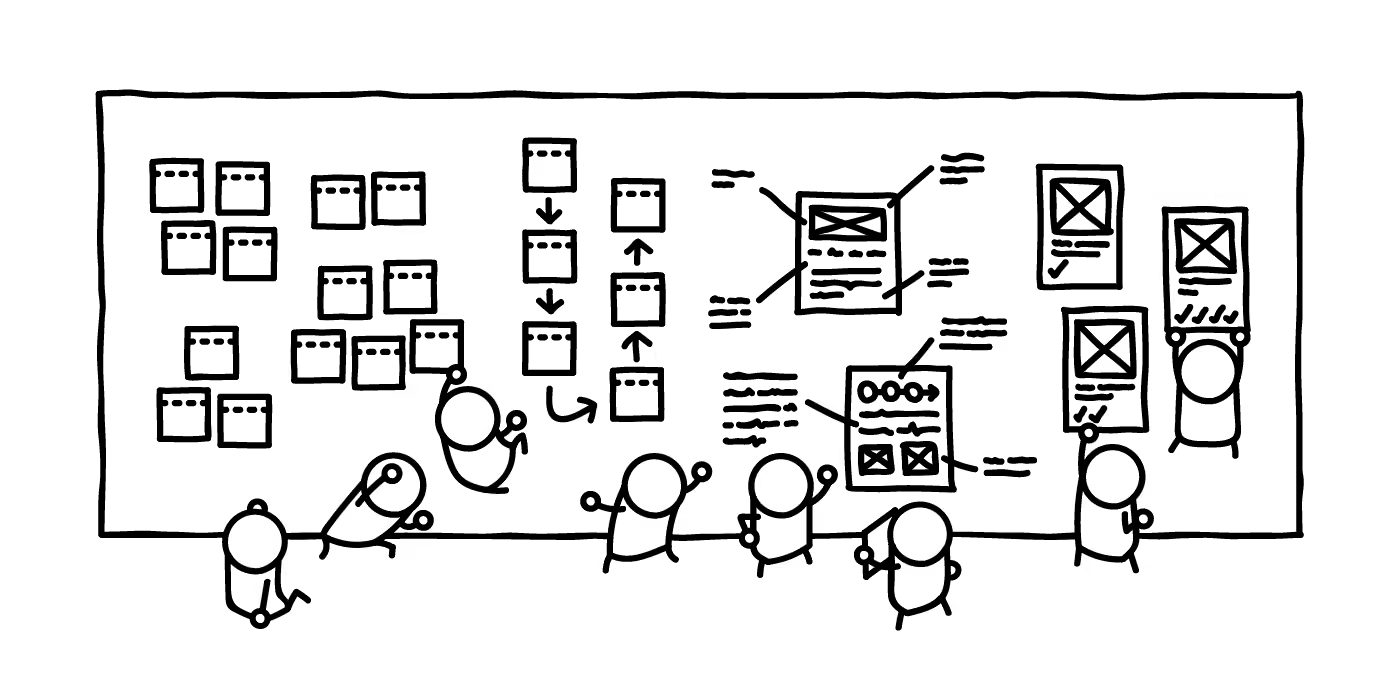
  • Day 1 - Understand: Discover the business opportunity, the audience, the competition, the value proposition and define metrics of success.
  • Day 2 - Diverge: Explore, develop and iterate creative ways of solving the problem, regardless of feasibility.
  • Day 3 - Converge: Identify ideas that fit the next product cycle and explore them in further detail through storyboarding.
  • Day 4 - Prototype: Design and prepare prototype(s) that can be tested with people.
  • Day 5 - Test: User testing with the product's primary target audience.
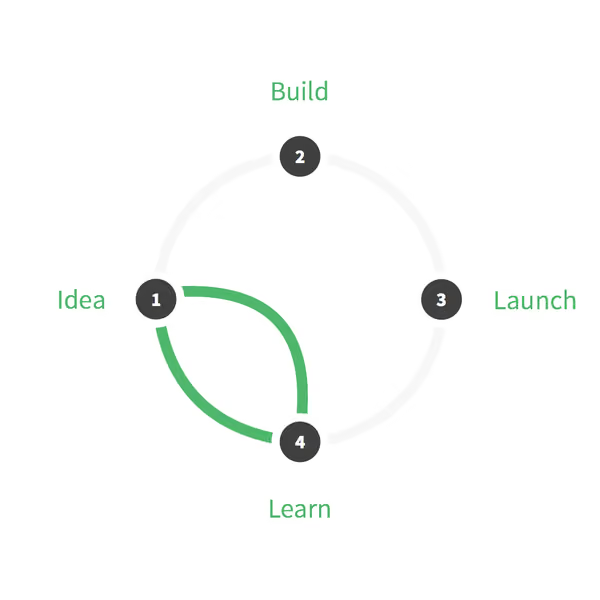
Design sprint cycle
 With a Design Sprint, a product doesn't need to go full cycle to learn about the opportunities and gather feedback.

When you’re running a design sprint, it’s important that you have the right people in the room. It’s all about focus and working fast; you need the right people around in order to do this and not have any blocks down the path. Team, stakeholder and expert buy-in is key — this is not a task just for a design team!After getting buy in and picking out the people who should be involved (developers, designers, product owner, customer success rep, marketing rep, user researcher), these were my next steps:

Pre-sprint

  1. Read the book
  2. Panic
  3. Send out invites
  4. Write the agenda
  5. Book a meeting room
  6. Organize food and coffee
  7. Get supplies (Post-its, paper, Sharpies, laptops, chargers, cameras)
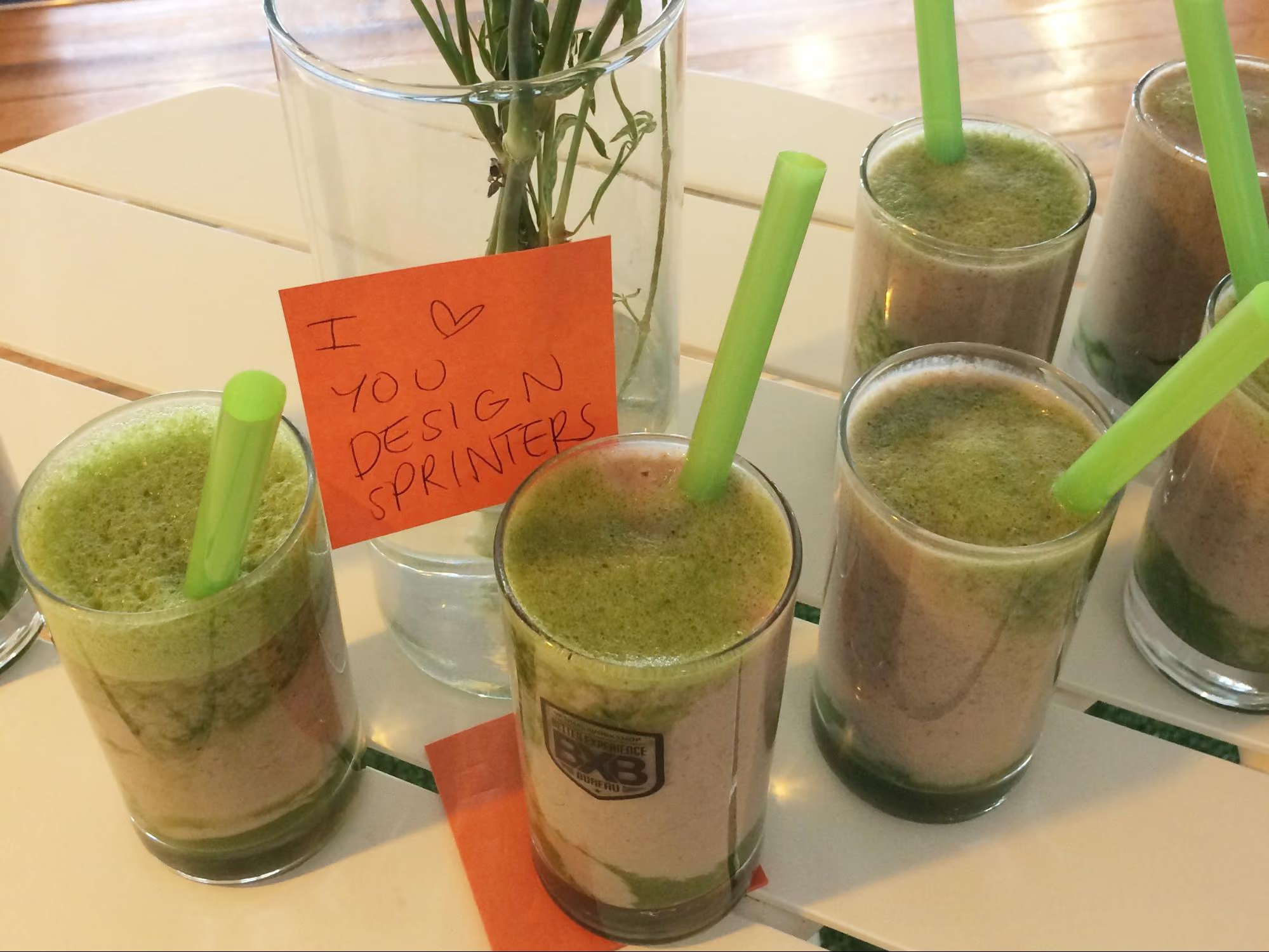
Some fresh smoothies for the sprinters made by our juice technician
 Some fresh smoothies for the sprinters made by our juice technician

The sprint

Due to scheduling issues we had to split the sprint over the end of the week and weekend. Sprint guidelines suggest you hold it over Monday to Friday — this is a nice block of time but we had to do Thursday to Thursday, with the weekend off in between, which in turn worked really well. We are all self confessed introverts and, to be honest, the thought of spending five solid days workshopping was daunting. At about two days in, we were exhausted and went away for the weekend and came back on Monday feeling sociable and recharged again and ready to examine the work we’d done in the first two days with fresh eyes.

Design sprint activities

During our sprint we completed a range of different activities but here’s a list of some that worked well for us. You can find out more information about how to run most of these over at The Sprint Book website or checkout some great resources over at Design Sprint Kit.

Lightning talks

We kicked off our sprint by having each person give a quick 5-minute talk on one of these topics in the list below. This gave us all an overview of the whole project and since we each had to present, we in turn became the expert in that area and engaged with the topic (rather than just listening to one person deliver all the information).

Our lightning talk topics included:

  • Product history - where have we come from so the whole group has an understanding of who we are and why we’ve made the things we’ve made.
  • Vision and business goals - (from the product owner or CEO) a look ahead not just of the tools we provide but where we want the business to go in the future.
  • User feedback - what have users been saying so far about the idea we’ve chosen for our sprint. This information is collected by our User Research and Customer Success teams.
  • Technical review - an overview of our tech and anything we should be aware of (or a look at possible available tech). This is a good chance to get an engineering lead in to share technical opportunities.
  • Comparative research - what else is out there, how have other teams or products addressed this problem space?

Empathy exercise

I asked the sprinters to participate in an exercise so that we could gain empathy for those who are using our tools. The task was to pretend we were one of our customers who had to present a dendrogram to some of our team members who are not involved in product development or user research. In this frame of mind, we had to talk through how we might start to draw conclusions from the data presented to the stakeholders. We all gained more empathy for what it’s like to be a researcher trying to use the graphs in our tools to gain insights.

How Might We

In the beginning, it’s important to be open to all ideas. One way we did this was to phrase questions in the format: “How might we…” At this stage (day two) we weren’t trying to come up with solutions — we were trying to work out what problems there were to solve. ‘We’ is a reminder that this is a team effort, and ‘might’ reminds us that it’s just one suggestion that may or may not work (and that’s OK). These questions then get voted on and moved into a workshop for generating ideas (see Crazy 8s).Read a more detailed instructions on how to run a ‘How might we’ session on the Design Sprint Kit website.

Crazy 8s

This activity is a super quick-fire idea generation technique. The gist of it is that each person gets a piece of paper that has been folded 8 times and has 8 minutes to come up with eight ideas (really rough sketches). When time is up, it’s all pens down and the rest of the team gets to review each other's ideas.In our sprint, we gave each person Post-it notes, paper, and set the timer for 8 minutes. At the end of the activity, we put all the sketches on a wall (this is where the art gallery exercise comes in).
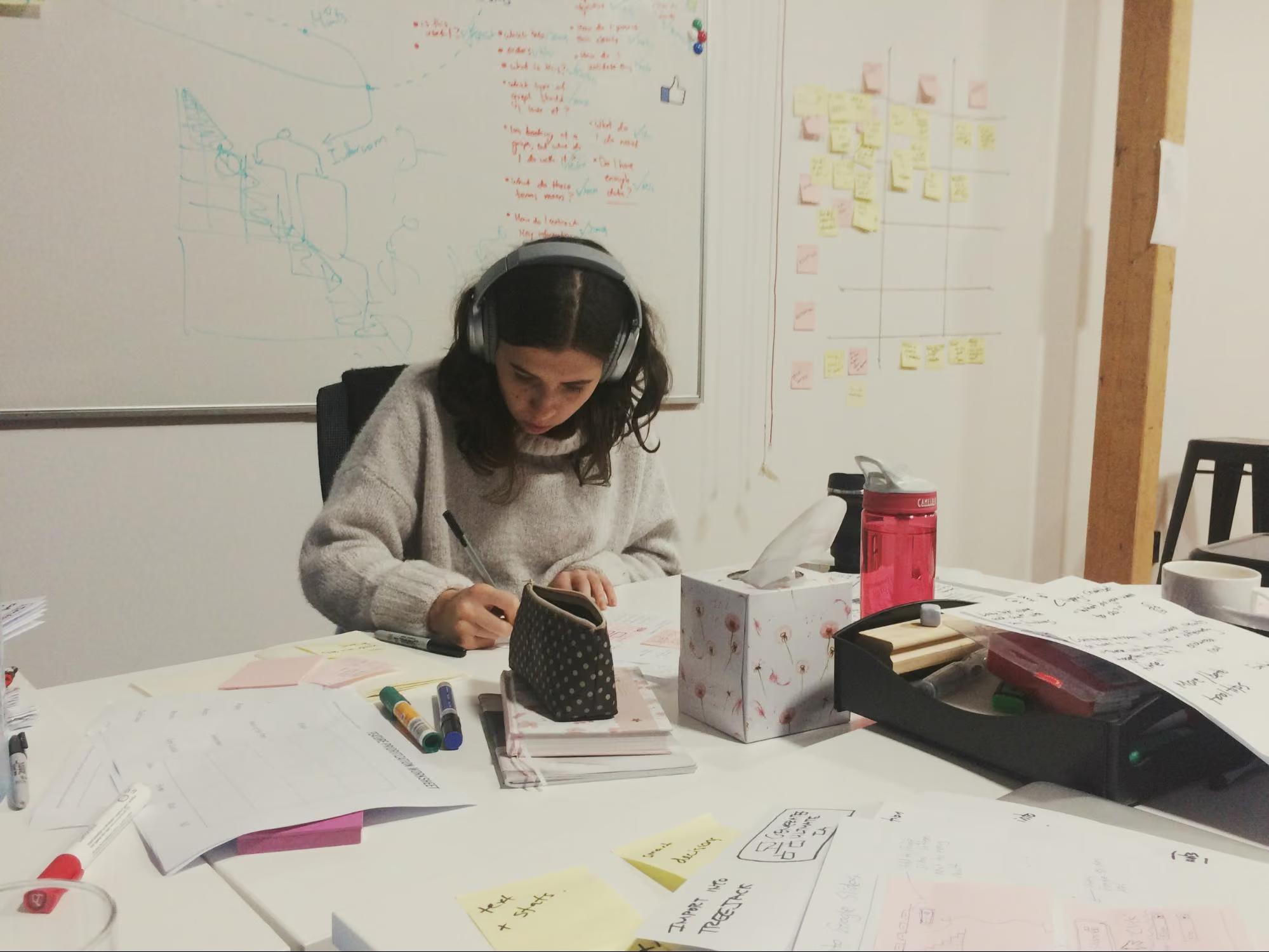
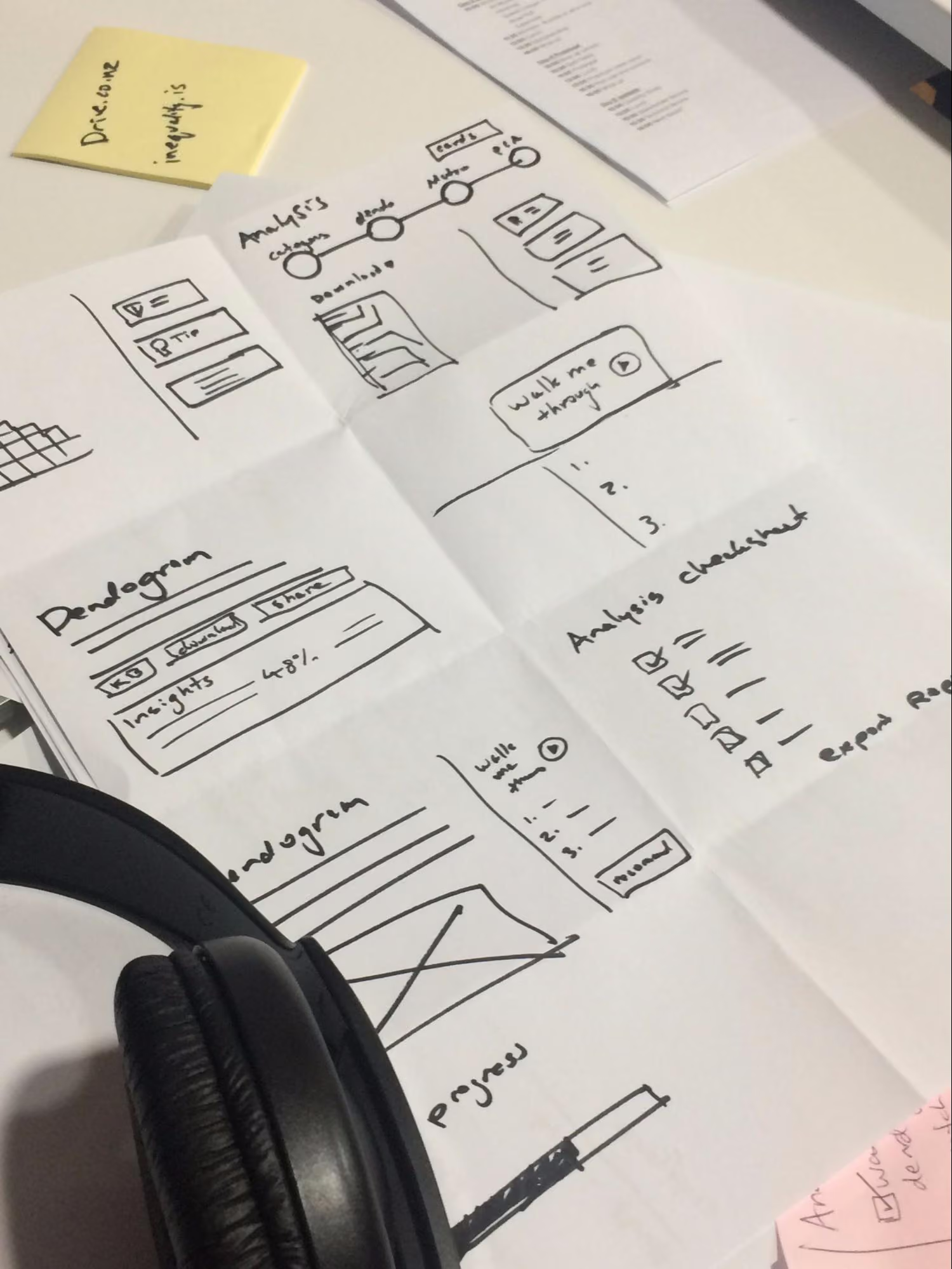
Mila our data scientist sketching intensely during Crazy 8s
 Mila our data scientist sketching intensely during Crazy 8s

A close up of some sketches from the team
 A close up of some sketches from the team

Art gallery/Silent critique

The art gallery is the place where all the sketches go. We give everyone dot stickers so they can vote and pull out key ideas from each sketch. This is done silently, as the ideas should be understood without needing explanation from the person who made them. At the end of it you’ve got a kind of heat map, and you can see the ideas that stand out the most. After this first round of voting, the authors of the sketches get to talk through their ideas, then another round of voting begins.
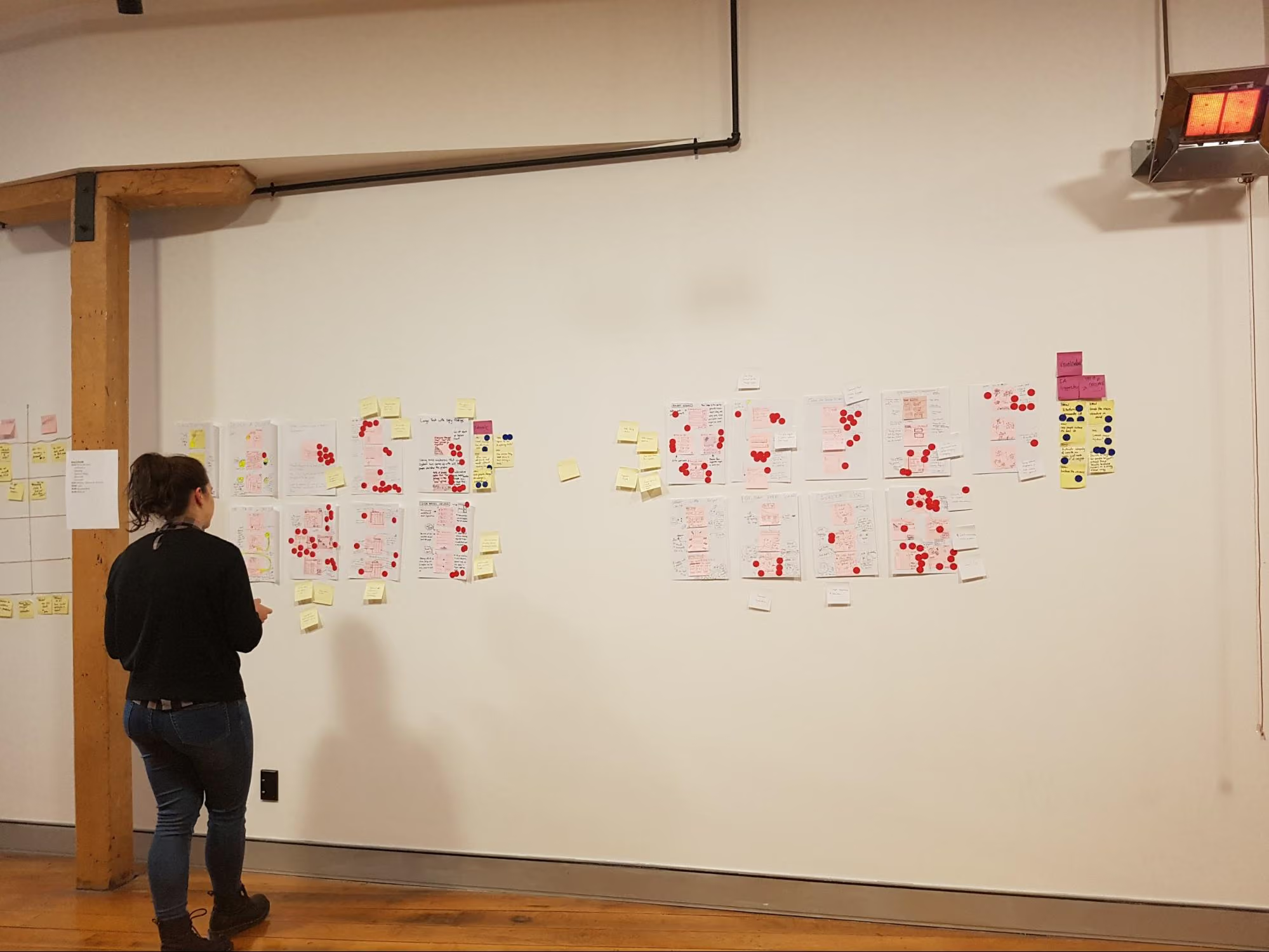
Mila putting some sticky dots on some sketches
 Mila putting some sticky dots on some sketches

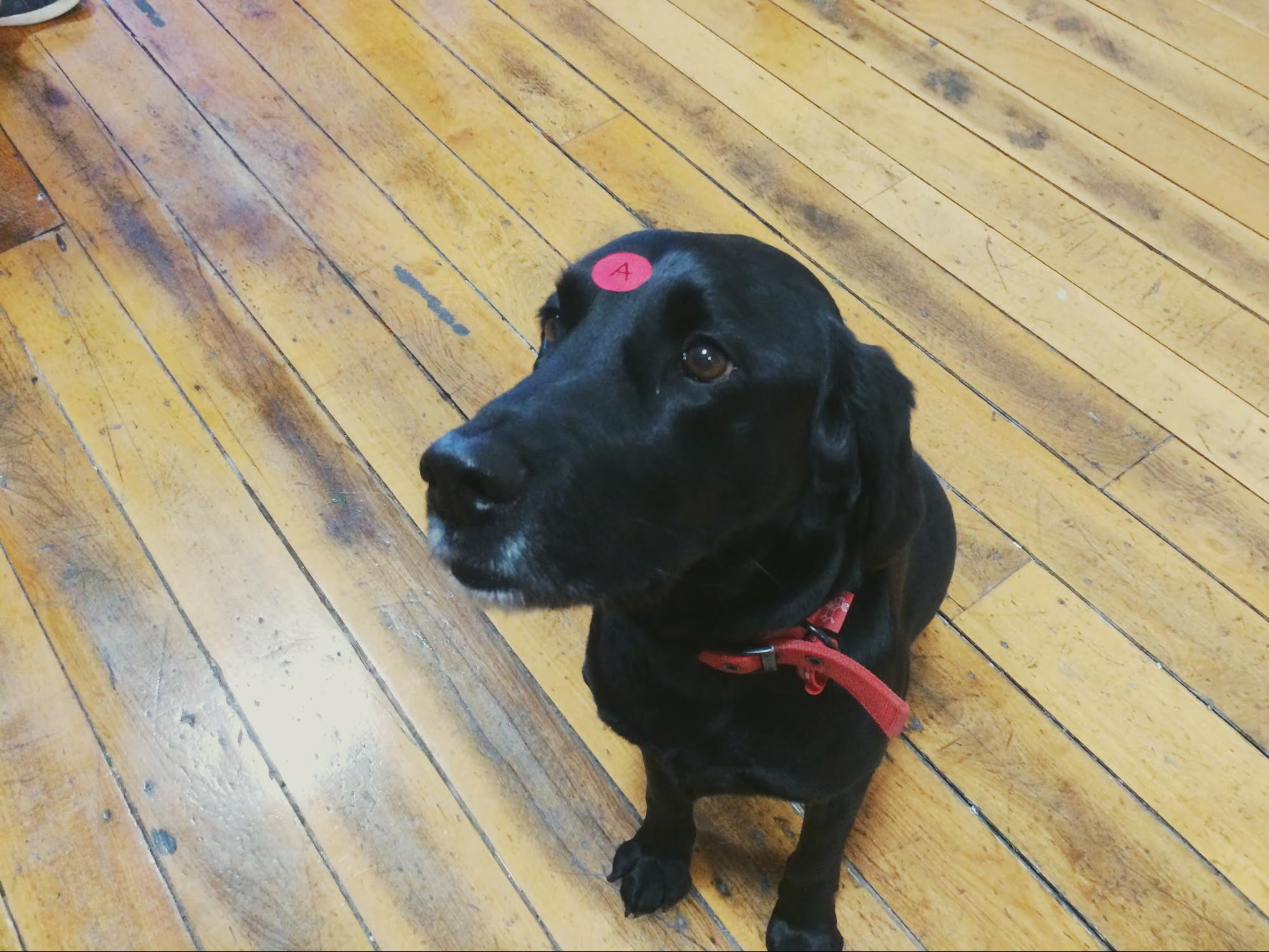
Bowie, our head of security/office dog, even took part in the sprint...kind of.
 Bowie, our head of security, even took part in the sprint...kind of

Usability testing and validation

The key part of a design sprint is validation. For one of our sprints we had two parts of our concept that needed validating. To test one part we conducted simple user tests with other members of Optimal Workshop (the feature was an internal tool). For the second part we needed to validate whether we had the data to continue with this project, so we had our data scientist run some numbers and predictions for us.
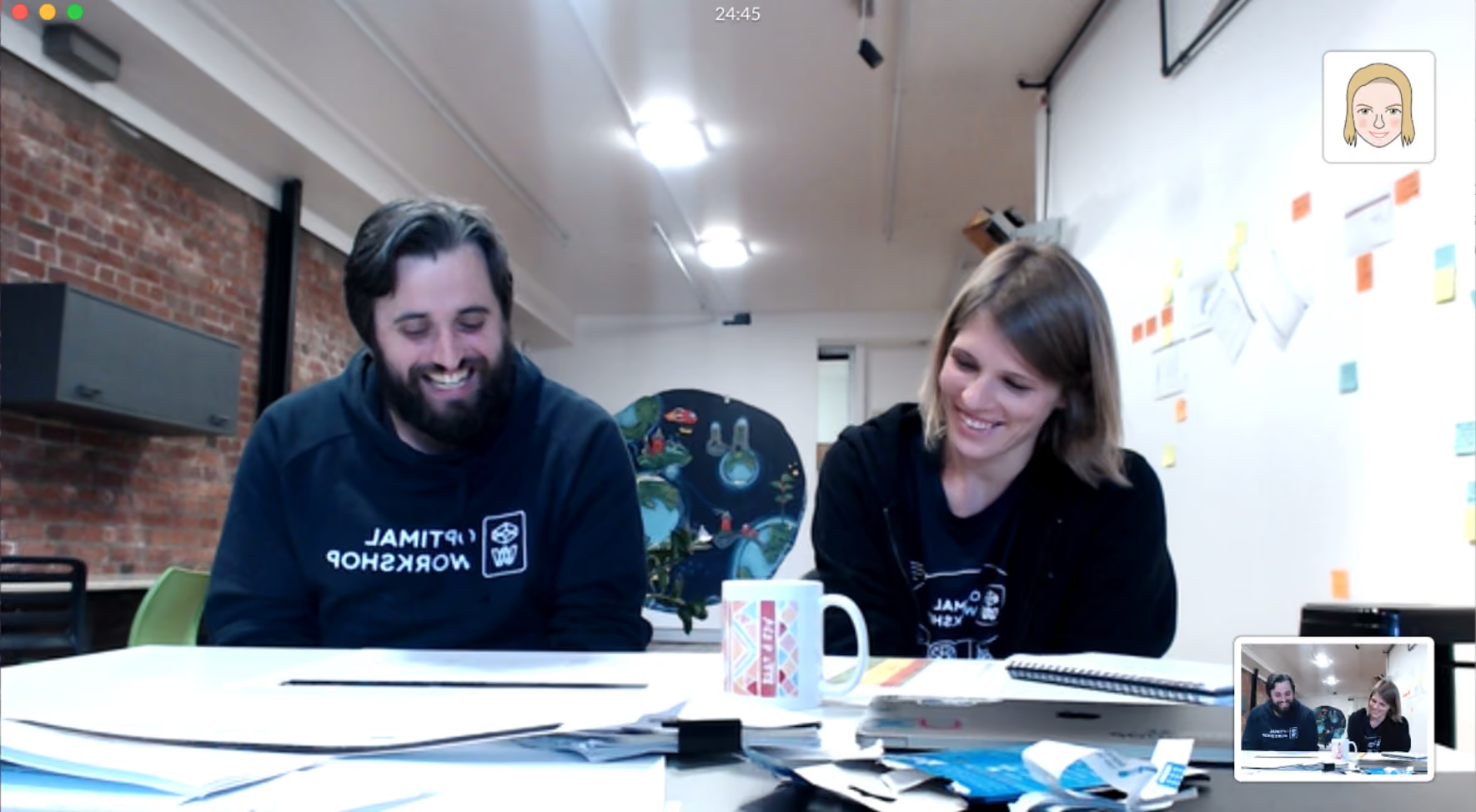
6-dan-design-sprintOur remote worker Rebecca dialed in to watch one of our user tests live
 Our remote worker Rebecca dialed in to watch one of our user tests live
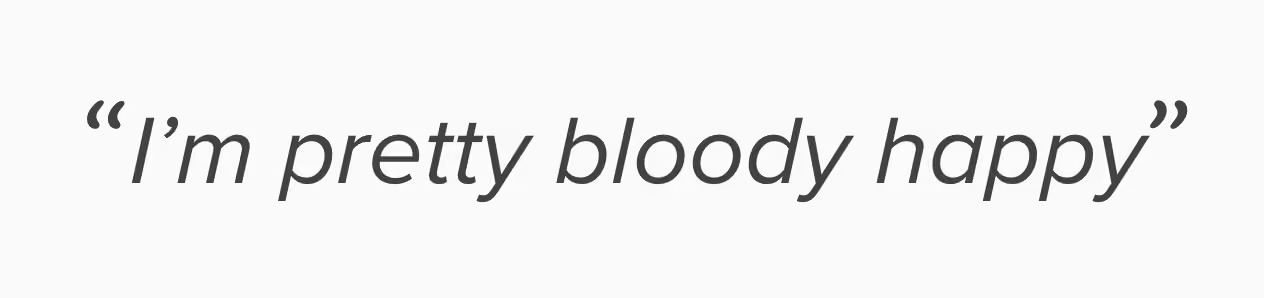
"I'm pretty bloody happy" — Actual feedback.
 Actual feedback

Challenges and outcomes

One of our key team members, Rebecca, was working remotely during the sprint. To make things easier for her, we set up 2 cameras: one pointed to the whiteboard, the other was focused on the rest of the sprint team sitting at the table. Next to that, we set up a monitor so we could see Rebecca.

Engaging in workshop activities is a lot harder when working remotely. Rebecca would get around this by completing the activities and take photos to send to us.

8-rebecca-design-sprint
 For more information, read this great Medium post about running design sprints remotely

Lessons

  • Lightning talks are a great way to have each person contribute up front and feel invested in the process.
  • Sprints are energy intensive. Make sure you’re in a good place with plenty of fresh air with comfortable chairs and a break out space. We like to split the five days up so that we get a weekend break.
  • Give people plenty of notice to clear their schedules. Asking busy people to take five days from their schedule might not go down too well. Make sure they know why you’d like them there and what they should expect from the week. Send them an outline of the agenda. Ideally, have a chat in person and get them excited to be part of it.
  • Invite the right people. It’s important that you get the right kind of people from different parts of the company involved in your sprint. The role they play in day-to-day work doesn’t matter too much for this. We’re all mainly using pens and paper and the more types of brains in the room the better. Looking back, what we really needed on our team was a customer support team member. They have the experience and knowledge about our customers that we don’t have.
  • Choose the right sprint problem. The project we chose for our first sprint wasn’t really suited for a design sprint. We went in with a well defined problem and a suggested solution from the team instead of having a project that needed fresh ideas. This made the activities like ‘How Might We’ seem very redundant. The challenge we decided to tackle ended up being more of a data prototype (spreadsheets!). We used the week to validate assumptions around how we can better use data and how we can write a script to automate some internal processes. We got the prototype working and tested but due to the nature of the project we will have to run this experiment in the background for a few months before any building happens.

Overall, this design sprint was a great team bonding experience and we felt pleased with what we achieved in such a short amount of time. Naturally, here at Optimal Workshop, we're experimenters at heart and we will keep exploring new ways to work across teams and find a good middle ground.

Further reading

Seeing is believing

Explore our tools and see how Optimal makes gathering insights simple, powerful, and impactful.