August 7, 2026
3 minutes

7 Ways UX and Product Designers Can Use MCP to Back Up Design Decisions

Great design decisions are grounded in evidence. But finding the right evidence isn't always easy when it's spread across multiple teams, usability tests, interviews, and surveys.

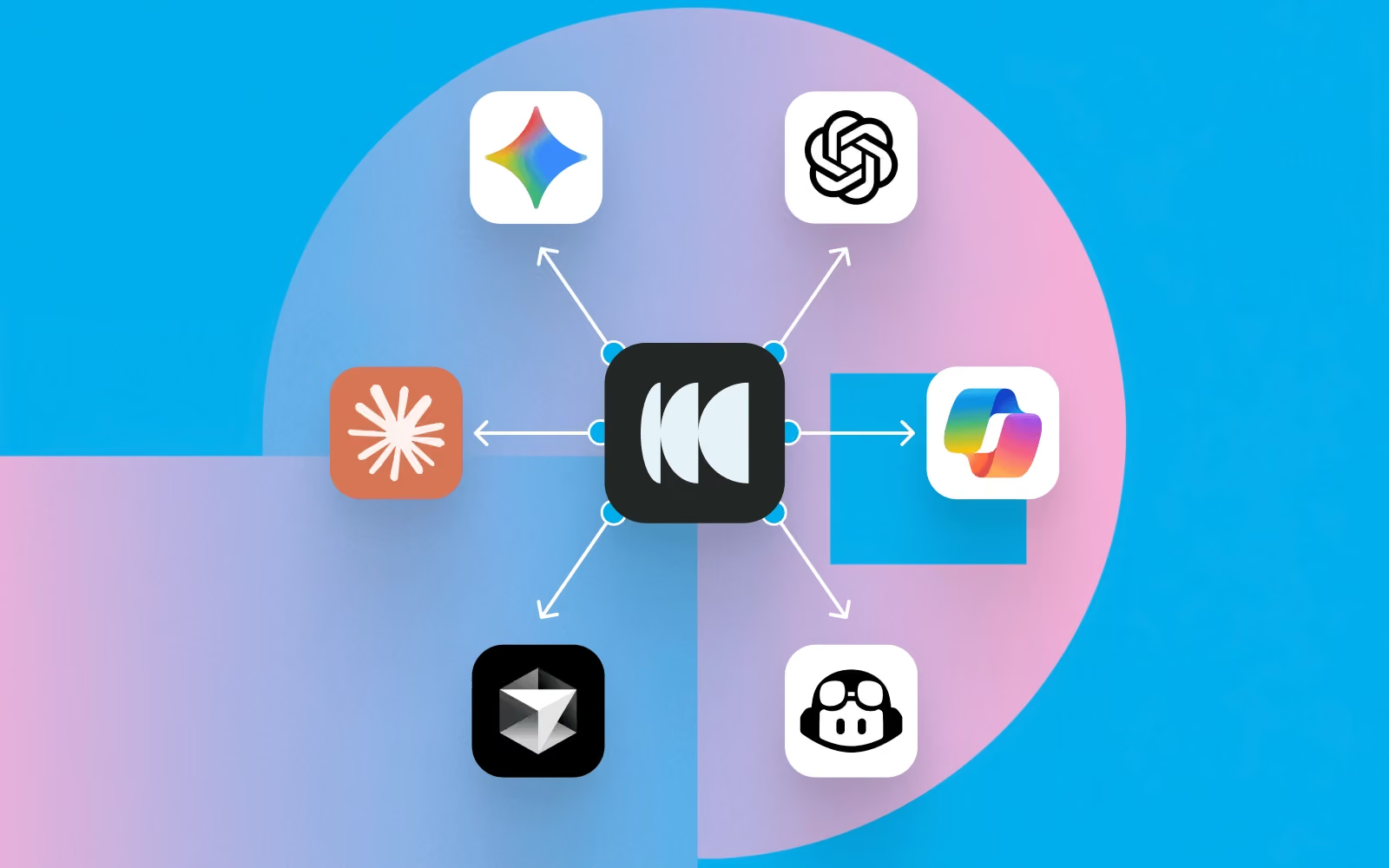
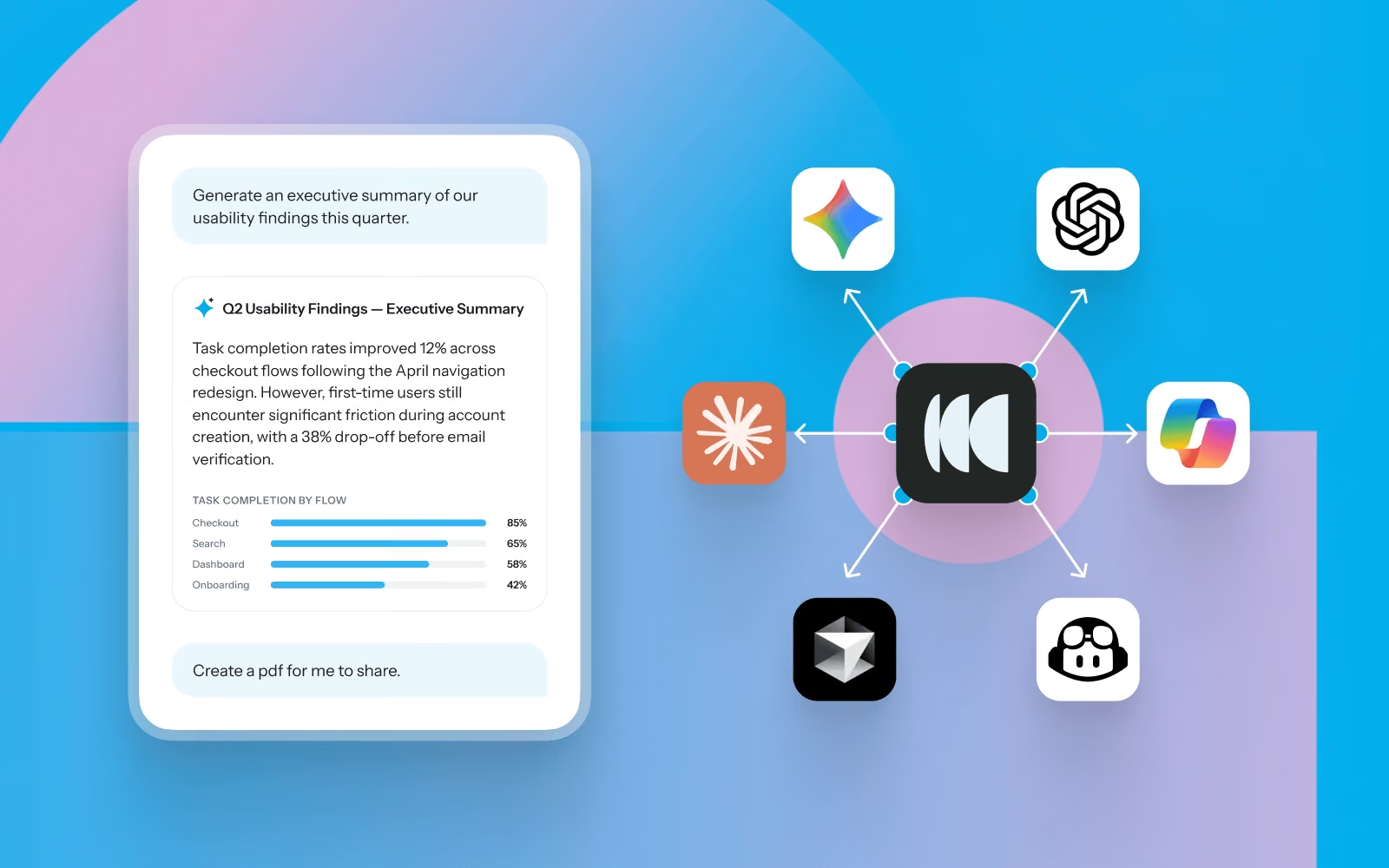
Instead of searching through reports or asking teammates if research already exists, Model Context Protocol (MCP) lets you ask questions about your research repository in natural language from AI tools like ChatGPT, Claude, Gemini, and Cursor.

Whether you're designing a new feature, iterating on a prototype, or preparing for a design review, MCP helps you quickly bring user evidence into your workflow.

Here are seven ways UX, product, and experience designers can use MCP throughout the design process.

1. Start every design project with what users already told you

Before opening Figma, understand what users are trying to accomplish, where they're struggling, and what your team has already learned.

Try asking:

  • What have we already learned about onboarding?
  • What usability issues have we identified in checkout?
  • What are users trying to achieve when managing their account settings?
  • What research should I review before redesigning navigation?

Designer workflow

Before kicking off a redesign, ask MCP to summarize existing research. Use the findings to define design goals, identify constraints, and prioritize the problems worth solving before creating your first wireframe.

2. Validate design concepts before investing time in high-fidelity designs

As ideas begin to take shape, use previous research to pressure-test your thinking. MCP can surface similar studies, recurring usability issues, and participant feedback that helps you refine concepts earlier.

Try asking:

  • Have we tested a similar design before?
  • What patterns have users struggled with in previous prototypes?
  • What should we avoid repeating?
  • Which usability findings should influence this design?

Designer workflow

While exploring concepts in Figma, keep an AI assistant open alongside your design files. Ask questions as you work so previous research continuously informs design decisions instead of becoming something you review once at the beginning.

3. Write stronger design rationale

Design reviews often involve explaining why a particular solution was chosen. Use MCP to find supporting evidence from previous studies.

Try asking:

  • Find participant quotes supporting a simplified navigation.
  • What evidence suggests users prefer this workflow?
  • Which usability studies identified this problem?
  • Show examples of participants struggling with this interaction.

Designer workflow

Use participant quotes, findings, and usability observations directly in design specs, PRDs, or design review presentations to help stakeholders understand the reasoning behind your decisions.

4. Spot UX patterns across products and releases

Looking across multiple studies can reveal broader experience patterns. MCP can identify recurring pain points, emerging behaviours, and themes that may influence future design priorities.

Try asking:

  • What usability issues appear across multiple product areas?
  • Compare findings from our last five prototype tests.
  • Which friction points have become more common over time?
  • What navigation issues keep appearing across studies?

Designer workflow

Before planning a larger redesign, review patterns across multiple past studies. These recurring themes often highlight systemic UX issues that individual projects miss.

5. Prepare for design critiques and stakeholder reviews

Strong design presentations combine visual solutions with user evidence. Use MCP to generate summaries tailored to your audience.

Try asking:

  • Summarize the research supporting this redesign.
  • What are the three biggest user pain points?
  • Create an executive summary for stakeholders.
  • What customer evidence supports prioritizing this work?

Designer workflow

Generate concise summaries before design critiques, roadmap discussions, or leadership reviews, then pair them with your prototypes to show both the solution and the evidence behind it.

6. Plan better usability tests

Designers frequently need to validate prototypes, but not every question requires a brand new study. MCP helps identify what has already been answered and where genuine knowledge gaps remain.

Try asking:

  • What questions about this flow are still unanswered?
  • What assumptions should we validate?
  • Which participant groups haven't been represented?
  • What tasks should we include in our next prototype test?

Designer workflow

Review previous findings before writing test tasks. Build studies that extend existing knowledge instead of repeating research your team has already completed.

7. Bring research into the tools you already use

Research is most valuable when it appears alongside the work you're already doing. With MCP, your repository becomes accessible from AI tools that support everyday design work.

Potential workflows

  • Generate a design brief from previous research before starting a new feature.
  • Draft usability findings directly into Confluence or Notion.
  • Format ideas into sticky notes and prep for a design sprint with Miro or Mural.
  • Create presentation-ready summaries for design reviews.
  • Turn research findings into product requirements for engineering.
  • Compare proposed designs against historical usability findings.
  • Ask follow-up research questions while designing in Figma with an AI assistant open alongside your work.

Instead of switching between repositories, documents, and reports, research becomes part of your design process.

Designing with confidence

The best design decisions aren't based on intuition alone; they're informed by a deep understanding of user behavior.

MCP makes it easier to bring research into everyday design work, helping you move from evidence to action faster. Whether you're exploring concepts, validating ideas, preparing stakeholder reviews, or planning usability tests, you can use MCP to help your research repository become an active design partner. 

Book a demo or log into your account to get set up with MCP. 

Share this article
Author
Optimal
Workshop
Topics

Related articles

View all blog articles
Learn more
1 min read

What to Ask: 5 Ways to Get Started with MCP for Your Research Repository

You've invested time, budget, and effort into your research. But when you or someone else needs an answer, finding the right insight often means searching through projects, remembering which study covered the topic, and piecing insights together manually.


The Model Context Protocol (MCP) changes that. It connects AI tools like Claude, ChatGPT, and Cursor securely to your research in Optimal, so your team can ask questions in plain language and get insightful answers or connect your research to AI-powered workflows.


Below, we cover what MCP makes possible and how to connect it, so you finally get full value from the research you've already done and the repository you’ve built.


Getting started: What can MCP do for research teams?


Once connected, MCP turns your repository into something you can ask directly, so all that past and current research is always instantly accessible. Here are 5 ways to use it:

1. Research assistance

Ask "What usability issues have we found recently?" or "What have we learned about onboarding?" Pull participant data and metadata e.g. “How many participants took this study on mobile?”

2. Discovery

Ask "What research already exists on navigation?" so work isn't duplicated. You can also use MCP to pull quotes or review transcript data. “Surface participant quotes that highlight points of friction when navigating the homepage.”


3. Executive summaries

Ask your AI tool to summarize the most important themes from research this quarter or format findings into charts or graphs.


4. Cross-study synthesis


Surface recurring participant pain points across multiple usability studies at once.


5. AI assistants & workflows


Connect Optimal research with the tools and workflows your team already integrated with your AI tools, like Zapier, Slack, Jira, and Notion.


What can you ask? Real questions, by research method


Here are some practical examples of the kinds of questions teams can ask.

Across studies

  • What themes appear across multiple usability studies?
  • What are recurring participant pain points this quarter?
  • Which studies were conducted around onboarding in the past year?
  • Summarize all checkout-related findings from studies this quarter.

Interviews

  • Can you summarize the key pain points for participants who have downloaded and used the mobile app?

Prototype testing

  • Which task had the lowest success rate in the latest prototype test, and what usability issues contributed to it?
  • What usability issues contributed to task failure?
  • Pull task completion rates from all prototype tests in the Dashboard project as a CSV.


Tree testing

  • What % of users found the checkout successfully in last week's tree test, and where did the rest drop off?
  • Where did users drop off?


Card sorting

  • Which categories did participants consistently group together in the navigation card sort?


First-click testing

  • Where did users first click when asked to find the Pricing page in the first click test?


How do you set up MCP with Optimal?


Step 1: Sign in to your AI tool
Log into your preferred AI assistant (e.g. Claude, ChatGPT, or Cursor).

Step 2: Connect your Optimal account
Go to your AI tool’s settings and add a new MCP connection. Authenticate your Optimal account via OAuth 2.0 to securely grant access to your Optimal data.

Step 3: Start asking questions
Return to your AI tool and begin with simple, high-value questions grounded in your research.


Step 4: Embed it into your workflow
Use MCP regularly to explore insights, synthesize findings, and support decision-making.
The most effective MCP implementations are not standalone tools; they are embedded into daily decision-making.


If your AI tool is already connected to tools like Slack, Jira, Notion, or Zapier, you can use your Optimal research to trigger workflows, such as:

  • Sending Slack alerts when key findings are uncovered
  • Creating tickets in Jira when usability issues are detected
  • Feeding insights into product documentation tools
  • Connecting findings to internal AI assistants used by product and design teams


You've already done the hard part: running the studies and capturing the findings. The value is sitting in your repository. MCP helps you unlock what's already in your repository, making it easy to discover, reuse, and turn into action.

Whether a study was conducted yesterday or months ago, you’ll be able to gather insights with MCP to make faster, more informed decisions today.

Learn more
1 min read

How UX Researchers Can Get More From Their Research Data With MCP

Imagine you've just joined a new research team. There is a vast amount of research in the repository. Hundreds of interviews, usability tests, surveys, and notes. Everyone tells you, "We've probably researched that already," but nobody knows when or where.

Instead of manually searching projects or asking around, Model Context Protocol (MCP) lets you ask questions about studies conducted in Optimal and instantly surface the evidence you need.

Here are practical ways UX researchers can use MCP with Optimal to understand past research, accelerate new studies, and uncover insights across their repository.

1. Get up to speed on past and current research

One of the best ways to use MCP is understanding what's already known. Instead of combing through different studies, ask MCP to summarize existing knowledge before planning your next study.

Try asking:

  • Based on the research I’ve run in Optimal, what are the biggest UX opportunities for our product?
  • Summarize the key findings from checkout research over the past year.
  • What usability issues have been identified most frequently?
  • What research should I read first to understand this project?

2. Define your next research study

Before creating your next study, writing discussion guides or recruiting participants, check what questions have already been answered and which gaps remain.

MCP can help identify opportunities for follow-up research and prevent unnecessary duplication.

Try asking:

  • What questions about account creation are still unanswered?
  • What themes need further investigation?
  • Based on previous studies, what should our next usability test focus on?
  • What hypotheses should we validate next?

3. Find supporting evidence faster

Whether you're preparing a presentation or writing a report, MCP can help to surface quotes, observations, participant metadata, and findings in seconds.

Try asking:

  • Find participant quotes describing frustration during onboarding.
  • Show examples of navigation issues from recent usability tests.
  • How many participants completed this study on mobile?
  • Which sessions mentioned difficulty finding pricing information?
  • Pull task completion rates from all prototype tests in the Dashboard project as a CSV.

4. Discover research before starting from scratch

One of the easiest ways to waste research effort is repeating work that's already been done. Use MCP to explore what's already in your repository before creating a new study.

Try asking:

  • What research already exists about navigation?
  • Have we previously tested this feature?
  • What have we already learned about search?
  • Which studies relate to account settings?

5. Identify patterns across multiple studies

The biggest insights often emerge when you zoom out. Instead of reviewing studies individually, MCP can synthesize findings across projects to reveal recurring themes, behaviours, and pain points.

Try asking:

  • What pain points appear consistently across checkout studies?
  • Compare findings from our last five usability tests.
  • What themes have become more common over the past six months?
  • Which usability issues keep appearing regardless of product area?

6. Create stakeholder-ready summaries

Research is most valuable when it's easy to share. Use MCP to turn large volumes of research into concise summaries or visualizations tailored to your audience.

Try asking:

  • Summarize this quarter's most important customer insights.
  • Create an executive summary for leadership.
  • Create a pie chart with a breakdown of onboarding studies by study method. 
  • What are the three biggest opportunities we should prioritize?
  • Write a summary suitable for our product team.

7. Bring research into your existing workflows

Connect it with the AI tools and platforms your team already uses so research becomes part of everyday decision-making.

Examples include:

  • Ask research questions and post insights directly into Slack.
  • Create a new page in Notion summarizing research findings.
  • Draft insight summaries for Google Docs and Confluence.

Best practices for getting the best answers from MCP

Like any AI assistant, the quality of the output depends on the context you provide. A few simple habits can make a big difference.

Start with a clear goal

Rather than asking broad questions, explain what you're trying to achieve. Instead of Tell me about onboarding.

Try: I'm planning a usability study on onboarding. What problems have previous research uncovered that we should investigate further?

Narrow your search when appropriate

Large repositories can contain a wealth of research.

Specify:

  • Study tool and/or project
  • Research method
  • Time period
  • Team
  • Participant segment

For example: Summarize usability studies about checkout conducted during the past 12 months.

Decide whether you need one study or many

Sometimes you need detailed findings from a single study. Other times you're looking for patterns across dozens of studies. Tell MCP which perspective you want.

Ask follow-up questions

Treat MCP like a research partner rather than a search engine. For example:

  • Can you show supporting participant quotes?
  • Which studies contributed to this finding?
  • Are there conflicting findings?
  • What evidence supports this recommendation?

Tell MCP how you want the answer

Different audiences need different outputs.

Ask for:

  • Bullet-point summaries
  • Executive briefings
  • Presentation-ready insights
  • Charts
  • Tables
  • Research reports
  • Action items
  • Product recommendations

MCP helps researchers spend less time hunting for information and more time generating insights that move products forward. 

How will you use MCP with your Optimal data? Whether you're uncovering past insights, planning new studies, or connecting research with the rest of your tools, we'd love to hear how you're putting it to work.

Learn more
1 min read

7 Ways UX and Product Designers Can Use MCP to Back Up Design Decisions

Great design decisions are grounded in evidence. But finding the right evidence isn't always easy when it's spread across multiple teams, usability tests, interviews, and surveys.

Instead of searching through reports or asking teammates if research already exists, Model Context Protocol (MCP) lets you ask questions about your research repository in natural language from AI tools like ChatGPT, Claude, Gemini, and Cursor.

Whether you're designing a new feature, iterating on a prototype, or preparing for a design review, MCP helps you quickly bring user evidence into your workflow.

Here are seven ways UX, product, and experience designers can use MCP throughout the design process.

1. Start every design project with what users already told you

Before opening Figma, understand what users are trying to accomplish, where they're struggling, and what your team has already learned.

Try asking:

  • What have we already learned about onboarding?
  • What usability issues have we identified in checkout?
  • What are users trying to achieve when managing their account settings?
  • What research should I review before redesigning navigation?

Designer workflow

Before kicking off a redesign, ask MCP to summarize existing research. Use the findings to define design goals, identify constraints, and prioritize the problems worth solving before creating your first wireframe.

2. Validate design concepts before investing time in high-fidelity designs

As ideas begin to take shape, use previous research to pressure-test your thinking. MCP can surface similar studies, recurring usability issues, and participant feedback that helps you refine concepts earlier.

Try asking:

  • Have we tested a similar design before?
  • What patterns have users struggled with in previous prototypes?
  • What should we avoid repeating?
  • Which usability findings should influence this design?

Designer workflow

While exploring concepts in Figma, keep an AI assistant open alongside your design files. Ask questions as you work so previous research continuously informs design decisions instead of becoming something you review once at the beginning.

3. Write stronger design rationale

Design reviews often involve explaining why a particular solution was chosen. Use MCP to find supporting evidence from previous studies.

Try asking:

  • Find participant quotes supporting a simplified navigation.
  • What evidence suggests users prefer this workflow?
  • Which usability studies identified this problem?
  • Show examples of participants struggling with this interaction.

Designer workflow

Use participant quotes, findings, and usability observations directly in design specs, PRDs, or design review presentations to help stakeholders understand the reasoning behind your decisions.

4. Spot UX patterns across products and releases

Looking across multiple studies can reveal broader experience patterns. MCP can identify recurring pain points, emerging behaviours, and themes that may influence future design priorities.

Try asking:

  • What usability issues appear across multiple product areas?
  • Compare findings from our last five prototype tests.
  • Which friction points have become more common over time?
  • What navigation issues keep appearing across studies?

Designer workflow

Before planning a larger redesign, review patterns across multiple past studies. These recurring themes often highlight systemic UX issues that individual projects miss.

5. Prepare for design critiques and stakeholder reviews

Strong design presentations combine visual solutions with user evidence. Use MCP to generate summaries tailored to your audience.

Try asking:

  • Summarize the research supporting this redesign.
  • What are the three biggest user pain points?
  • Create an executive summary for stakeholders.
  • What customer evidence supports prioritizing this work?

Designer workflow

Generate concise summaries before design critiques, roadmap discussions, or leadership reviews, then pair them with your prototypes to show both the solution and the evidence behind it.

6. Plan better usability tests

Designers frequently need to validate prototypes, but not every question requires a brand new study. MCP helps identify what has already been answered and where genuine knowledge gaps remain.

Try asking:

  • What questions about this flow are still unanswered?
  • What assumptions should we validate?
  • Which participant groups haven't been represented?
  • What tasks should we include in our next prototype test?

Designer workflow

Review previous findings before writing test tasks. Build studies that extend existing knowledge instead of repeating research your team has already completed.

7. Bring research into the tools you already use

Research is most valuable when it appears alongside the work you're already doing. With MCP, your repository becomes accessible from AI tools that support everyday design work.

Potential workflows

  • Generate a design brief from previous research before starting a new feature.
  • Draft usability findings directly into Confluence or Notion.
  • Format ideas into sticky notes and prep for a design sprint with Miro or Mural.
  • Create presentation-ready summaries for design reviews.
  • Turn research findings into product requirements for engineering.
  • Compare proposed designs against historical usability findings.
  • Ask follow-up research questions while designing in Figma with an AI assistant open alongside your work.

Instead of switching between repositories, documents, and reports, research becomes part of your design process.

Designing with confidence

The best design decisions aren't based on intuition alone; they're informed by a deep understanding of user behavior.

MCP makes it easier to bring research into everyday design work, helping you move from evidence to action faster. Whether you're exploring concepts, validating ideas, preparing stakeholder reviews, or planning usability tests, you can use MCP to help your research repository become an active design partner. 

Book a demo or log into your account to get set up with MCP. 

Seeing is believing

Explore our tools and see how Optimal makes gathering insights simple, powerful, and impactful.