
October 27, 2026
—
5 minutes

When to use MCP vs. AI Chat

Optimal gives you two ways to use AI to ask questions about your research and explore your findings: AI Chat in Optimal Interviews and Optimal MCP.

‍

Both let you ask questions in natural language, but they’re designed for different types of research exploration.

‍

The simple difference: Use AI Chat to explore interview data in depth. Use MCP to explore individual studies, connect research from different studies, connect to other tools, automate existing or new workflows

‍

‍

AI Chat vs. MCP: Which should I use?

‍

Use AI Chat when you want to:

  • Explore a specific interview topic
  • Find supporting evidence in interview sessions
  • Find new video clips
  • Generate new highlight reels
  • Investigate participant reactions in more detail
  • Follow evidence back to timestamped interview sessions

‍

Use MCP when you want to:

  • Search across multiple studies
  • Compare findings across studies or time periods
  • Identify recurring themes and trends
  • Combine research from different methods
  • Explore individual studies using participant results, study setup and metadata
  • Analyse transcripts, task results, user paths and other available research data
  • Connect Optimal research to ChatGPT, Claude, Gemini, Cursor or other MCP-compatible tools
  • Bring research into broader AI-powered workflows and automate research tasks

‍

In short

‍

Go deeper into interviews → AI Chat

Use AI Chat when your question is focused on what participants said, how they reacted, or finding evidence within interview sessions.

‍

Go broader across research → MCP

Use MCP when your question spans multiple studies, research methods, time periods or data sources, or when you want to bring Optimal research into another AI workflow.

‍

‍

What is AI Chat in Optimal?

‍

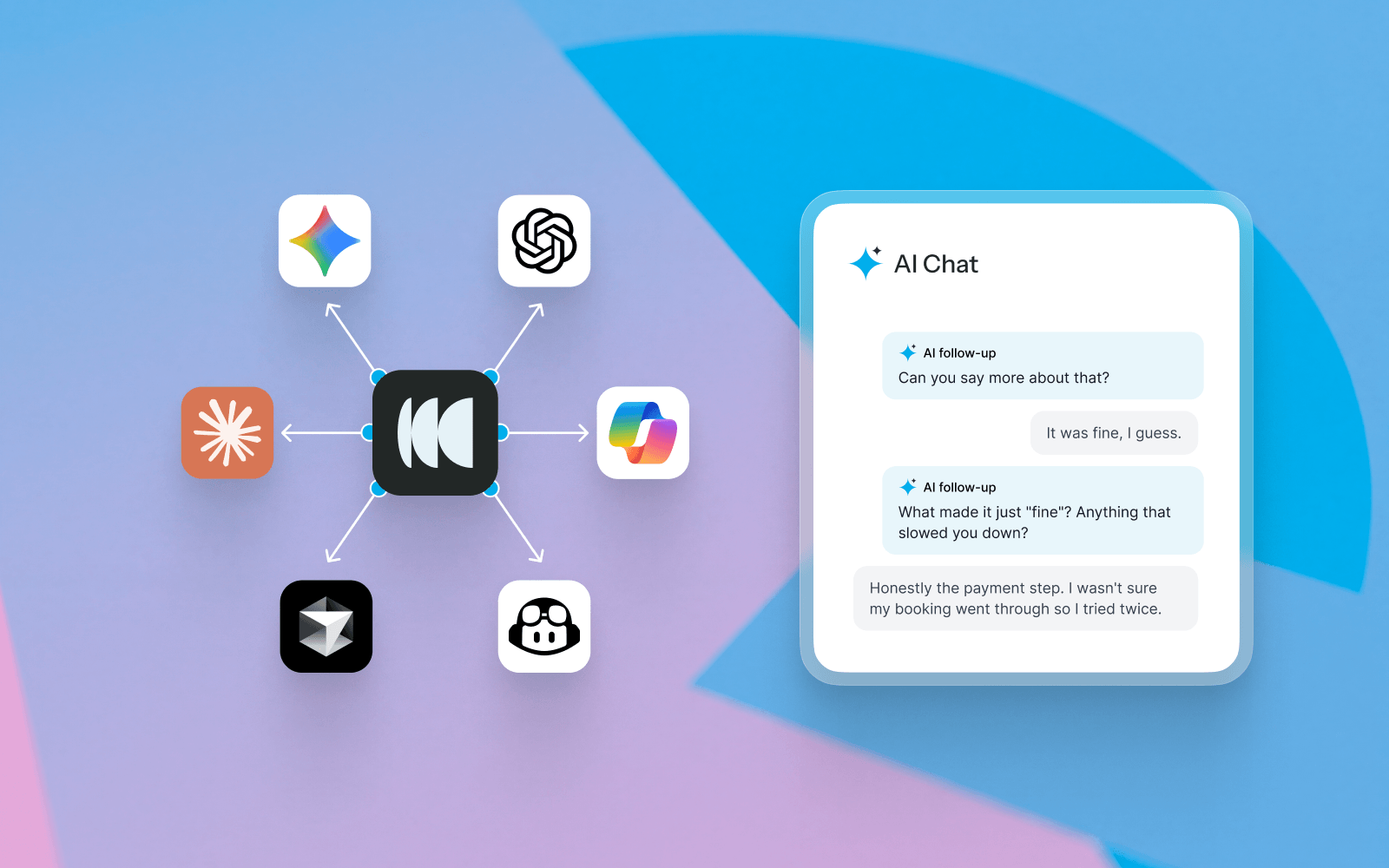
AI Chat is an AI-powered research assistant built into Optimal Interviews. It helps you explore interview data using natural-language questions.

‍

Use AI Chat to find what participants said, investigate specific topics, discover supporting evidence and explore interview findings in more depth.

‍

For example, you can ask:

  • “What frustrations did participants mention about checkout?”
  • “Show me quotes about trust in the product.”
  • “What did participants find confusing about onboarding?”
  • “Find examples of participants struggling with the navigation.”

‍

You can ask follow-up questions to refine your search or investigate a finding further. AI Chat can also surface participant quotes, video clips and highlight reels, with citations that take you back to the supporting evidence in your interviews. Learn more about AI Chat.
‍

‍

What is Optimal MCP?

‍

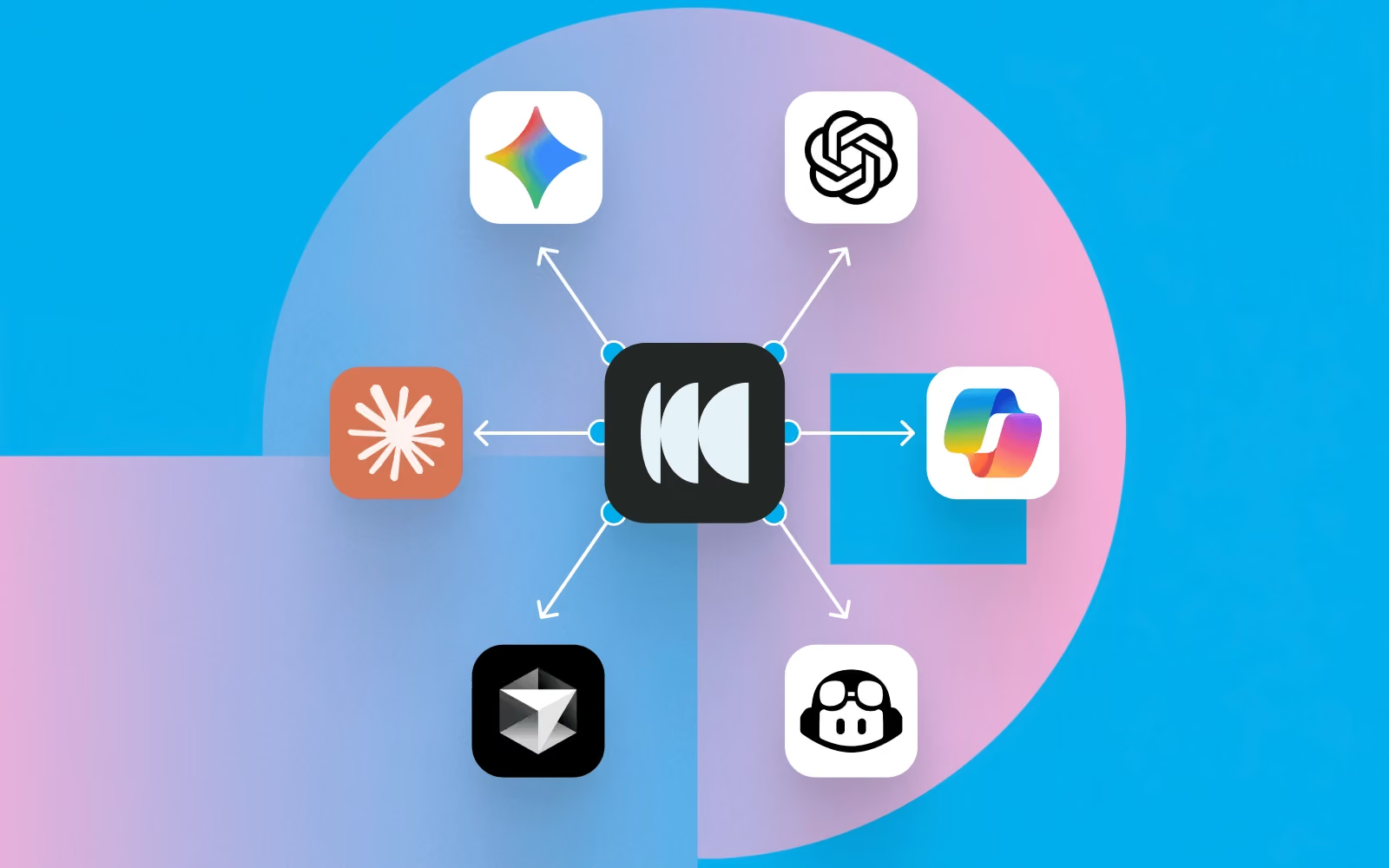
Optimal MCP connects your Optimal research to MCP-compatible AI assistants and tools, including ChatGPT, Claude, Gemini and Cursor.

‍

MCP is designed for broader research exploration. It lets you work with research data across individual studies or your wider Workspace, making it useful for research synthesis, cross-study analysis and AI-powered research workflows.

‍

For example, you can ask:

  • “What usability issues have appeared across our research this year?”
  • “Compare our findings from March and June.”
  • “What themes are recurring across our recent studies?”
  • “Which studies included feedback about onboarding?”
  • “Create a Notion page outline summarising these research findings.”

‍

Depending on the data available to you, MCP can help you explore study information, participant results, supported survey results, transcripts, task results, user paths, study metadata and AI-generated insights. Learn more about Optimal MCP.

‍

‍

AI Chat vs. MCP example

‍

Imagine you want to understand problems with onboarding.

‍

Use AI Chat

Ask: “What did participants say was confusing about onboarding? Show me examples.”

‍

Use MCP

Ask: “What onboarding issues have appeared across our research over the past six months?”

‍

‍

What research data can AI Chat and MCP access?

‍

AI Chat focuses on your Interviews data, helping you explore interview responses and supporting evidence such as quotes and highlight reels.

‍

MCP provides read-only access to research data available to you in Optimal, including study information, participant results, supported survey results, and AI insights.

‍

‍

Best practices for using AI Chat and MCP

‍

Whichever tool you use, you’ll get more useful results by giving the AI enough context.

  • Ask specific questions. Include the product, feature, audience, study or timeframe where relevant.
  • Start broad, then dig deeper. Use follow-up questions to explore interesting findings.
  • Ask for evidence. Request quotes, examples, citations or the studies supporting a finding.
  • Specify the format. Ask for a summary, presentation-ready bullets, or another format that suits your needs. With MCP, you further specify formats, such as charts, tables, or interactive deliverables. 
  • Check important findings. Use AI to accelerate analysis, but review the underlying research before making important decisions.

‍

Find out more in our AI Chat best practices.

‍

Already using AI Chat or MCP? We’d love to hear how you’re using AI to explore your research. Share your use case, workflow or favorite way to work with AI with our team.

‍

Not using Optimal yet? See how Optimal can help you bring AI into your research workflow.
Book a demo.

Share this article
Author
Optimal
Workshop

Related articles

View all blog articles
Learn more
1 min read

Everyone Says They're User-Centric. So Why Do Most Products Still Suck?

Walk into any product company and you'll hear the same language about being user-centric. So why does the average person still rage-quit apps weekly?  If everyone's truly putting users at the center, something's not adding up. Most companies aren't lying when they say they're user-centric. They genuinely believe it. Leadership believes it. Product teams believe it. The values are probably painted on the office wall. But there's a massive gap between claiming to be user-centric and actually building products that work for users.

‍

‍

‍

Where user insights go to die

‍

‍

Let's trace what actually happens to user research in most organizations. A researcher conducts a brilliant study. They talk to real users, identify genuine pain points, uncover surprising insights about how people actually use the product. The researcher creates a comprehensive report with clear recommendations. They present to stakeholders and then…nothing happens.

‍

Product moves forward based on roadmap commitments made three months ago. Design tackles the projects already scoped. Engineering builds what's already been spec'd and by the time the next planning cycle rolls around, the research is old news. The context has shifted. New priorities have emerged. The research was great. It just never actually changed anything.

‍

The issue here isn't that teams don't value research. It's that the systems aren't set up to close the gap between insight and implementation. Research lives in one place and product decisions happen somewhere else. There's a handoff required. Someone needs to take the insights from the research and translate them into the specific contexts where decisions get made. But who owns that handoff? Usually nobody explicitly. The researcher assumes product managers will incorporate the findings. Product managers assume researchers will flag critical issues. Designers are caught in the middle, trying to advocate for users while also hitting delivery dates. So insights leak at every transition point.

‍

Even when research does make it into decision-making conversations, it's often in the wrong format for action. Researchers are trained to present thorough findings and all of that is valuable. But it's not always actionable. The gap between what users said and what should be done about it, is a lot bigger than most teams realize, but an even bigger problem is that product decisions can’t wait for perfect information. Product decisions need to happen fast, often in real-time, in contexts where pulling up a research report isn't practical. If research insights aren't immediately accessible in the moment decisions are being made, they effectively don't exist.

‍

‍

‍

So…What actually works?

‍

‍

The companies that successfully put users at the center do something different. They build research into the decision-making flow rather than treating it as a separate activity that informs decisions. They make sure that research insights live where decisions happen, integrated into project management tools, design files, and product specs.

‍

Increasingly, they're also using MCP (Model Context Protocol) to connect AI tools like Claude, ChatGPT, and Cursor directly to their research repository – here's how. Instead of searching through reports, teams can ask questions in natural language to surface relevant findings, user insights, and context exactly when they need them, or generate artifacts and workflows grounded in real user research. Insights are accessible in the moment someone needs them.

‍

At Optimal, our design team embeds research findings directly in their Figma files. Not as links to external reports, but as context right next to the designs. When someone's reviewing navigation options, the tree test results are right there. When they're looking at prototype variations, the usability data is embedded in the file. Decisions and insights exist in the same place.

‍

Another great step is to make sure that all research insights are framed as recommendations, not just observations. Instead of "Users struggled with the checkout flow," the insight could be "Simplify checkout to 3 steps instead of 5, based on usability testing where users abandoned at step 4." The researcher isn't just reporting what happened. They're translating it into clear next steps.

‍

We also firmly believe that research should be continuous instead of episodic. Instead of big studies that take weeks and produce comprehensive reports, teams run smaller tests constantly. This doesn't replace deep foundational research. But it supplements it with rapid feedback loops that keep user input flowing into active work.

‍

And lastly - research should be accessible to all. When only dedicated researchers can conduct studies, research becomes a bottleneck. When product managers and designers can run quick tests themselves, with appropriate guidance and quality standards, research becomes embedded in how the team works rather than something teams have to request and wait for.

‍

Being genuinely user-centric requires infrastructure, not just values. You need tools that make it easy to share findings where people actually work. You need workflows that integrate research into product development rather than treating it as a separate track. You need the ability to run research at the speed decisions happen.

‍

Most importantly, you need to make the gap between insight and action as small as possible. The best research in the world doesn't help users if it never influences what gets built.

Learn more
1 min read

Bring Your Research Data into the Rest of Your Business with the Optimal API

Research data becomes even more valuable when it can be used alongside the other data your business relies on.

‍

The Optimal API gives organizations secure, read-only access to their Optimal research data, so you can connect research with the tools and workflows your teams already use. Bring research data into a data warehouse, build dashboards, automate reporting, or combine research results with product analytics and business metrics.

‍

Instead of manually exporting research data or relying on static reports, you can create a more connected way to access and use your research at scale.

‍

‍

What is the Optimal API?

‍

The Optimal API is a secure, read-only way to access research data from Optimal programmatically. It allows your developers, IT or systems administrators, and API or integration managers to connect Optimal with other business systems.

‍

For example, you can use the API to:

‍

  • Centralize research data in a data warehouse such as Snowflake.
  • Build research dashboards in Power BI, Tableau, Looker, or other business intelligence tools.
  • Automate reporting so research data can flow into recurring reports and workflows.
  • Create an internal research repository that brings research data together in one place.
  • Connect research with business data to explore research alongside product analytics, customer data, or business metrics.
  • Build custom applications and integrations around your organization's research data.

‍

‍

Why connect your research data?

‍

As research programs grow, manually exporting and combining data can become time-consuming. Connecting research data to your existing data infrastructure can make it easier for teams to find, analyze, and share research across the organization.

‍

For example, a research team could send Optimal data to Snowflake and combine it with product analytics. A research operations team could build a centralized dashboard showing research activity across teams. A data or analytics team could automate recurring reports instead of relying on researchers to export data manually.

‍

The API helps make research data more accessible beyond the research team.

‍

‍

What research data can you access?

‍

The initial release of the Optimal API provides read-only access to:

  • Research activities
  • Research metadata
  • Participants
  • Responses and results
  • Insights and AI-generated insights

‍

This means you can retrieve research data from Optimal without changing or deleting it through the API.

‍

‍

Who can set up the Optimal API?

‍

Depending on how your organization manages technology and integrations, the person setting up access to the API might be a:

‍

  • Developer
  • IT or systems administrator
  • API or integration manager
  • Data or analytics team member

‍

You don't need to be the person building the integration to create the API application. The organization admin is responsible for creating the application and securely sharing its credentials with the appropriate person.

‍

‍

How to keep your API credentials secure

‍

Your Client Secret works like a password for your API application. Treat it as sensitive information and only give access to people or systems that need it.

‍

Follow these best practices:

  • Never share your Client Secret publicly. Don't send it through Slack, email, direct messages, or other unsecured channels.
  • Use a password manager or secrets manager. Store credentials in a secure tool such as 1Password or your organization's approved secrets manager.
  • Don't add secrets to source code. Never commit your Client Secret to a Git repository or include it in configuration files, screenshots, or other files that could be shared.
  • Limit access to credentials. Only give API credentials to the people or systems that need them.
  • Make application ownership clear. Use a descriptive application name so your team can identify what the application is used for and who manages it.
  • Delete applications you no longer use. Removing unused applications helps reduce unnecessary access.

‍

‍

Build a more connected research workflow

‍

The Optimal API makes it possible to bring research data into the systems your organization already relies on.

‍

Whether you're building a research repository, connecting research to business intelligence, automating reporting, or combining research with product data, the API can help reduce manual data handling and make research easier to use across your organization.

‍

The Optimal API is now currently available to multi-team organizations on Enterprise plans.

Learn more
1 min read

What to Ask: 5 Ways to Get Started with MCP for Your Research Repository

You've invested time, budget, and effort into your research. But when you or someone else needs an answer, finding the right insight often means searching through projects, remembering which study covered the topic, and piecing insights together manually.

‍
The Model Context Protocol (MCP) changes that. It connects AI tools like Claude, ChatGPT, and Cursor securely to your research in Optimal, so your team can ask questions in plain language and get insightful answers or connect your research to AI-powered workflows.

‍
Below, we cover what MCP makes possible and how to connect it, so you finally get full value from the research you've already done and the repository you’ve built.

‍
Getting started: What can MCP do for research teams?

‍
Once connected, MCP turns your repository into something you can ask directly, so all that past and current research is always instantly accessible. Here are 5 ways to use it:

‍

1. Research assistance

‍

Ask "What usability issues have we found recently?" or "What have we learned about onboarding?" Pull participant data and metadata e.g. “How many participants took this study on mobile?”

‍

2. Discovery

‍

‍Ask "What research already exists on navigation?" so work isn't duplicated. You can also use MCP to pull quotes or review transcript data. “Surface participant quotes that highlight points of friction when navigating the homepage.”

‍
3. Executive summaries

‍

Ask your AI tool to summarize the most important themes from research this quarter or format findings into charts or graphs.

‍
4. Cross-study synthesis


Surface recurring participant pain points across multiple usability studies at once.

‍
5. AI assistants & workflows


Connect Optimal research with the tools and workflows your team already integrated with your AI tools, like Zapier, Slack, Jira, and Notion.

‍
What can you ask? Real questions, by research method

‍
Here are some practical examples of the kinds of questions teams can ask.
‍

Across studies

  • What themes appear across multiple usability studies?
  • What are recurring participant pain points this quarter?
  • Which studies were conducted around onboarding in the past year?
  • Summarize all checkout-related findings from studies this quarter.
    ‍

Interviews

  • Can you summarize the key pain points for participants who have downloaded and used the mobile app?
    ‍

‍Prototype testing

  • Which task had the lowest success rate in the latest prototype test, and what usability issues contributed to it?
  • What usability issues contributed to task failure?
  • Pull task completion rates from all prototype tests in the Dashboard project as a CSV.

‍
Tree testing‍

  • What % of users found the checkout successfully in last week's tree test, and where did the rest drop off?
  • Where did users drop off?

‍
Card sorting

  • Which categories did participants consistently group together in the navigation card sort?

‍
First-click testing

  • Where did users first click when asked to find the Pricing page in the first click test?

‍

‍
How do you set up MCP with Optimal?

‍
‍
Step 1: Sign in to your AI tool
Log into your preferred AI assistant (e.g. Claude, ChatGPT, or Cursor).
‍
Step 2: Connect your Optimal account
Go to your AI tool’s settings and add a new MCP connection. Authenticate your Optimal account via OAuth 2.0 to securely grant access to your Optimal data.
‍
Step 3: Start asking questions
Return to your AI tool and begin with simple, high-value questions grounded in your research.

‍
Step 4: Embed it into your workflow‍
Use MCP regularly to explore insights, synthesize findings, and support decision-making.
The most effective MCP implementations are not standalone tools; they are embedded into daily decision-making.

‍
If your AI tool is already connected to tools like Slack, Jira, Notion, or Zapier, you can use your Optimal research to trigger workflows, such as:

‍

  • Sending Slack alerts when key findings are uncovered
  • Creating tickets in Jira when usability issues are detected
  • Feeding insights into product documentation tools
  • Connecting findings to internal AI assistants used by product and design teams

‍
You've already done the hard part: running the studies and capturing the findings. The value is sitting in your repository. MCP helps you unlock what's already in your repository, making it easy to discover, reuse, and turn into action.

‍

Whether a study was conducted yesterday or months ago, you’ll be able to gather insights with MCP to make faster, more informed decisions today.

Seeing is believing

Explore our tools and see how Optimal makes gathering insights simple, powerful, and impactful.